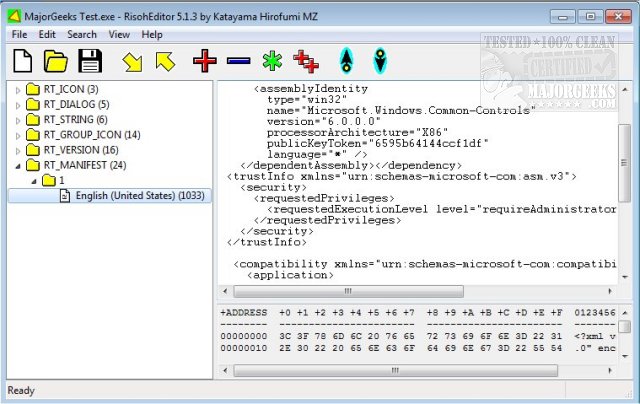
RisohEditor 6.0.8 has been released, providing users with a free tool for adding, editing, extracting, and removing resource data from DLL and EXE files. The application simplifies the editing of various Windows resources, including Dialogs, Menus, Icons, Cursors, String Tables, and Message Tables. The name "Risoh" means "ideal" in Japanese, highlighting its user-friendly design which emphasizes productivity over navigating complex interfaces.
One of the key features of RisohEditor is its intuitive interface, making it accessible even for users with minimal programming experience. The application employs color coding to facilitate quick identification of elements, further streamlining the editing process. Users can easily modify parts of programs, including texts and descriptions, allowing for extensive customization of Windows applications.
However, users are advised against installing the application in "C:\Program Files" or "C:\Program Files (x86)" directories, as the resource compiler (windres) does not handle spaces in file paths effectively.
- Full Unicode support, catering to international resources
- Ability to read the "resource.h" header file for enhanced functionality
- GUI editing support for a more visual approach
- Compatibility with exported resources that can be read by Visual C++ 2017
- Support for window class libraries, expanding its utility for developers
In summary, RisohEditor 6.0.8 is a powerful and versatile tool for resource editing in Windows applications, offering a blend of ease of use and advanced features that cater to both novice and experienced users alike. As software development continues to evolve, tools like RisohEditor will remain essential for effective resource management and application customization
One of the key features of RisohEditor is its intuitive interface, making it accessible even for users with minimal programming experience. The application employs color coding to facilitate quick identification of elements, further streamlining the editing process. Users can easily modify parts of programs, including texts and descriptions, allowing for extensive customization of Windows applications.
However, users are advised against installing the application in "C:\Program Files" or "C:\Program Files (x86)" directories, as the resource compiler (windres) does not handle spaces in file paths effectively.
Key Features of RisohEditor:
- High scalability for various editing needs- Full Unicode support, catering to international resources
- Ability to read the "resource.h" header file for enhanced functionality
- GUI editing support for a more visual approach
- Compatibility with exported resources that can be read by Visual C++ 2017
- Support for window class libraries, expanding its utility for developers
In summary, RisohEditor 6.0.8 is a powerful and versatile tool for resource editing in Windows applications, offering a blend of ease of use and advanced features that cater to both novice and experienced users alike. As software development continues to evolve, tools like RisohEditor will remain essential for effective resource management and application customization
RisohEditor 6.0.8 released
RisohEditor is designed for adding, editing, extracting, and removing the resource data from DLL/EXE files for free.