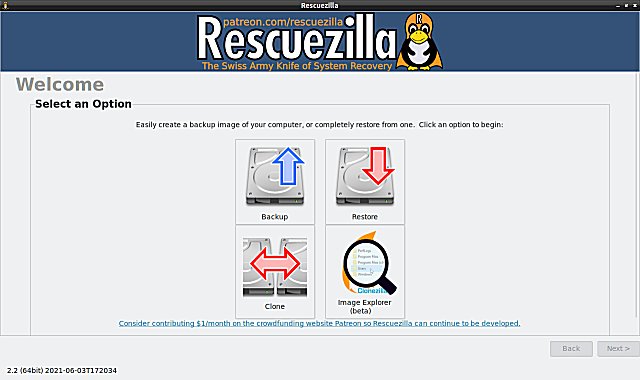
Rescuezilla 2.6.2 has been released as a user-friendly disk imaging application that is fully compatible with Clonezilla. This software allows users to create backups of their computer's hard drive, which are stored as files on an external drive. In the event of a hard drive failure, users can quickly restore their disk image, returning their system, documents, and settings to the state they were in at the time of the last backup.
One of the key features of Rescuezilla is its ability to perform backup, restore, and recovery operations even when the main operating system cannot be booted. This capability is beneficial for users on any platform—whether Windows, Mac, or Linux—allowing them to recover their data without needing to log into their system. Users simply need to download the ISO file, write it to a USB stick, and reboot their machine. This process loads a complete mini operating system into the computer's memory, offering a point-and-click interface that does not interfere with the hard drive.
Rescuezilla is a continuation of the Redo Backup and Recovery project, which was inactive for seven years, and it has been revamped to meet current user needs.
In addition to Rescuezilla, users may also find guidance on related topics such as restoring lost or damaged files in various Windows versions, resetting or reinstalling Windows 10 and 11 using cloud options, and managing system restore points.
Overall, Rescuezilla presents a reliable solution for users looking to secure their data and ensure quick recovery in case of system failures. Its ease of use and cross-platform compatibility make it a valuable tool for anyone concerned with data protection
One of the key features of Rescuezilla is its ability to perform backup, restore, and recovery operations even when the main operating system cannot be booted. This capability is beneficial for users on any platform—whether Windows, Mac, or Linux—allowing them to recover their data without needing to log into their system. Users simply need to download the ISO file, write it to a USB stick, and reboot their machine. This process loads a complete mini operating system into the computer's memory, offering a point-and-click interface that does not interfere with the hard drive.
Rescuezilla is a continuation of the Redo Backup and Recovery project, which was inactive for seven years, and it has been revamped to meet current user needs.
In addition to Rescuezilla, users may also find guidance on related topics such as restoring lost or damaged files in various Windows versions, resetting or reinstalling Windows 10 and 11 using cloud options, and managing system restore points.
Overall, Rescuezilla presents a reliable solution for users looking to secure their data and ensure quick recovery in case of system failures. Its ease of use and cross-platform compatibility make it a valuable tool for anyone concerned with data protection
Rescuezilla 2.6.2 released
Rescuezilla is an easy-to-use disk imaging application fully compatible with Clonezilla.