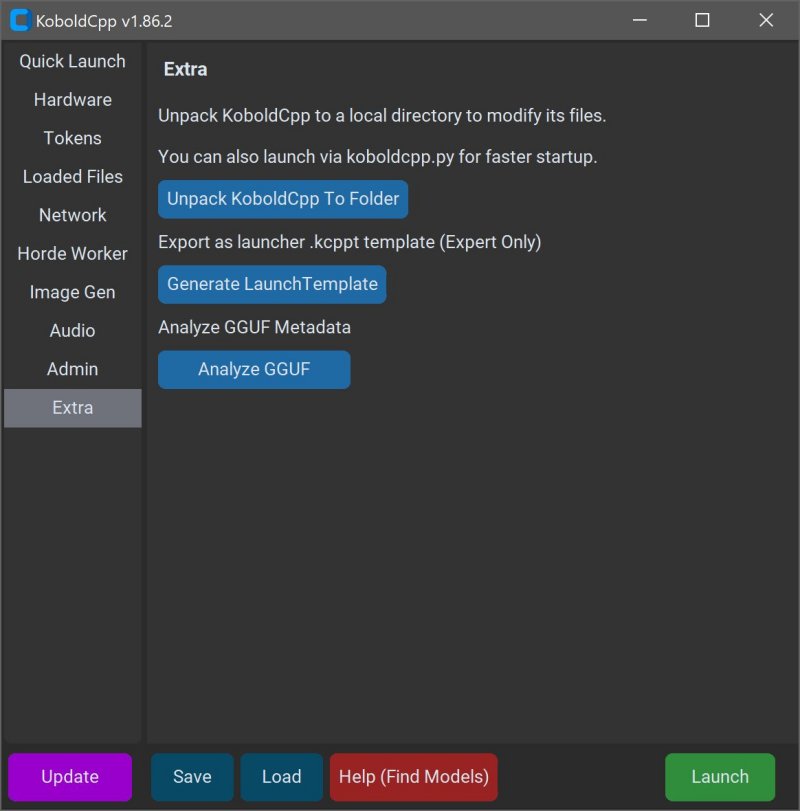
KoboldCPP version 1.113 has been released, providing users with a powerful tool to run AI models privately on their local computers without the need for accounts, internet access, subscriptions, or compromising data privacy. This open-source software is tailored for individuals seeking a secure and personal way to engage with AI, whether for business projects, storytelling, game development, or general experimentation.
What is KoboldCPP?
KoboldCPP is a lightweight application designed to run GGUF-format AI language models locally. Acting as a backend for the KoboldAI web interface, it allows users to interact with AI in a chat window similar to ChatGPT, all while maintaining local processing. Users simply download a compatible model file, launch KoboldCPP, and start chatting. The tool supports both CPU and GPU acceleration, offering flexibility based on the user’s hardware.
Understanding GGUF and Compatible Models
GGUF stands for GPT-Generated Unified Format, a format optimized for local use that is lightweight and efficient. It works best with quantized models (4-bit or 8-bit), ideal for mid-range PCs. However, KoboldCPP does not support models in GPTQ, Safetensors, or proprietary OpenAI formats. Users should ensure their chosen models are in the GGUF format for compatibility.
Target Audience
KoboldCPP is designed for a wide range of users, from writers looking to collaborate with AI on narratives to game developers creating AI-driven non-player characters (NPCs). It also appeals to those who want an offline AI experience without the restrictions of cloud services, making it suitable for users in low-connectivity areas or those disillusioned with subscription models.
Key Features
- Local LLM execution supporting GGUF/LLAMA-based models
- Completely offline operation ensuring privacy
- Fast performance with GPU acceleration options
- Simple installation process with no coding required
- Compatibility with the KoboldAI Web UI for enhanced functionality
- Customizable settings including loading LoRA adapters and adjusting chat parameters
Getting Started with KoboldCPP
To use KoboldCPP, users need to download a GGUF model from trusted sources like Hugging Face. The installation process involves launching the application, selecting a model file, choosing a backend (CPU or GPU), and adjusting settings before starting a local chat interface.
System Requirements
KoboldCPP can run on systems with:
- OS: Windows or Linux
- RAM: Minimum 8GB (16GB recommended)
- CPU: Modern Intel or AMD with AVX2 support
- Optional GPU: NVIDIA or Intel for enhanced performance
Considerations
While the initial setup can feel technical, users typically find the process smooth once completed. It's advisable to start with smaller models to gauge system capacity, especially since LLMs can be large and require significant storage. Various versions of KoboldCPP cater to different hardware configurations, ensuring optimal performance across diverse systems.
Conclusion
KoboldCPP offers an accessible method for anyone interested in harnessing AI technology without the risks associated with online services. Its user-friendly design, flexibility, and strong community support make it a top choice for writers, gamers, and tech enthusiasts looking to personalize their AI interactions. If you need assistance choosing a model or configuring your setup, support is readily available to help guide you through the process.
In summary, KoboldCPP stands out as a robust solution for those who prioritize privacy and control in their AI experiences, making it an excellent addition to the landscape of local AI applications
What is KoboldCPP?
KoboldCPP is a lightweight application designed to run GGUF-format AI language models locally. Acting as a backend for the KoboldAI web interface, it allows users to interact with AI in a chat window similar to ChatGPT, all while maintaining local processing. Users simply download a compatible model file, launch KoboldCPP, and start chatting. The tool supports both CPU and GPU acceleration, offering flexibility based on the user’s hardware.
Understanding GGUF and Compatible Models
GGUF stands for GPT-Generated Unified Format, a format optimized for local use that is lightweight and efficient. It works best with quantized models (4-bit or 8-bit), ideal for mid-range PCs. However, KoboldCPP does not support models in GPTQ, Safetensors, or proprietary OpenAI formats. Users should ensure their chosen models are in the GGUF format for compatibility.
Target Audience
KoboldCPP is designed for a wide range of users, from writers looking to collaborate with AI on narratives to game developers creating AI-driven non-player characters (NPCs). It also appeals to those who want an offline AI experience without the restrictions of cloud services, making it suitable for users in low-connectivity areas or those disillusioned with subscription models.
Key Features
- Local LLM execution supporting GGUF/LLAMA-based models
- Completely offline operation ensuring privacy
- Fast performance with GPU acceleration options
- Simple installation process with no coding required
- Compatibility with the KoboldAI Web UI for enhanced functionality
- Customizable settings including loading LoRA adapters and adjusting chat parameters
Getting Started with KoboldCPP
To use KoboldCPP, users need to download a GGUF model from trusted sources like Hugging Face. The installation process involves launching the application, selecting a model file, choosing a backend (CPU or GPU), and adjusting settings before starting a local chat interface.
System Requirements
KoboldCPP can run on systems with:
- OS: Windows or Linux
- RAM: Minimum 8GB (16GB recommended)
- CPU: Modern Intel or AMD with AVX2 support
- Optional GPU: NVIDIA or Intel for enhanced performance
Considerations
While the initial setup can feel technical, users typically find the process smooth once completed. It's advisable to start with smaller models to gauge system capacity, especially since LLMs can be large and require significant storage. Various versions of KoboldCPP cater to different hardware configurations, ensuring optimal performance across diverse systems.
Conclusion
KoboldCPP offers an accessible method for anyone interested in harnessing AI technology without the risks associated with online services. Its user-friendly design, flexibility, and strong community support make it a top choice for writers, gamers, and tech enthusiasts looking to personalize their AI interactions. If you need assistance choosing a model or configuring your setup, support is readily available to help guide you through the process.
In summary, KoboldCPP stands out as a robust solution for those who prioritize privacy and control in their AI experiences, making it an excellent addition to the landscape of local AI applications
KoboldCPP 1.113 released
KoboldCPP is a great choice for running powerful AI models on your computer with no accounts, internet, subscriptions, or privacy trade-offs.