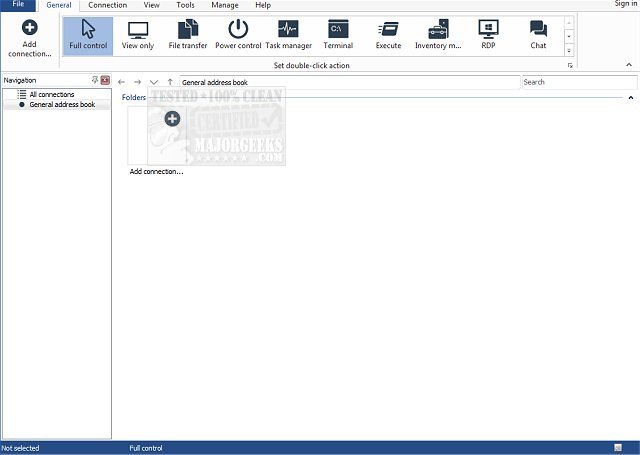
Remote Utilities has released version 7.8.4.0, a powerful professional remote control software designed for seamless installation and management across Windows and Linux networks. This updated version enhances the user experience by providing several built-in tools that facilitate easy network deployment. With Remote Utilities, administrators can efficiently manage thousands of remote PCs within minutes.
Key features include:
- Active Directory Authentication: Users can log in using their Active Directory accounts, simplifying the authentication process.
- Built-in MSI Configuration Tool: This allows IT teams to pre-configure the Remote Utilities installer before distributing it, ensuring a streamlined installation process across the network.
- Remote Install Tool: This feature enables remote deployment, allowing users to install or upgrade Remote Utilities on multiple PCs without the need for physical access.
- No Reinstallation After Trial: Users can bulk register their PCs with a network license, eliminating the need for reinstalling the software after the trial period ends.
- Direct Connection Options: Users can connect to network PCs using either a local IP address or DNS name, which simplifies connectivity.
Overall, Remote Utilities provides a comprehensive solution for remote management, making it an ideal choice for businesses looking to enhance their IT capabilities.
In addition to these features, organizations can benefit from enhanced security protocols and customizable user permissions, ensuring that sensitive information remains protected while allowing for efficient access. The software's capability to support both Windows and Linux environments makes it versatile for mixed-OS networks, catering to a wide range of organizational needs. As businesses continue to adopt remote work models, tools like Remote Utilities become essential for maintaining productivity and effective IT management
Key features include:
- Active Directory Authentication: Users can log in using their Active Directory accounts, simplifying the authentication process.
- Built-in MSI Configuration Tool: This allows IT teams to pre-configure the Remote Utilities installer before distributing it, ensuring a streamlined installation process across the network.
- Remote Install Tool: This feature enables remote deployment, allowing users to install or upgrade Remote Utilities on multiple PCs without the need for physical access.
- No Reinstallation After Trial: Users can bulk register their PCs with a network license, eliminating the need for reinstalling the software after the trial period ends.
- Direct Connection Options: Users can connect to network PCs using either a local IP address or DNS name, which simplifies connectivity.
Overall, Remote Utilities provides a comprehensive solution for remote management, making it an ideal choice for businesses looking to enhance their IT capabilities.
In addition to these features, organizations can benefit from enhanced security protocols and customizable user permissions, ensuring that sensitive information remains protected while allowing for efficient access. The software's capability to support both Windows and Linux environments makes it versatile for mixed-OS networks, catering to a wide range of organizational needs. As businesses continue to adopt remote work models, tools like Remote Utilities become essential for maintaining productivity and effective IT management
Remote Utilities Free 7.8.4.0 released
Unleash the full power of professional remote control software by installing Remote Utilities across your entire Windows or Linux network.