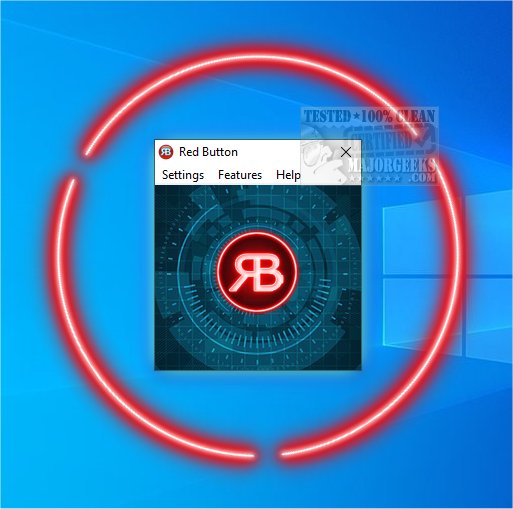
Red Button 6.9 has been released as a highly efficient one-click system optimization tool. This software is designed to streamline the process of cleaning your computer's hard drive and registry, applying performance enhancements, wiping data, clearing memory, and removing unnecessary applications. The user-friendly interface mimics a large red button, symbolizing the simplicity of activating the tool whenever needed.
Upon the initial launch, users are encouraged to access the Features link to customize their preferences for the first run. Moving forward, users can set their desired configurations for future optimizations. The tool allows users to analyze their system before proceeding with any cleaning processes, ensuring informed decisions.
The features of Red Button are categorized into several key sections, including:
1. Disk Cleaner: Users can select specific files to delete, with options like CHKDSK and Scandisk available for deeper cleaning.
2. Registry Cleaner: This section allows for the removal of outdated file associations and obsolete software.
3. OS Components: Users can delete various Windows 10 components, including apps, logs, wallpapers, and screensavers.
4. Performance Tweaks: This feature provides options to enable, disable, or optimize different operating system components.
5. Data Eraser & Free Space: Users can overwrite free space or securely delete files through multiple passes.
Despite its comprehensive capabilities, Red Button lacks some features that could enhance its usability, such as a startup manager and a portable version. Additionally, sections with numerous options would benefit from a "Select all" and "Deselect all" feature, making it easier for users to manage their preferences.
In conclusion, Red Button 6.9 offers an extensive array of options suitable for users of all skill levels looking to clean and accelerate their computers. Its simplicity and effectiveness make it a valuable tool for system optimization.
To further improve the experience, future updates could consider integrating a startup manager, enhancing user customization, and expanding the range of cleaning options available. Additionally, introducing a portable version could cater to users who prefer a flexible, on-the-go solution for system optimization
Upon the initial launch, users are encouraged to access the Features link to customize their preferences for the first run. Moving forward, users can set their desired configurations for future optimizations. The tool allows users to analyze their system before proceeding with any cleaning processes, ensuring informed decisions.
The features of Red Button are categorized into several key sections, including:
1. Disk Cleaner: Users can select specific files to delete, with options like CHKDSK and Scandisk available for deeper cleaning.
2. Registry Cleaner: This section allows for the removal of outdated file associations and obsolete software.
3. OS Components: Users can delete various Windows 10 components, including apps, logs, wallpapers, and screensavers.
4. Performance Tweaks: This feature provides options to enable, disable, or optimize different operating system components.
5. Data Eraser & Free Space: Users can overwrite free space or securely delete files through multiple passes.
Despite its comprehensive capabilities, Red Button lacks some features that could enhance its usability, such as a startup manager and a portable version. Additionally, sections with numerous options would benefit from a "Select all" and "Deselect all" feature, making it easier for users to manage their preferences.
In conclusion, Red Button 6.9 offers an extensive array of options suitable for users of all skill levels looking to clean and accelerate their computers. Its simplicity and effectiveness make it a valuable tool for system optimization.
To further improve the experience, future updates could consider integrating a startup manager, enhancing user customization, and expanding the range of cleaning options available. Additionally, introducing a portable version could cater to users who prefer a flexible, on-the-go solution for system optimization
Red Button 6.9 released
Red Button is a one-click system optimization tool that, once configured, can clean your hard drive and registry and apply performance tweaks, wipe data, clear memory, remove apps, and more.