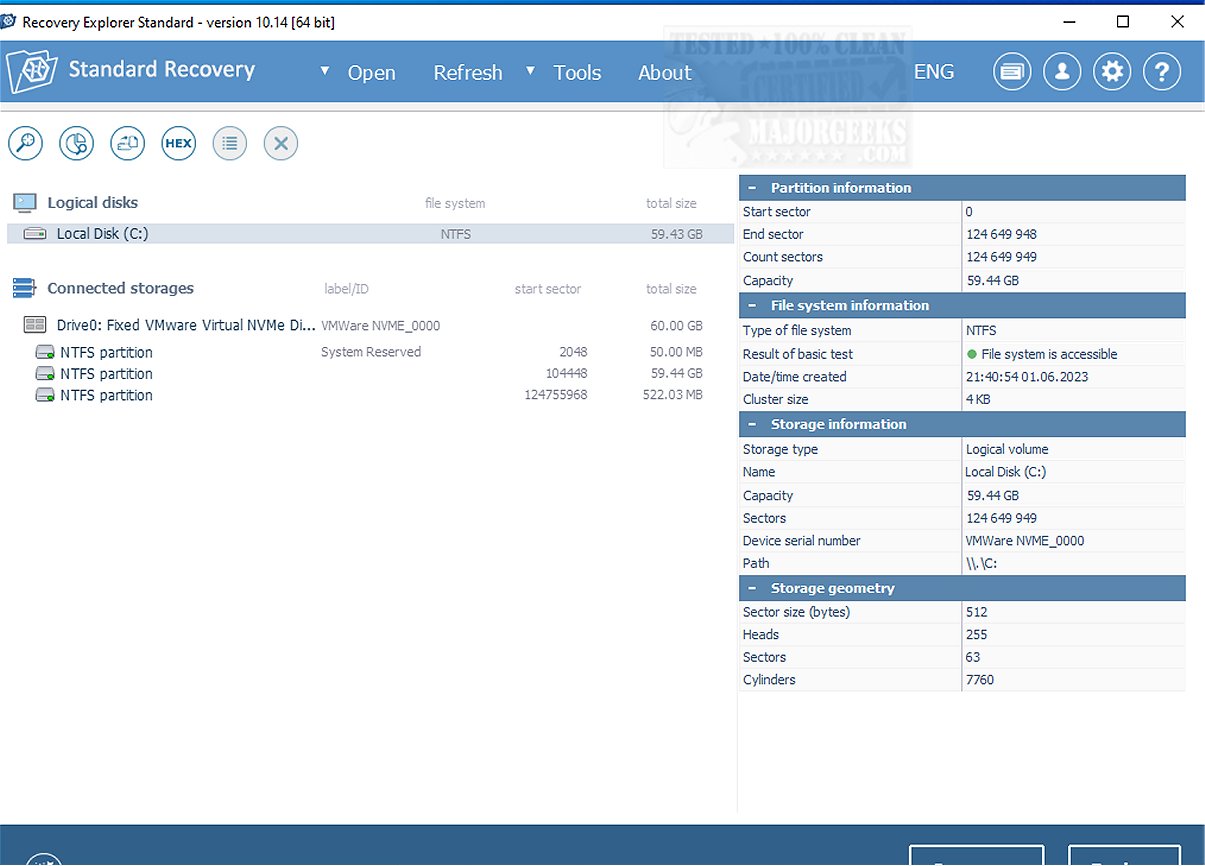
The latest version of Recovery Explorer Standard, version 10.23.0, has been launched, aiming to simplify the data recovery process for users dealing with accidental deletions, formatting errors, and file system corruption. This software provides a user-friendly experience, making data recovery less daunting.
Compatibility and Features
Recovery Explorer Standard is compatible with a vast array of file systems, including FAT, FAT32, NTFS, and ExFAT for Windows users, as well as Ext2 to Ext4, UFS/UFS2, JFS, ReiserFS, XFS, and Btrfs for Linux environments. macOS users can also utilize the software, as it supports APFS and HFS+ file systems. The software works with various storage media, such as local and external hard drives, USB flash drives, and removable memory cards, and is capable of recovering data from disk images and virtual disks linked to virtualization technologies like VMware and Hyper-V. Additionally, it can retrieve data from Apple’s Time Machine backups, supporting intricate structures like spanned volumes and dynamic disks.
User-Friendly Wizard Mode
To assist users in navigating the recovery process, Recovery Explorer Standard offers a Wizard Mode that simplifies the procedure to just a few clicks, making it particularly accessible for those without prior data recovery experience.
Enhanced Tools for Users
The software comes packed with various additional tools, including a hexadecimal viewer for analyzing raw file content, customizable scan options for targeted searches, and a built-in disk image creator. It also features a S.M.A.R.T monitoring tool for assessing drive health and allows users to preview files before recovery, ensuring that they retrieve only what is necessary.
Conclusion
Recovery Explorer Standard is an effective data recovery solution tailored for users seeking a straightforward and efficient approach to handle data loss. Its intuitive interface and compatibility with various storage devices and file systems position it as a reliable choice for those in need of hassle-free data restoration. The software not only simplifies recovery but also empowers users, providing them with confidence when faced with potential data loss scenarios.
Future Enhancements
As technology continues to evolve, future updates to Recovery Explorer Standard could introduce even more advanced features, such as AI-driven recovery suggestions, enhanced recovery algorithms for faster performance, and improved support for emerging storage technologies, ensuring that users remain equipped to handle an ever-changing digital landscape
Compatibility and Features
Recovery Explorer Standard is compatible with a vast array of file systems, including FAT, FAT32, NTFS, and ExFAT for Windows users, as well as Ext2 to Ext4, UFS/UFS2, JFS, ReiserFS, XFS, and Btrfs for Linux environments. macOS users can also utilize the software, as it supports APFS and HFS+ file systems. The software works with various storage media, such as local and external hard drives, USB flash drives, and removable memory cards, and is capable of recovering data from disk images and virtual disks linked to virtualization technologies like VMware and Hyper-V. Additionally, it can retrieve data from Apple’s Time Machine backups, supporting intricate structures like spanned volumes and dynamic disks.
User-Friendly Wizard Mode
To assist users in navigating the recovery process, Recovery Explorer Standard offers a Wizard Mode that simplifies the procedure to just a few clicks, making it particularly accessible for those without prior data recovery experience.
Enhanced Tools for Users
The software comes packed with various additional tools, including a hexadecimal viewer for analyzing raw file content, customizable scan options for targeted searches, and a built-in disk image creator. It also features a S.M.A.R.T monitoring tool for assessing drive health and allows users to preview files before recovery, ensuring that they retrieve only what is necessary.
Conclusion
Recovery Explorer Standard is an effective data recovery solution tailored for users seeking a straightforward and efficient approach to handle data loss. Its intuitive interface and compatibility with various storage devices and file systems position it as a reliable choice for those in need of hassle-free data restoration. The software not only simplifies recovery but also empowers users, providing them with confidence when faced with potential data loss scenarios.
Future Enhancements
As technology continues to evolve, future updates to Recovery Explorer Standard could introduce even more advanced features, such as AI-driven recovery suggestions, enhanced recovery algorithms for faster performance, and improved support for emerging storage technologies, ensuring that users remain equipped to handle an ever-changing digital landscape
Recovery Explorer Standard 10.23.0 released
Recovery Explorer Standard is designed to streamline the data recovery process, ensuring a hassle-free experience following accidental deletions, formatting mishaps, and other instances of data loss or file system corruption.