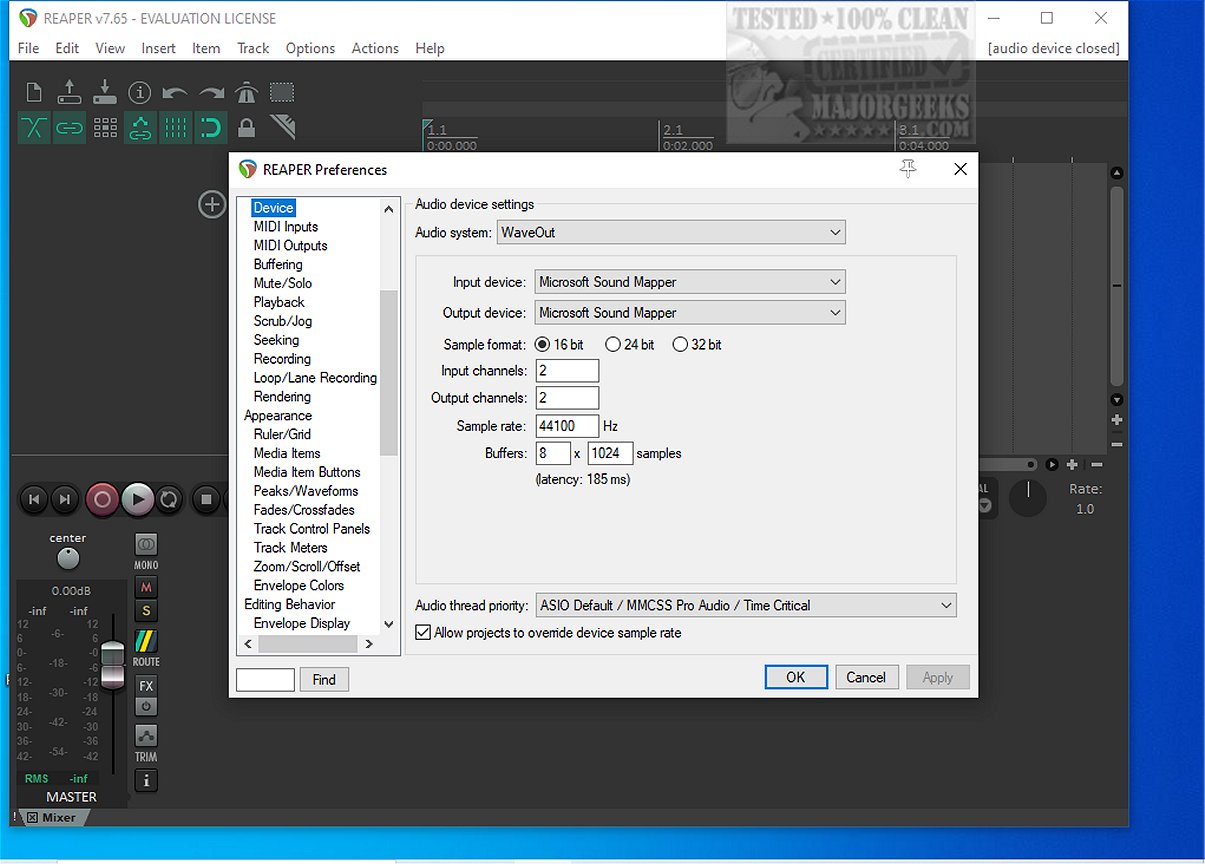
Reaper is a highly versatile digital audio workstation (DAW) designed for recording, arranging, editing, and rendering multi-track waveform audio. The latest version, Reaper 7.74, continues to uphold its reputation as a lightweight and efficient tool for audio professionals and enthusiasts alike.
Key Features of Reaper:
1. Driver Support: Reaper supports various audio drivers, including ASIO, Kernel Streaming, WaveOut, and DirectSound. This flexibility allows users to switch drivers seamlessly, which can be crucial during late-night mixing sessions when unexpected changes occur.
2. File Compatibility: The software supports straightforward file formats like WAV, OGG, MP3, and MIDI, ensuring that users can work with the audio formats they need without unnecessary complexity.
3. Unlimited Tracks: Users can arrange an unlimited number of items across unlimited tracks, facilitating creative freedom without any artificial limitations.
4. Extensive Plugin Support: Reaper is compatible with DirectX, VST, and Jesusonic plugins, all of which are fully automatable. The bundled JSFX tools are efficient for quick fixes.
5. User-Friendly Automation: Automation features provide consistent control over per-track volume, pan, and envelope management, avoiding the frustration of erratic behavior found in some other DAWs.
6. Customizable User Interface: While the default interface may appear dated, Reaper offers extensive customization options, including a variety of color themes contributed by the community.
Who Should Use Reaper?
Reaper is particularly appealing to users who:
- Prefer a lightweight and stable audio workstation.
- Appreciate a fast-loading DAW that performs well even on older hardware.
- Enjoy customizing settings to enhance their workflow.
However, it may not be the best choice for those who:
- Expect a wealth of built-in synths and loops.
- Prefer a fully polished experience right out of the box.
- Dislike extensive customization options.
Is Reaper Suitable for Beginners?
Yes, Reaper is surprisingly beginner-friendly. While the interface may seem overwhelming at first, its logical workflow becomes intuitive once the basics are mastered. The lightweight design minimizes lag and crashes, making it easier for new users to explore audio production without technical hindrances.
Final Thoughts
Reaper 7.74 maintains its status as a powerful, lean DAW that prioritizes speed and stability over unnecessary features. Users value its broad compatibility and performance across various systems. However, the default interface may require some effort to enhance visually, and the abundance of customization options can be time-consuming. For assistance with setup or scripting, users can turn to forums like MajorGeeks for community support.
Future Prospects:
As the audio production landscape continues to evolve, future updates to Reaper may include enhanced features, improved user experience, and expanded plugin support, ensuring it remains a top choice for both seasoned professionals and aspiring audio engineers
Key Features of Reaper:
1. Driver Support: Reaper supports various audio drivers, including ASIO, Kernel Streaming, WaveOut, and DirectSound. This flexibility allows users to switch drivers seamlessly, which can be crucial during late-night mixing sessions when unexpected changes occur.
2. File Compatibility: The software supports straightforward file formats like WAV, OGG, MP3, and MIDI, ensuring that users can work with the audio formats they need without unnecessary complexity.
3. Unlimited Tracks: Users can arrange an unlimited number of items across unlimited tracks, facilitating creative freedom without any artificial limitations.
4. Extensive Plugin Support: Reaper is compatible with DirectX, VST, and Jesusonic plugins, all of which are fully automatable. The bundled JSFX tools are efficient for quick fixes.
5. User-Friendly Automation: Automation features provide consistent control over per-track volume, pan, and envelope management, avoiding the frustration of erratic behavior found in some other DAWs.
6. Customizable User Interface: While the default interface may appear dated, Reaper offers extensive customization options, including a variety of color themes contributed by the community.
Who Should Use Reaper?
Reaper is particularly appealing to users who:
- Prefer a lightweight and stable audio workstation.
- Appreciate a fast-loading DAW that performs well even on older hardware.
- Enjoy customizing settings to enhance their workflow.
However, it may not be the best choice for those who:
- Expect a wealth of built-in synths and loops.
- Prefer a fully polished experience right out of the box.
- Dislike extensive customization options.
Is Reaper Suitable for Beginners?
Yes, Reaper is surprisingly beginner-friendly. While the interface may seem overwhelming at first, its logical workflow becomes intuitive once the basics are mastered. The lightweight design minimizes lag and crashes, making it easier for new users to explore audio production without technical hindrances.
Final Thoughts
Reaper 7.74 maintains its status as a powerful, lean DAW that prioritizes speed and stability over unnecessary features. Users value its broad compatibility and performance across various systems. However, the default interface may require some effort to enhance visually, and the abundance of customization options can be time-consuming. For assistance with setup or scripting, users can turn to forums like MajorGeeks for community support.
Future Prospects:
As the audio production landscape continues to evolve, future updates to Reaper may include enhanced features, improved user experience, and expanded plugin support, ensuring it remains a top choice for both seasoned professionals and aspiring audio engineers
Reaper 7.74 released
REAPER is an application that lets you record, arrange, edit, and render multi-track waveform audio. The last freeware version also available.