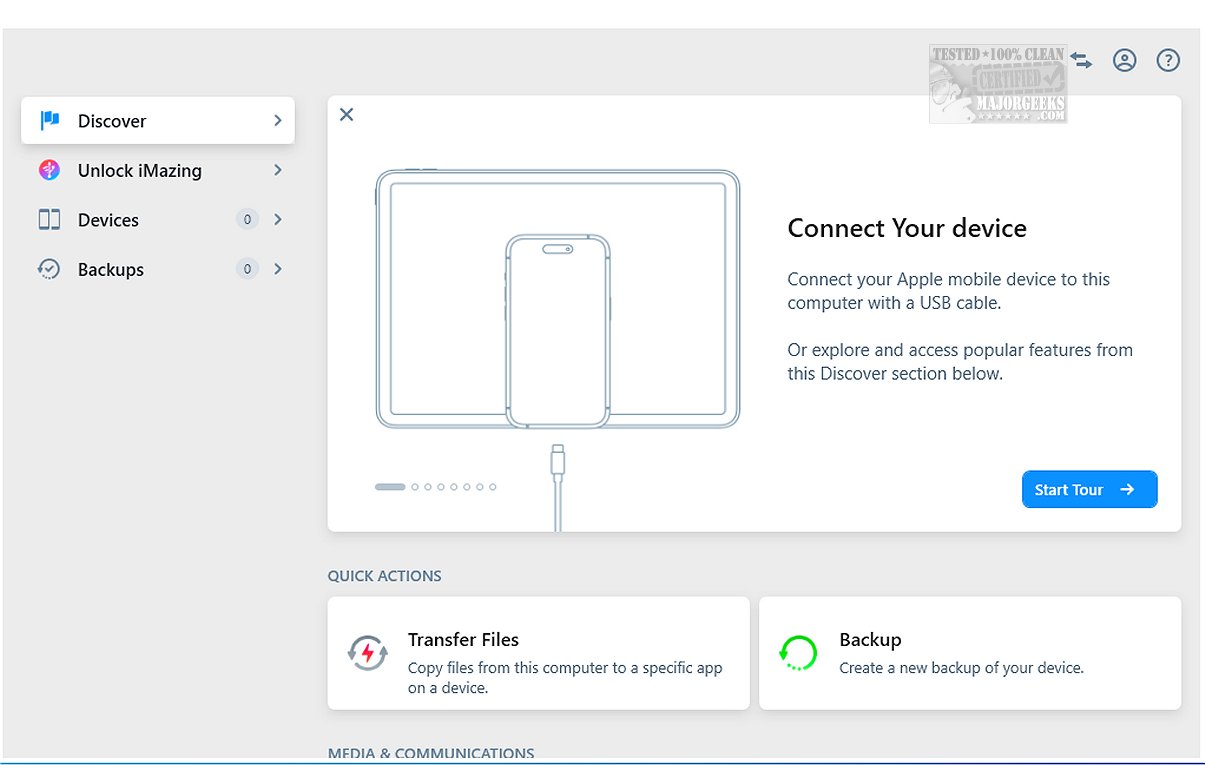
iMazing 3.5.4 has been released, enhancing its position as a robust alternative to iTunes with a broad array of functionalities for file transfer, app management, and backup and restore processes. One of the standout features of iMazing is its ability to perform incremental backups, allowing users to back up only the changes made since the last backup. This not only saves time but also ensures efficiency in managing storage space. Additionally, iMazing offers the flexibility to choose backup locations and supports scheduled Wi-Fi backups for added convenience.
The software enables users to connect their iPhone, iPod touch, or iPad to a computer via USB, transforming these devices into external storage options. iMazing is recognized globally for its reliability, facilitating the transfer of messages, music, files, and other data from iOS devices to both Mac and PC systems. It supports a wide range of device models, ensuring that users can create efficient backups while also checking for any new operating system updates.
When connected to a computer, iMazing allows users to either create instant backups of their data or browse the contents of their iOS devices. This functionality ensures that important information is securely stored, and it provides direct access to files. Users can manage backups comprehensively by creating new backups, restoring previous ones, exporting backups as folders, and even repairing or deleting existing backups. The software also offers a detailed analysis of files within old backups, allowing users to verify that necessary items are present.
A notable feature of iMazing is its data preview function, which enables users to examine and browse various types of content on their devices, such as images, videos, songs, e-books, messages, contacts, and notes. With a simple right-click action, users can easily transfer selected items to their computer, streamlining data management.
Furthermore, iMazing supports the export of WhatsApp messages and attachments, simplifying the transfer of this data to new devices. It also allows users to save and transfer Safari bookmarks from their iPhones or iPads to their computers without the need for iCloud.
In summary, iMazing is a powerful yet user-friendly tool that caters to all levels of users, simplifying the management of files and applications on iOS devices. Its seamless features enable effortless backups, file transfers, and content previews, making it an invaluable asset for anyone looking to keep their essential data organized and accessible. Experience the efficiency of iMazing, where managing your device is a straightforward process accomplished with just a few clicks.
Additionally, future updates could potentially introduce even more features, such as enhanced support for cloud storage solutions or improved integration with various messaging apps, further solidifying iMazing's role as a comprehensive data management tool for iOS users
The software enables users to connect their iPhone, iPod touch, or iPad to a computer via USB, transforming these devices into external storage options. iMazing is recognized globally for its reliability, facilitating the transfer of messages, music, files, and other data from iOS devices to both Mac and PC systems. It supports a wide range of device models, ensuring that users can create efficient backups while also checking for any new operating system updates.
When connected to a computer, iMazing allows users to either create instant backups of their data or browse the contents of their iOS devices. This functionality ensures that important information is securely stored, and it provides direct access to files. Users can manage backups comprehensively by creating new backups, restoring previous ones, exporting backups as folders, and even repairing or deleting existing backups. The software also offers a detailed analysis of files within old backups, allowing users to verify that necessary items are present.
A notable feature of iMazing is its data preview function, which enables users to examine and browse various types of content on their devices, such as images, videos, songs, e-books, messages, contacts, and notes. With a simple right-click action, users can easily transfer selected items to their computer, streamlining data management.
Furthermore, iMazing supports the export of WhatsApp messages and attachments, simplifying the transfer of this data to new devices. It also allows users to save and transfer Safari bookmarks from their iPhones or iPads to their computers without the need for iCloud.
In summary, iMazing is a powerful yet user-friendly tool that caters to all levels of users, simplifying the management of files and applications on iOS devices. Its seamless features enable effortless backups, file transfers, and content previews, making it an invaluable asset for anyone looking to keep their essential data organized and accessible. Experience the efficiency of iMazing, where managing your device is a straightforward process accomplished with just a few clicks.
Additionally, future updates could potentially introduce even more features, such as enhanced support for cloud storage solutions or improved integration with various messaging apps, further solidifying iMazing's role as a comprehensive data management tool for iOS users
iMazing 3.5.4 released
iMazing offers a diverse range of tools for file transfer, app management, and backup and restore processes, making it a strong alternative to iTunes. Key features of iMazing include incremental backups, which allow you to back up only the changes made since the last backup, as well as flexibility in selecting backup locations.