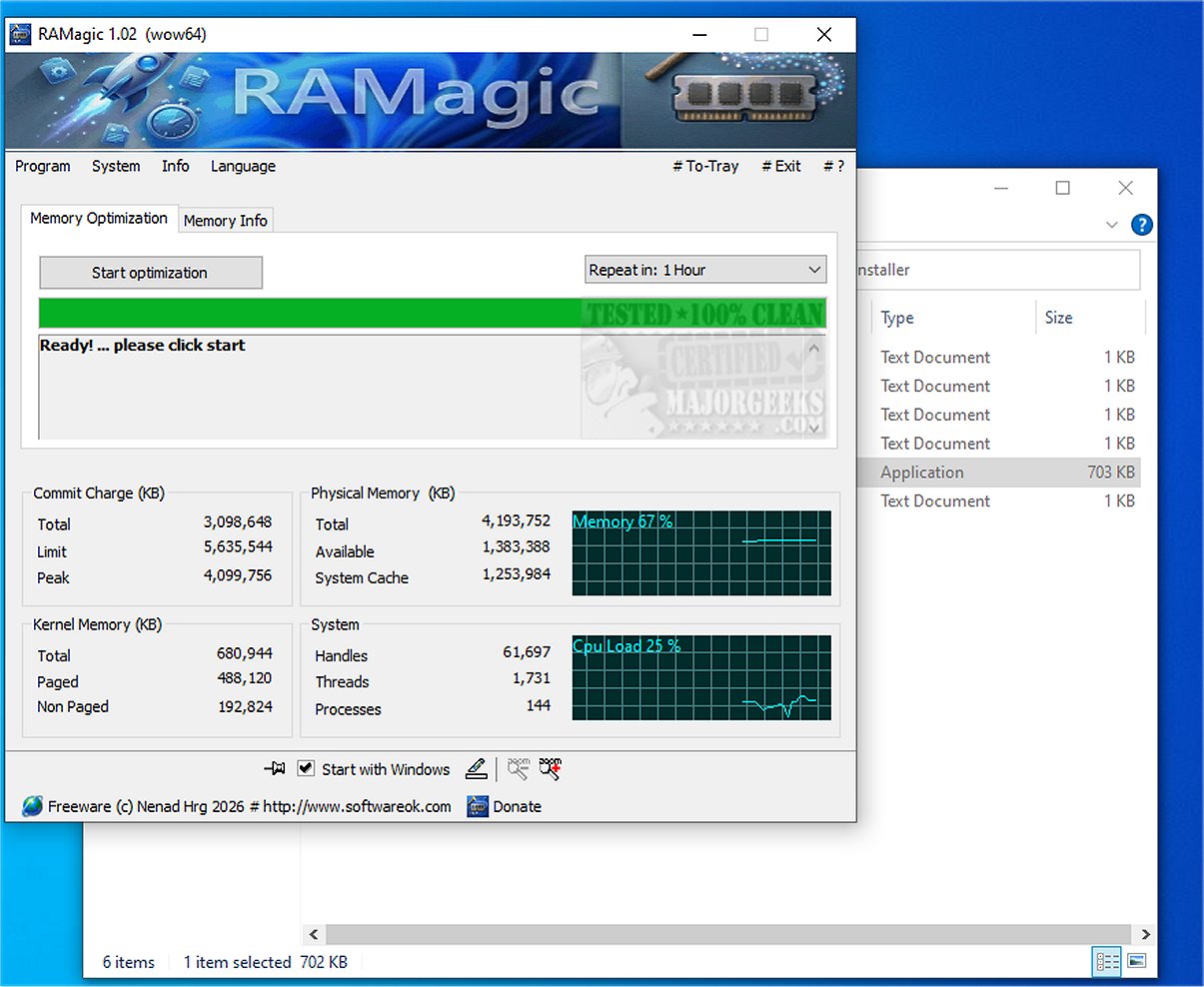
RAMagic has unveiled its latest version, 1.33, which promises an efficient and intelligent approach to RAM optimization. Designed with a lightweight architecture, RAMagic allows users to easily enhance their system performance, leading to improved functionality and responsiveness.
Despite the availability of extensive RAM options in personal computers, often ranging from 16 GB to an impressive 128 GB, Windows operating systems frequently struggle with effective memory management. Users often encounter issues such as memory fragmentation, outdated working sets, and excessive cache data that consume valuable RAM resources. These inefficiencies can slow down systems and cap the performance potential of high-end PCs. This is where RAMagic steps in to offer a solution.
RAMagic operates by analyzing all active processes on the system to pinpoint and eliminate unnecessary working sets. It also clears the standby cache, reclaiming memory that has been "forgotten" and making it available for active use. By intelligently reallocating RAM, RAMagic ensures a smooth and efficient operation of the system. This optimization not only enhances performance but also maximizes productivity, allowing users to tap into the full capabilities of their computer's memory.
- Intelligent Working Set Optimization: Cleans outdated process data seamlessly.
- Clear Standby Cache: Reclaims reserved memory for active use.
- Live Memory Monitoring: Provides real-time before and after comparisons.
- Clear Memory Overview: Displays total, available, and used memory at a glance.
- Administrator Mode: Offers deeper system optimization options.
- Extremely Small Footprint: Only a few kilobytes, ensuring it won’t be a resource hog.
- Minimal CPU Usage: Operates discreetly in the background.
- User-friendly Interface: Features clear fonts and adjustable sizes for accessibility.
RAMagic is particularly beneficial for enhancing multitasking capabilities, accelerating program launches, and reducing loading times. This improvement is especially pronounced on older systems burdened with multiple installed applications. Regular use of RAMagic can yield remarkable benefits, making it a valuable tool for users looking to optimize their computing experience.
- Windows Repair Comes With a Free Memory Cleaner
- How to Fix Low or Out of Memory Errors While Copying Files on Windows 10 & 11
- How to Manage Virtual Memory (Pagefile) in Windows 10 & 11
In summary, RAMagic 1.33 is an essential tool for users seeking to optimize their RAM and improve overall system performance, particularly in environments where efficient memory management is crucial. With its intelligent features and minimal resource consumption, it stands out as a practical solution for enhancing computer functionality
The Current Landscape of Memory Management
Despite the availability of extensive RAM options in personal computers, often ranging from 16 GB to an impressive 128 GB, Windows operating systems frequently struggle with effective memory management. Users often encounter issues such as memory fragmentation, outdated working sets, and excessive cache data that consume valuable RAM resources. These inefficiencies can slow down systems and cap the performance potential of high-end PCs. This is where RAMagic steps in to offer a solution.
How RAMagic Works
RAMagic operates by analyzing all active processes on the system to pinpoint and eliminate unnecessary working sets. It also clears the standby cache, reclaiming memory that has been "forgotten" and making it available for active use. By intelligently reallocating RAM, RAMagic ensures a smooth and efficient operation of the system. This optimization not only enhances performance but also maximizes productivity, allowing users to tap into the full capabilities of their computer's memory.
Key Features of RAMagic
- Intelligent Working Set Optimization: Cleans outdated process data seamlessly.
- Clear Standby Cache: Reclaims reserved memory for active use.
- Live Memory Monitoring: Provides real-time before and after comparisons.
- Clear Memory Overview: Displays total, available, and used memory at a glance.
- Administrator Mode: Offers deeper system optimization options.
- Extremely Small Footprint: Only a few kilobytes, ensuring it won’t be a resource hog.
- Minimal CPU Usage: Operates discreetly in the background.
- User-friendly Interface: Features clear fonts and adjustable sizes for accessibility.
Geek Verdict
RAMagic is particularly beneficial for enhancing multitasking capabilities, accelerating program launches, and reducing loading times. This improvement is especially pronounced on older systems burdened with multiple installed applications. Regular use of RAMagic can yield remarkable benefits, making it a valuable tool for users looking to optimize their computing experience.
Additional Resources
- Windows Repair Comes With a Free Memory Cleaner
- How to Fix Low or Out of Memory Errors While Copying Files on Windows 10 & 11
- How to Manage Virtual Memory (Pagefile) in Windows 10 & 11
In summary, RAMagic 1.33 is an essential tool for users seeking to optimize their RAM and improve overall system performance, particularly in environments where efficient memory management is crucial. With its intelligent features and minimal resource consumption, it stands out as a practical solution for enhancing computer functionality
RAMagic 1.33 released
RAMagic offers an efficient and intelligent solution for RAM optimization. Its lightweight design ensures you can effortlessly enhance your system's performance, resulting in improved functionality and responsiveness.