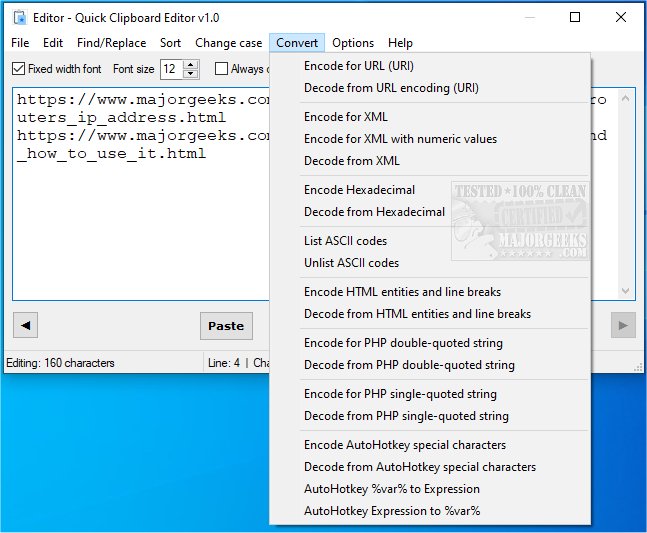
The latest version of Quick Clipboard Editor (QCE), 3.4.3.0, has been released, enhancing its capabilities for editing text stored in the clipboard. This user-friendly software is ideal for Windows users seeking a free and efficient text editing tool. Quick Clipboard Editor simplifies the process of modifying clipboard content before pasting it into applications.
Key features of QCE include the ability to access clipboard history, perform find and replace operations, insert new content, trim unwanted text, and manage lines or characters based on specific criteria. Users can also sort text, change text case, and convert text for various coding formats such as HTML, XML, PHP, and AHK. Additionally, QCE allows users to retrieve frequently used commands and save their edits directly to the clipboard, all with just a few clicks.
Quick Clipboard Editor is designed for those who regularly handle text and need a straightforward yet powerful tool to enhance their editing efficiency. For a comprehensive list of features, users can refer to the full outline available on the software's website.
In summary, QCE is an invaluable tool for enhancing text manipulation tasks, making it easier for users to manage and edit clipboard content effectively. As technology continues to evolve, future updates could introduce even more advanced features, further streamlining the editing process and improving user experience
Quick Clipboard Editor 3.4.3.0 released
Quick Clipboard Editor gives you the ability to make a wide variety of edits to the text stored in your clipboard.