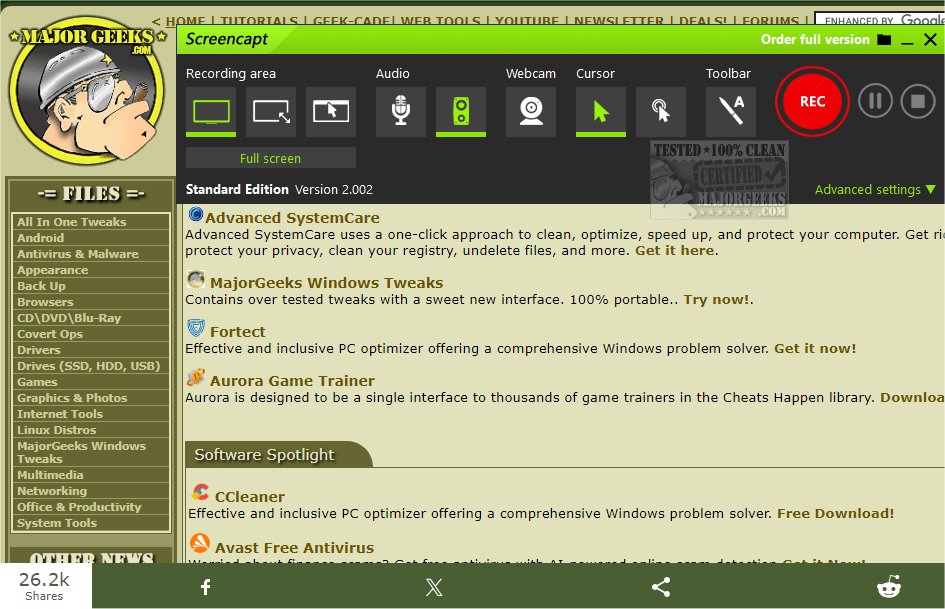
ASCOMP Screencapt 3.008 has been released, enhancing its reputation as a robust screen recording tool that enables users to effortlessly capture screen activity and save recordings in multiple video formats such as MP4, AVI, and FLV. This software is designed for a variety of applications, from creating tutorials and recording webinars to capturing gameplay, all while maintaining an easy-to-use interface.
Key features of ASCOMP Screencapt include the ability to record the entire screen, a selected portion, or a specific application window, allowing for flexibility to accommodate different recording scenarios. The tool also integrates audio recording capabilities, enabling users to include commentary or system sounds directly in their recordings, which is particularly useful for instructional videos and presentations.
Additionally, Screencapt offers webcam overlay capabilities, allowing users to capture live reactions and comments, making recordings more engaging. Advanced cursor recording options enhance the clarity of tutorials and software demonstrations by allowing users to hide the cursor or apply effects to emphasize certain actions.
Utilizing the efficient H.264 codec, ASCOMP Screencapt balances file size and image quality, supporting various compression levels. This ensures that recordings maintain high visual clarity while managing file sizes effectively. With support for a maximum frame rate of 120 FPS, the software is ideal for capturing fast-paced scenes, ensuring smooth playback.
The software also enhances user interaction by allowing real-time drawing on the screen and adding annotations, which can significantly improve engagement and the overall quality of video content.
In summary, ASCOMP Screencapt 3.008 is a versatile and powerful tool for anyone looking to create high-quality screen recordings, whether for educational, professional, or entertainment purposes. Its blend of user-friendly features and advanced functionality makes it an excellent choice for both beginners and experienced users alike.
As screen recording becomes increasingly important in various fields, tools like ASCOMP Screencapt will continue to evolve, potentially adding more features such as cloud storage integration, improved editing capabilities, and collaboration tools, further enhancing the user experience and broadening its applicability in content creation
ASCOMP Screencapt 3.008 released
ASCOMP Screencapt is a powerful screen recording tool designed to capture screen activity easily and save the recordings in various video formats, including MP4, AVI, and FLV.