Quick Clipboard Editor (QCE) has just released version 3.4.2.0, enhancing its functionality as a user-friendly text editor tailored for Windows users. This free software enables you to efficiently edit text stored in your clipboard, making it an ideal tool for anyone who regularly manipulates text.
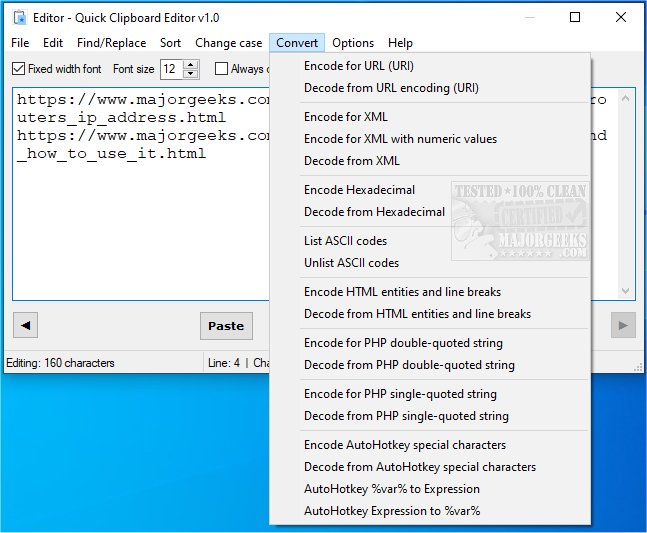
With Quick Clipboard Editor, users can easily access and modify clipboard content before pasting it into other applications. The software's features include retrieving previous clipboard entries, finding and replacing specific text, inserting content in bulk, trimming unwanted text, and managing lines or characters based on custom criteria. Additionally, users can sort text, change its case, convert it for various coding formats (like HTML, XML, PHP, and AHK), and save frequently used commands for quick access. All these functions can be executed swiftly, ensuring a seamless editing experience.
This latest version further streamlines the editing process, making it particularly beneficial for professionals and casual users alike who seek to enhance their productivity with text editing tasks.
The software also provides helpful resources, including guides on copying file paths, clearing clipboard history, and disabling clipboard history in Windows 10 and 11. Overall, Quick Clipboard Editor is a powerful yet straightforward tool that meets the diverse needs of text editing for its users.
For further details on the complete range of features, visit the software’s official page
With Quick Clipboard Editor, users can easily access and modify clipboard content before pasting it into other applications. The software's features include retrieving previous clipboard entries, finding and replacing specific text, inserting content in bulk, trimming unwanted text, and managing lines or characters based on custom criteria. Additionally, users can sort text, change its case, convert it for various coding formats (like HTML, XML, PHP, and AHK), and save frequently used commands for quick access. All these functions can be executed swiftly, ensuring a seamless editing experience.
This latest version further streamlines the editing process, making it particularly beneficial for professionals and casual users alike who seek to enhance their productivity with text editing tasks.
The software also provides helpful resources, including guides on copying file paths, clearing clipboard history, and disabling clipboard history in Windows 10 and 11. Overall, Quick Clipboard Editor is a powerful yet straightforward tool that meets the diverse needs of text editing for its users.
For further details on the complete range of features, visit the software’s official page
Quick Clipboard Editor 3.4.2.0 released
Quick Clipboard Editor gives you the ability to make a wide variety of edits to the text stored in your clipboard.