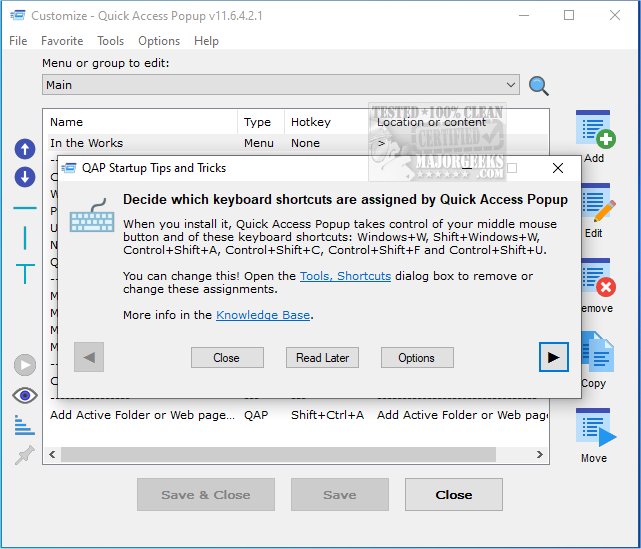
Quick Access Popup has just released version 12.4.0, enhancing its functionality as a tool designed to streamline the management of files and folders on your computer. This application addresses the common issue of desktop clutter by allowing users to replace numerous shortcuts with a single, organized menu.
With Quick Access Popup, you can effortlessly access frequently used folders without the hassle of sifting through Windows Explorer. The tool enables users to create personalized menus that include shortcuts to favorite folders, documents, applications, URLs, and more, making file management more efficient.
Its user-friendly interface is designed for simplicity, with clear labeling for all options, ensuring that even those who are not tech-savvy can set it up quickly. The software is responsive, providing a smooth user experience without noticeable lag during use. Quick Access Popup serves as an effective alternative to a chaotic desktop filled with shortcuts, streamlining how you navigate your files.
In addition to its primary features, users may find it beneficial to explore other related functionalities, such as managing shortcut name extensions in Windows, utilizing Storage Sense for automatic junk file deletion, and removing unwanted apps using PowerShell. Overall, Quick Access Popup provides a practical solution for users seeking a more organized and efficient way to access their digital resources.
Furthermore, as technology continues to evolve, future updates could potentially introduce even more features, such as integration with cloud storage services, enhanced customization options, or advanced search capabilities, further enhancing user experience and productivity
With Quick Access Popup, you can effortlessly access frequently used folders without the hassle of sifting through Windows Explorer. The tool enables users to create personalized menus that include shortcuts to favorite folders, documents, applications, URLs, and more, making file management more efficient.
Its user-friendly interface is designed for simplicity, with clear labeling for all options, ensuring that even those who are not tech-savvy can set it up quickly. The software is responsive, providing a smooth user experience without noticeable lag during use. Quick Access Popup serves as an effective alternative to a chaotic desktop filled with shortcuts, streamlining how you navigate your files.
In addition to its primary features, users may find it beneficial to explore other related functionalities, such as managing shortcut name extensions in Windows, utilizing Storage Sense for automatic junk file deletion, and removing unwanted apps using PowerShell. Overall, Quick Access Popup provides a practical solution for users seeking a more organized and efficient way to access their digital resources.
Furthermore, as technology continues to evolve, future updates could potentially introduce even more features, such as integration with cloud storage services, enhanced customization options, or advanced search capabilities, further enhancing user experience and productivity
Quick Access Popup 12.4.0 released
Quick Access Popup is a small tool for managing your files and folders. As a result, it will clear up the numerous shortcuts you have cluttering up your desktop.