QontrolPanel, previously known as QuickSoundSwitcher, has launched its latest version, 2.0.0, enhancing the user experience for audio device management on your computer. This innovative application simplifies the process of switching between various audio devices, such as headphones, speakers, and external sound systems, allowing users to toggle with just a click. By eliminating the cumbersome navigation through lengthy settings menus, QontrolPanel significantly improves the overall audio experience, saving time and reducing hassle.
User-Friendly Functionality Without a Traditional Interface
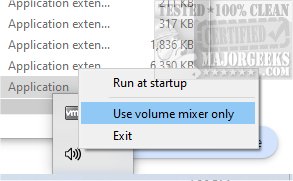
QontrolPanel distinguishes itself by operating without a conventional user interface, reflecting its streamlined design and core functionality. Users can quickly launch the application, which integrates seamlessly into the System Tray, providing straightforward access to essential audio management features.
Key Features Accessible from the System Tray:
1. Input Management: Easily switch between different microphone settings to ensure optimal audio input for various activities like gaming, video calls, or recording.
2. Output Switching: Effortlessly select from multiple audio output devices, making it convenient for users who frequently alternate between speakers and headphones.
3. Volume Mixer: Control the volume levels of individual applications with precision. The Mixer allows users to adjust sound levels for each app independently, enhancing the personalized audio experience.
Tailored Audio Experience
QontrolPanel also provides a comprehensive volume control system for active applications, featuring a list of apps that produce sound, complete with individual volume sliders and quick mute options. This feature enables users to tailor their sound experience without affecting the overall system audio, catering to their specific preferences.
Final Thoughts: A Must-Have Tool for Audio Management
In conclusion, QontrolPanel is an indispensable tool for anyone who seeks an effortless way to manage their audio settings. The application’s efficiency in allowing users to switch between various devices, alongside its advanced volume control capabilities, makes it a top choice for those who require frequent toggling of audio devices. For users looking to streamline their audio management experience, QontrolPanel is highly recommended—download it today and enhance your audio experience!
Related Topics:
- How to Enable Windows Sonic Surround Sound on Windows 10 & 11
- How to Turn Toggle Key Sounds on or off in Windows 10 & 11
Future Enhancements and User Feedback
As QontrolPanel continues to evolve, users can look forward to potential future enhancements based on feedback. Suggestions for new features or improvements can help shape the application’s development, ensuring it meets the diverse needs of its user base. Whether you're a casual listener or a professional sound engineer, QontrolPanel aims to provide a seamless audio experience tailored just for you
User-Friendly Functionality Without a Traditional Interface
QontrolPanel distinguishes itself by operating without a conventional user interface, reflecting its streamlined design and core functionality. Users can quickly launch the application, which integrates seamlessly into the System Tray, providing straightforward access to essential audio management features.
Key Features Accessible from the System Tray:
1. Input Management: Easily switch between different microphone settings to ensure optimal audio input for various activities like gaming, video calls, or recording.
2. Output Switching: Effortlessly select from multiple audio output devices, making it convenient for users who frequently alternate between speakers and headphones.
3. Volume Mixer: Control the volume levels of individual applications with precision. The Mixer allows users to adjust sound levels for each app independently, enhancing the personalized audio experience.
Tailored Audio Experience
QontrolPanel also provides a comprehensive volume control system for active applications, featuring a list of apps that produce sound, complete with individual volume sliders and quick mute options. This feature enables users to tailor their sound experience without affecting the overall system audio, catering to their specific preferences.
Final Thoughts: A Must-Have Tool for Audio Management
In conclusion, QontrolPanel is an indispensable tool for anyone who seeks an effortless way to manage their audio settings. The application’s efficiency in allowing users to switch between various devices, alongside its advanced volume control capabilities, makes it a top choice for those who require frequent toggling of audio devices. For users looking to streamline their audio management experience, QontrolPanel is highly recommended—download it today and enhance your audio experience!
Related Topics:
- How to Enable Windows Sonic Surround Sound on Windows 10 & 11
- How to Turn Toggle Key Sounds on or off in Windows 10 & 11
Future Enhancements and User Feedback
As QontrolPanel continues to evolve, users can look forward to potential future enhancements based on feedback. Suggestions for new features or improvements can help shape the application’s development, ensuring it meets the diverse needs of its user base. Whether you're a casual listener or a professional sound engineer, QontrolPanel aims to provide a seamless audio experience tailored just for you
QontrolPanel 2.0.0 released
QontrolPanel (formerly QuickSoundSwitcher) simplifies the process of switching between various audio devices on your machine.