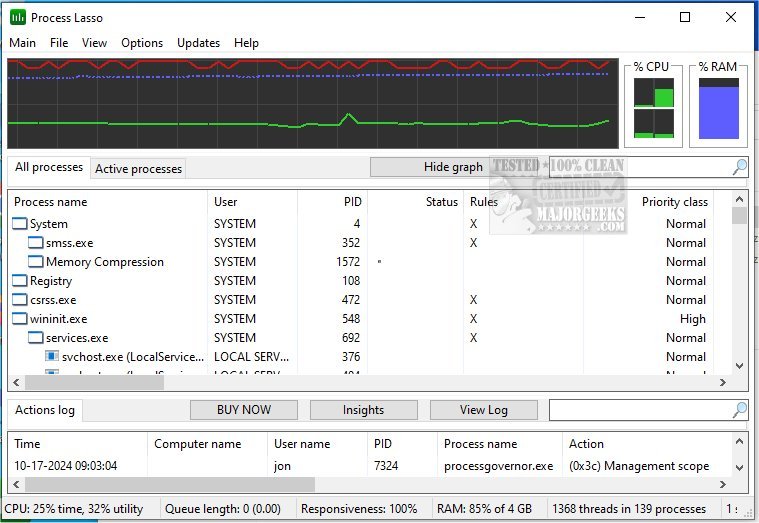
Process Lasso version 18.2.2.10 has been released, providing users with a powerful, free tool for managing and optimizing the performance of their processes and services. This software is designed to enhance system responsiveness and stability by allowing users to customize how processes operate according to their preferences.
Key features of Process Lasso include:
- ProBalance: A dynamic priority optimization feature that helps maintain system responsiveness during heavy workloads.
- Sticky Priorities and CPU Affinities: Users can set persistent process priorities and CPU affinities to ensure important applications receive the resources they need.
- Instance Count Limits: Users can limit the number of instances of specific applications running simultaneously.
- Disallowed Processes: The ability to terminate processes that are not permitted to run.
- Auto-Restart: Critical processes can be configured to automatically restart if they terminate unexpectedly.
- System Responsiveness Graph: A unique visual tool that provides insights into system performance.
- Prevent Sleep for Designated Processes: Users can prevent their PC from entering sleep mode while specific applications are running.
- Differentiation of svchost.exe Instances: The tool allows users to distinguish between different instances of the svchost.exe process.
- Low Resource Usage: The application is designed to be lightweight, using as little as 1MB of RAM.
- Stand-alone Process Management Engine: A dedicated engine that manages processes without consuming significant system resources.
- Event Logging: Users can access logs of process activity for troubleshooting and analysis.
In addition to these features, users may find related resources helpful, such as guides on identifying processes or services on their computer, saving text files of all running processes, customizing process information in Task Manager, and managing startup applications in Windows 10 and 11.
With this update, Process Lasso continues to provide valuable tools for users looking to optimize their computing experience, ensuring better performance and resource management. As technology evolves, further enhancements and features could be anticipated in future releases, potentially expanding its capabilities even further
Key features of Process Lasso include:
- ProBalance: A dynamic priority optimization feature that helps maintain system responsiveness during heavy workloads.
- Sticky Priorities and CPU Affinities: Users can set persistent process priorities and CPU affinities to ensure important applications receive the resources they need.
- Instance Count Limits: Users can limit the number of instances of specific applications running simultaneously.
- Disallowed Processes: The ability to terminate processes that are not permitted to run.
- Auto-Restart: Critical processes can be configured to automatically restart if they terminate unexpectedly.
- System Responsiveness Graph: A unique visual tool that provides insights into system performance.
- Prevent Sleep for Designated Processes: Users can prevent their PC from entering sleep mode while specific applications are running.
- Differentiation of svchost.exe Instances: The tool allows users to distinguish between different instances of the svchost.exe process.
- Low Resource Usage: The application is designed to be lightweight, using as little as 1MB of RAM.
- Stand-alone Process Management Engine: A dedicated engine that manages processes without consuming significant system resources.
- Event Logging: Users can access logs of process activity for troubleshooting and analysis.
In addition to these features, users may find related resources helpful, such as guides on identifying processes or services on their computer, saving text files of all running processes, customizing process information in Task Manager, and managing startup applications in Windows 10 and 11.
With this update, Process Lasso continues to provide valuable tools for users looking to optimize their computing experience, ensuring better performance and resource management. As technology evolves, further enhancements and features could be anticipated in future releases, potentially expanding its capabilities even further
Process Lasso 18.2.2.10 released
Process Lasso is a free tool designed to manage and edit how your processes and services run.