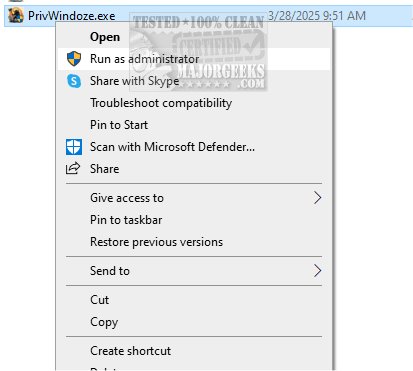
PrivWindoze, an abbreviation for Private Windows, has launched its latest version 12.2.3, offering an advanced anti-telemetry script that significantly boosts user privacy while operating within the Windows environment.
Understanding PrivWindoze
PrivWindoze is designed to mitigate data collection and tracking activities initiated by Microsoft and various original equipment manufacturers (OEMs). The script not only enhances privacy but also aids in the removal of bloatware—unwanted software that typically comes preinstalled on new devices. By streamlining the system and eliminating unnecessary applications, PrivWindoze delivers a more secure and efficient computing experience.
Key Features of PrivWindoze
1. System Optimization: The script optimizes system performance by terminating non-essential processes during scanning operations. It maintains a whitelist for critical applications, ensuring they operate without interruption.
2. Registry and Log Cleaning: PrivWindoze purges RunOnce entries from the Windows Registry and clears various Event Viewer Logs, including Application, Security, Setup, System, and Forwarded Events.
3. Cache Management: The tool targets cache files from popular applications like Microsoft Edge, Google Chrome, and several others, improving overall system performance without compromising user data.
4. System Restore Point Creation: To safeguard against potential issues, PrivWindoze creates a System Restore Point named 'PrivWindoze', provided that System Restore is enabled.
5. Temporary Files Deletion: It removes BitsTransfer Jobs and deletes Temporary Internet Files while preserving cookies to maintain existing login sessions.
6. User Preference Adjustments: The script disables the 'Show me suggested content in the Settings app' feature, which many users find intrusive.
7. Context Menu Restoration: PrivWindoze restores the traditional right-click Context Menu and removes various preinstalled applications that often clutter new OEM devices, such as Microsoft Edge, OneDrive, Cortana, and others.
Why Choose PrivWindoze?
For users concerned about unwanted data sharing and the clutter of unused software, PrivWindoze presents an effective solution. It offers peace of mind by enhancing privacy and refining system performance tailored to individual needs.
Future Developments
As technology continues to evolve, future versions of PrivWindoze may incorporate more advanced privacy features, additional application support, and further optimizations for system performance. Users can look forward to updates that respond to the ever-changing landscape of digital privacy and data management, ensuring that PrivWindoze remains a valuable tool for enhancing user experience on Windows platforms
Understanding PrivWindoze
PrivWindoze is designed to mitigate data collection and tracking activities initiated by Microsoft and various original equipment manufacturers (OEMs). The script not only enhances privacy but also aids in the removal of bloatware—unwanted software that typically comes preinstalled on new devices. By streamlining the system and eliminating unnecessary applications, PrivWindoze delivers a more secure and efficient computing experience.
Key Features of PrivWindoze
1. System Optimization: The script optimizes system performance by terminating non-essential processes during scanning operations. It maintains a whitelist for critical applications, ensuring they operate without interruption.
2. Registry and Log Cleaning: PrivWindoze purges RunOnce entries from the Windows Registry and clears various Event Viewer Logs, including Application, Security, Setup, System, and Forwarded Events.
3. Cache Management: The tool targets cache files from popular applications like Microsoft Edge, Google Chrome, and several others, improving overall system performance without compromising user data.
4. System Restore Point Creation: To safeguard against potential issues, PrivWindoze creates a System Restore Point named 'PrivWindoze', provided that System Restore is enabled.
5. Temporary Files Deletion: It removes BitsTransfer Jobs and deletes Temporary Internet Files while preserving cookies to maintain existing login sessions.
6. User Preference Adjustments: The script disables the 'Show me suggested content in the Settings app' feature, which many users find intrusive.
7. Context Menu Restoration: PrivWindoze restores the traditional right-click Context Menu and removes various preinstalled applications that often clutter new OEM devices, such as Microsoft Edge, OneDrive, Cortana, and others.
Why Choose PrivWindoze?
For users concerned about unwanted data sharing and the clutter of unused software, PrivWindoze presents an effective solution. It offers peace of mind by enhancing privacy and refining system performance tailored to individual needs.
Future Developments
As technology continues to evolve, future versions of PrivWindoze may incorporate more advanced privacy features, additional application support, and further optimizations for system performance. Users can look forward to updates that respond to the ever-changing landscape of digital privacy and data management, ensuring that PrivWindoze remains a valuable tool for enhancing user experience on Windows platforms
PrivWindoze 12.2.3 released
PrivWindoze, short for Private Windows, offers a comprehensive anti-telemetry script designed to enhance your privacy while using Windows.