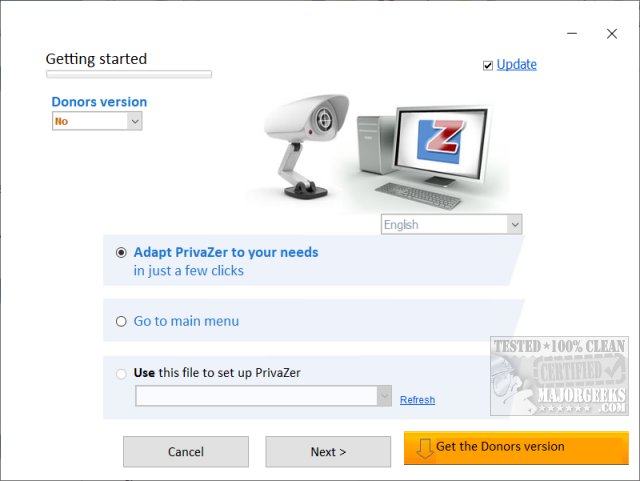
PrivaZer 4.0.127 has been released, offering users a comprehensive solution for cleaning their computers. The software effectively removes old files, internet activity, and traces of software usage, thereby freeing up disk space and enhancing system security. Designed for both home and work environments, PrivaZer ensures that users can maintain privacy after online activities, including downloads and browsing.
When first using PrivaZer, it is recommended that users spend about five minutes on the step-by-step setup to select which data they wish to delete. The initial run of the program may take longer, but it will create automatic registry backups stored in a dedicated subdirectory. Users can choose between Basic (12 steps) and Advanced (14 steps) configurations to optimize their cleaning process. The categories covered by PrivaZer include pre-analysis, traces in various file systems, internet browsing data, cookies, registry entries, and more, making it a robust tool for maintaining digital cleanliness.
PrivaZer is available as both an installer and a portable app, making it versatile for different user needs. While the software is free, a Donors Version is offered, providing early access to updates and additional features. Donations, starting at $10, are entirely optional but appreciated as a means of support.
For those interested in learning more about PrivaZer, video tutorials are available, comparing its effectiveness against other popular drive cleaners like CCleaner and Wise Disk Cleaner. These resources can help users maximize their experience with PrivaZer and understand its capabilities better.
In summary, PrivaZer stands out as a top choice for users seeking a reliable drive cleaning solution that prioritizes privacy and system performance. Whether you're a casual user or someone who frequently navigates the web, PrivaZer can help streamline your digital footprint while keeping your system secure and organized
When first using PrivaZer, it is recommended that users spend about five minutes on the step-by-step setup to select which data they wish to delete. The initial run of the program may take longer, but it will create automatic registry backups stored in a dedicated subdirectory. Users can choose between Basic (12 steps) and Advanced (14 steps) configurations to optimize their cleaning process. The categories covered by PrivaZer include pre-analysis, traces in various file systems, internet browsing data, cookies, registry entries, and more, making it a robust tool for maintaining digital cleanliness.
PrivaZer is available as both an installer and a portable app, making it versatile for different user needs. While the software is free, a Donors Version is offered, providing early access to updates and additional features. Donations, starting at $10, are entirely optional but appreciated as a means of support.
For those interested in learning more about PrivaZer, video tutorials are available, comparing its effectiveness against other popular drive cleaners like CCleaner and Wise Disk Cleaner. These resources can help users maximize their experience with PrivaZer and understand its capabilities better.
In summary, PrivaZer stands out as a top choice for users seeking a reliable drive cleaning solution that prioritizes privacy and system performance. Whether you're a casual user or someone who frequently navigates the web, PrivaZer can help streamline your digital footprint while keeping your system secure and organized
PrivaZer 4.0.127 released
PrivaZer can clean old files, internet activity, traces of software use, gain free space, clean the registry keeping your computer clean and secure.