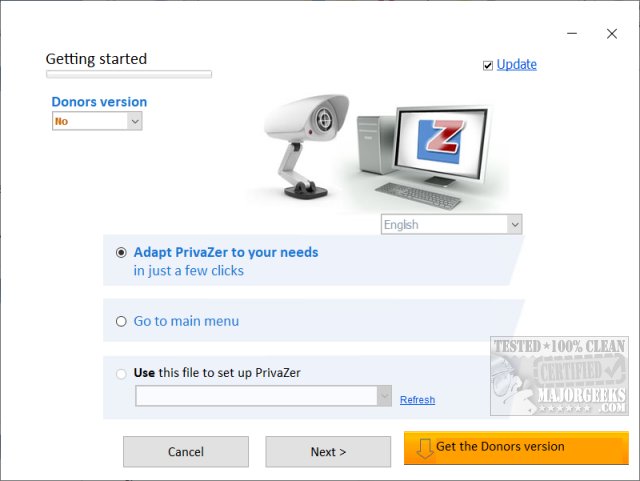
PrivaZer 4.0.123 has been released as a powerful tool designed to enhance your computer's performance and security by cleaning up old files, internet activity, software usage traces, and cleaning the registry. It aims to help users maintain privacy after using their PCs, whether at home or work, and also frees up valuable disk space. The software is available in both installer and portable formats.
Upon the first run, users are encouraged to spend about five minutes on a step-by-step setup process to select what they wish to delete. This initial process may take longer than subsequent runs. Automatic registry backups are created and stored in a designated subdirectory for user convenience. PrivaZer offers two modes: Basic and Advanced, catering to different user needs with 12 steps for Basic users and 14 for Advanced users.
The cleaning categories in PrivaZer are comprehensive, covering areas such as pre-analysis, traces in various file systems, internet browsing data, cookies, and software usage, among others. It is lauded as one of the best drive cleaners available, inviting users to check out video tutorials and comparisons with other tools like CCleaner and Wise Disk Cleaner.
While PrivaZer is free, a Donors Version is available for those who wish to access the latest updates sooner and enjoy additional features, with donations starting at $10 being a great way to support the developers.
In addition to PrivaZer, there are related resources available for optimizing drive space and cleaning up files in Windows 10 and 11, including guides on analyzing drive space, deleting locked files, and utilizing cleanup recommendations.
Extensions:
Given the growing concerns around digital privacy and data management, tools like PrivaZer are becoming increasingly relevant. As users become more aware of the importance of maintaining their digital footprint, utilities that enable efficient data cleaning and secure browsing will likely see wider adoption.
Future versions of PrivaZer could potentially integrate features such as real-time monitoring of file changes, automatic cleanup scheduling, and enhanced user interfaces to simplify the setup and cleaning processes further. Additionally, as cloud storage becomes more prevalent, PrivaZer may expand its functionalities to help users manage data stored online, ensuring comprehensive data privacy across all platforms
Upon the first run, users are encouraged to spend about five minutes on a step-by-step setup process to select what they wish to delete. This initial process may take longer than subsequent runs. Automatic registry backups are created and stored in a designated subdirectory for user convenience. PrivaZer offers two modes: Basic and Advanced, catering to different user needs with 12 steps for Basic users and 14 for Advanced users.
The cleaning categories in PrivaZer are comprehensive, covering areas such as pre-analysis, traces in various file systems, internet browsing data, cookies, and software usage, among others. It is lauded as one of the best drive cleaners available, inviting users to check out video tutorials and comparisons with other tools like CCleaner and Wise Disk Cleaner.
While PrivaZer is free, a Donors Version is available for those who wish to access the latest updates sooner and enjoy additional features, with donations starting at $10 being a great way to support the developers.
In addition to PrivaZer, there are related resources available for optimizing drive space and cleaning up files in Windows 10 and 11, including guides on analyzing drive space, deleting locked files, and utilizing cleanup recommendations.
Extensions:
Given the growing concerns around digital privacy and data management, tools like PrivaZer are becoming increasingly relevant. As users become more aware of the importance of maintaining their digital footprint, utilities that enable efficient data cleaning and secure browsing will likely see wider adoption.
Future versions of PrivaZer could potentially integrate features such as real-time monitoring of file changes, automatic cleanup scheduling, and enhanced user interfaces to simplify the setup and cleaning processes further. Additionally, as cloud storage becomes more prevalent, PrivaZer may expand its functionalities to help users manage data stored online, ensuring comprehensive data privacy across all platforms
PrivaZer 4.0.123 released
PrivaZer can clean old files, internet activity, traces of software use, gain free space, clean the registry keeping your computer clean and secure.