PrivacyRoot has released an updated version of its software, PrivacyRoot Secure Delete 226, designed to permanently erase files and folders from your computer without sending them to the recycle bin. This tool provides users with varying levels of security for the deletion process; the higher the security setting chosen, the longer the deletion will take.
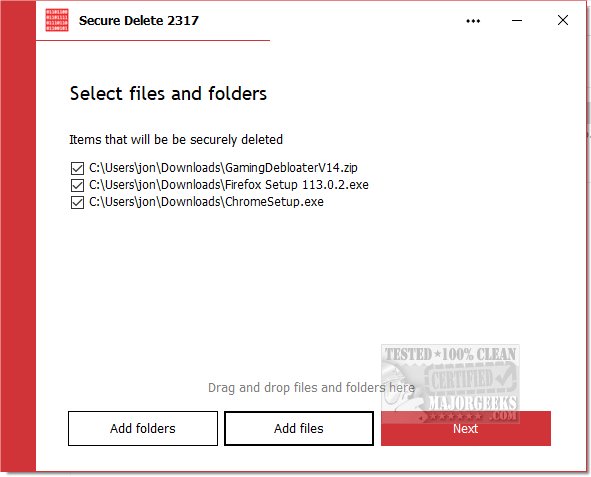
Users have three convenient options to utilize Secure Delete: they can drag and drop files into the application, select files using the "Add Files" button on the main interface, or use the "Send To" option directly from Windows Explorer. This feature ensures that files are permanently removed rather than being temporarily stored in the recycle bin. A step-by-step process allows users to halt the deletion at any point if necessary, but caution is advised; it is recommended to maintain backups of important files before proceeding with deletions.
The interface of Secure Delete is user-friendly, making it accessible for beginners while still delivering robust performance through advanced algorithms for data destruction. This ensures maximum security in file deletion without overwhelming new users with complexity.
In addition to Secure Delete, users may find it useful to explore other options for file management and secure deletion, such as using Storage Sense for automatic junk file cleanup or employing PowerShell commands for secure deletion in Windows 10 and 11. These resources can enhance users' overall experience in managing and safeguarding their data effectively.
Overall, PrivacyRoot Secure Delete 226 stands out as a reliable tool for users looking to manage their files with an emphasis on security and ease of use
Users have three convenient options to utilize Secure Delete: they can drag and drop files into the application, select files using the "Add Files" button on the main interface, or use the "Send To" option directly from Windows Explorer. This feature ensures that files are permanently removed rather than being temporarily stored in the recycle bin. A step-by-step process allows users to halt the deletion at any point if necessary, but caution is advised; it is recommended to maintain backups of important files before proceeding with deletions.
The interface of Secure Delete is user-friendly, making it accessible for beginners while still delivering robust performance through advanced algorithms for data destruction. This ensures maximum security in file deletion without overwhelming new users with complexity.
In addition to Secure Delete, users may find it useful to explore other options for file management and secure deletion, such as using Storage Sense for automatic junk file cleanup or employing PowerShell commands for secure deletion in Windows 10 and 11. These resources can enhance users' overall experience in managing and safeguarding their data effectively.
Overall, PrivacyRoot Secure Delete 226 stands out as a reliable tool for users looking to manage their files with an emphasis on security and ease of use
PrivacyRoot Secure Delete 226 released
PrivacyRoot Secure Delete lets you securely erase files and folders permanently from your machine without going to the recycle bin.