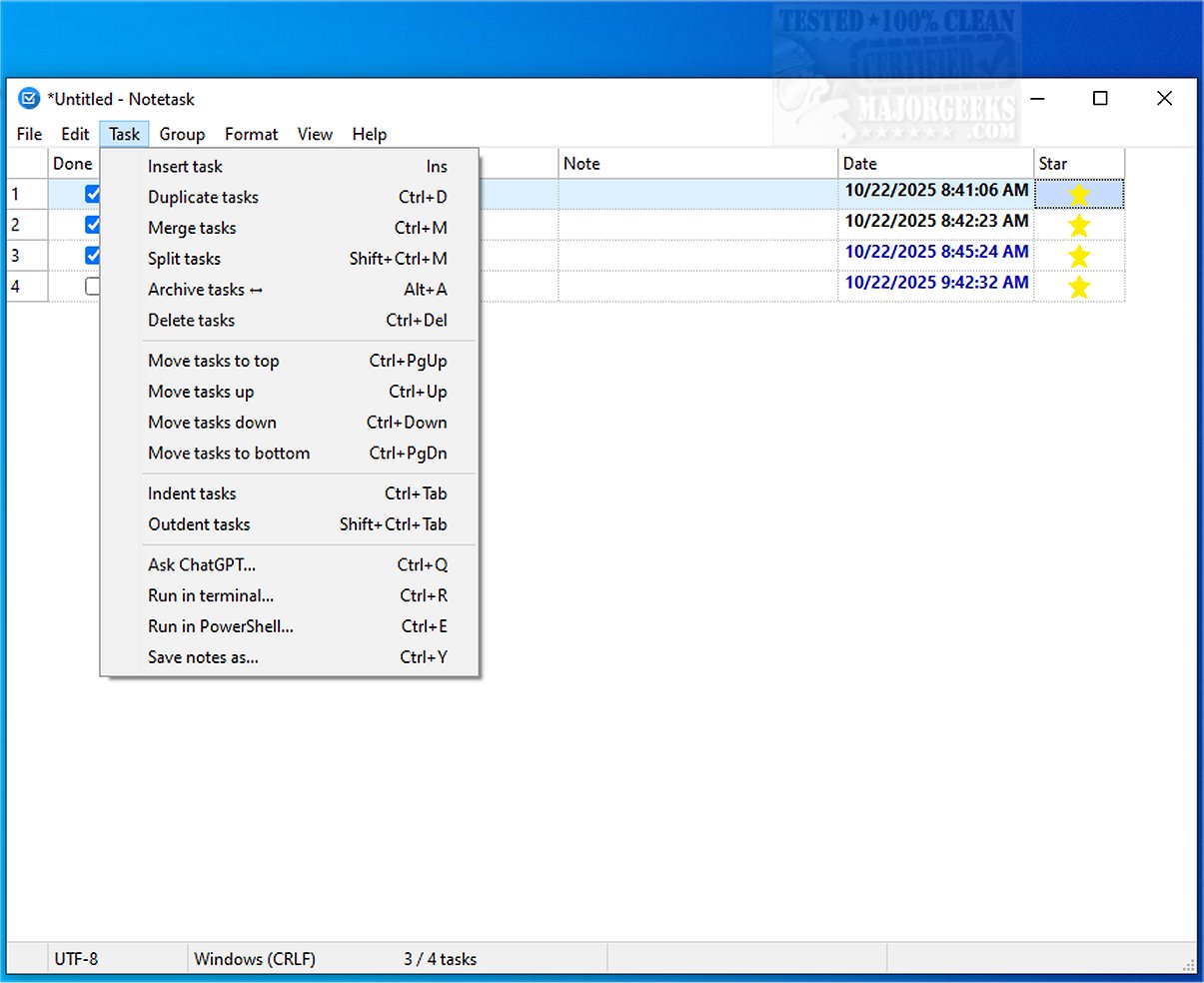
Notetask 1.2.2 has been released, offering users a powerful and efficient cross-platform tool for creating and managing task lists. This application is designed for both Windows and Linux, utilizing plain text files to organize tasks and notes, with each line representing a separate item. Its simplicity is reminiscent of Notepad, yet it incorporates additional functionalities that enhance task management.
One of the standout features of Notetask is its emphasis on security. It employs AES-256 encryption in CBC mode to safeguard user data, offering options for encrypted file storage with password protection. The inclusion of compression via zlib before encryption not only secures but also optimizes storage efficiency. Users can choose to save files in an encrypted binary format, ensuring that sensitive information remains protected.
Notetask also boasts a highly customizable interface, allowing users to tailor their experience to their preferences. Key features include automatic task numbering, the ability to move tasks between groups, archiving options, and tracking of task duration and quantities. The app also supports task merging and splitting, enhancing its versatility in managing various workloads. Users can easily visualize overdue or upcoming tasks with background highlighting and can utilize Markdown for copying and pasting content.
Moreover, Notetask is fully Unicode-enabled and supports 14 languages, making it accessible to a global audience. Its user-friendly features, such as customizable columns and a status bar summary, contribute to an organized workflow, making it an ideal choice for managing project tasks, bug tracking, and feature requests.
In summary, Notetask 1.2.2 is a comprehensive task management solution that combines simplicity with advanced functionality and security. It empowers users to efficiently handle their tasks and responsibilities, ultimately enhancing productivity and focus in both personal and professional settings. Whether for individual use or collaborative projects, Notetask stands out as a reliable tool for effective task organization
One of the standout features of Notetask is its emphasis on security. It employs AES-256 encryption in CBC mode to safeguard user data, offering options for encrypted file storage with password protection. The inclusion of compression via zlib before encryption not only secures but also optimizes storage efficiency. Users can choose to save files in an encrypted binary format, ensuring that sensitive information remains protected.
Notetask also boasts a highly customizable interface, allowing users to tailor their experience to their preferences. Key features include automatic task numbering, the ability to move tasks between groups, archiving options, and tracking of task duration and quantities. The app also supports task merging and splitting, enhancing its versatility in managing various workloads. Users can easily visualize overdue or upcoming tasks with background highlighting and can utilize Markdown for copying and pasting content.
Moreover, Notetask is fully Unicode-enabled and supports 14 languages, making it accessible to a global audience. Its user-friendly features, such as customizable columns and a status bar summary, contribute to an organized workflow, making it an ideal choice for managing project tasks, bug tracking, and feature requests.
In summary, Notetask 1.2.2 is a comprehensive task management solution that combines simplicity with advanced functionality and security. It empowers users to efficiently handle their tasks and responsibilities, ultimately enhancing productivity and focus in both personal and professional settings. Whether for individual use or collaborative projects, Notetask stands out as a reliable tool for effective task organization
Notetask 1.2.2 released
Notetask provides a straightforward and efficient cross-platform solution for creating and organizing task lists. It includes essential features that facilitate efficient task management, much like Notepad, but with an emphasis on functionality and ease of use.