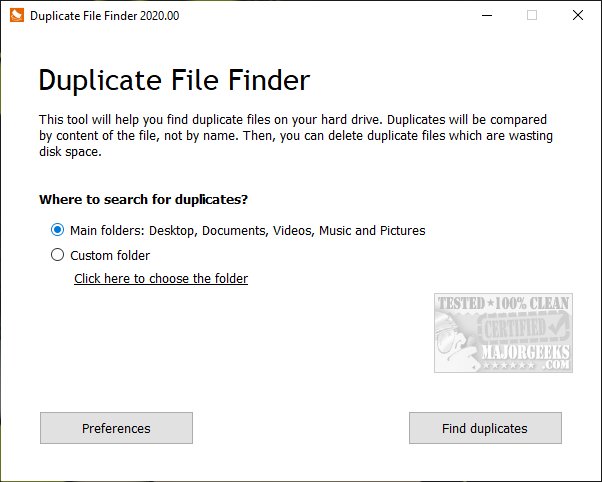
PrivacyRoot has released version 422 of its Duplicate Finder tool, which is specifically designed to identify and remove duplicate files from your computer. By eliminating these duplicates, users can reclaim valuable disk space. The software primarily scans common directories such as Documents, Desktop, Video, Music, and Pictures, but it also allows for custom scans of any specified drives or folders. Users are advised to exercise caution when scanning entire drives, as Windows often contains numerous duplicate files by default.
The application offers several features, including the ability to select specific files for deletion or to choose all duplicates at once. Users can also exclude certain files from future scans and organize results by size, file path, and the number of duplicates found. After testing the program's efficiency with a full drive scan, users reported satisfactory outcomes.
In addition to the release highlights, users looking to optimize their disk space can explore various related topics, such as using Windows 11's cleanup recommendations, comparing disk cleaning tools like CCleaner and Wise Disk Cleaner, and learning how to analyze drive space with Microsoft DiskUsage. Furthermore, guidance is available for deleting locked or undeletable files and folders on both Windows 10 and 11 systems.
To extend this information, it would be beneficial to discuss the importance of regularly managing duplicate files to maintain optimal system performance. Users could be encouraged to schedule routine scans with PrivacyRoot Duplicate Finder to continuously monitor and manage duplicate files, thereby ensuring their systems run efficiently and free of unnecessary clutter. Additionally, incorporating best practices for file organization could further enhance the effectiveness of the Duplicate Finder tool
The application offers several features, including the ability to select specific files for deletion or to choose all duplicates at once. Users can also exclude certain files from future scans and organize results by size, file path, and the number of duplicates found. After testing the program's efficiency with a full drive scan, users reported satisfactory outcomes.
In addition to the release highlights, users looking to optimize their disk space can explore various related topics, such as using Windows 11's cleanup recommendations, comparing disk cleaning tools like CCleaner and Wise Disk Cleaner, and learning how to analyze drive space with Microsoft DiskUsage. Furthermore, guidance is available for deleting locked or undeletable files and folders on both Windows 10 and 11 systems.
To extend this information, it would be beneficial to discuss the importance of regularly managing duplicate files to maintain optimal system performance. Users could be encouraged to schedule routine scans with PrivacyRoot Duplicate Finder to continuously monitor and manage duplicate files, thereby ensuring their systems run efficiently and free of unnecessary clutter. Additionally, incorporating best practices for file organization could further enhance the effectiveness of the Duplicate Finder tool
PrivacyRoot Duplicate Finder 422 released
PrivacyRoot Duplicate Finder is designed to scan your machine, searching out duplicate files so that you can remove them, freeing up some disk space.