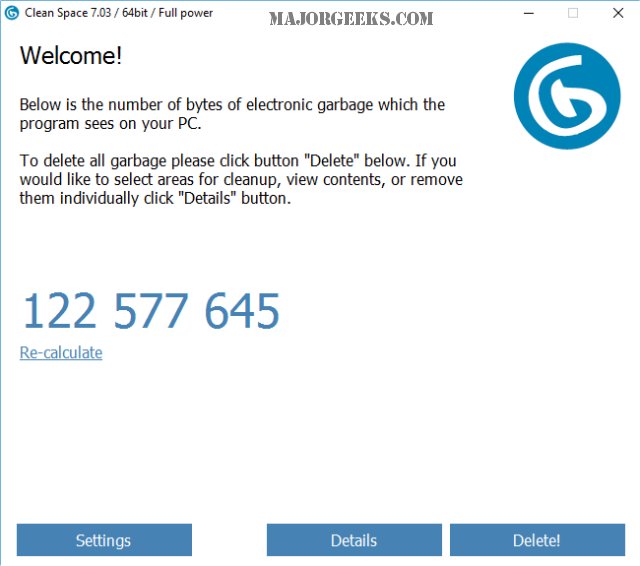
PrivacyRoot has released Clean Space 722, a tool designed to efficiently remove unnecessary files from your computer while enhancing your privacy by ensuring that deleted files are irrecoverable. The program can be run in Administrator mode for optimal performance, which it will suggest on the first launch if selected. Its user-friendly interface allows for quick scans upon startup, displaying the number of files eligible for deletion. Users can also refresh the scan to identify newly accumulated unnecessary files.
The software categorizes the detected files, providing detailed insights into files associated with Windows 10, various applications, and web browsers. While the default settings are generally safe for use, users have the option to exclude certain files, such as cookies or browsing history, if they wish to retain them. With just a click of the delete button, users can efficiently clean their systems.
In comparison to other cleaning tools like CCleaner and Wise Disk Cleaner, Clean Space offers similar functionality to CCleaner without the added bloat of unnecessary features. While it does not include a registry cleaner or startup manager like some competitors, Clean Space is ideal for those seeking a straightforward and effective solution for junk file removal.
For users who prefer a simple and efficient file cleaning process without the complexity of navigating through multiple settings, Clean Space 722 stands out as a compelling option. Its focus on essential cleaning tasks makes it a suitable choice for those looking to maintain their computer's performance with minimal hassle.
Furthermore, as data management and privacy become increasingly important in the digital age, tools like PrivacyRoot Clean Space will likely continue to evolve, incorporating advanced features such as automated cleaning schedules, integration with cloud storage optimization, and enhanced algorithms for detecting and removing redundant files. Users may also see future updates that enhance the program's compatibility with emerging operating systems and applications, ensuring continued relevance in a rapidly changing tech landscape
The software categorizes the detected files, providing detailed insights into files associated with Windows 10, various applications, and web browsers. While the default settings are generally safe for use, users have the option to exclude certain files, such as cookies or browsing history, if they wish to retain them. With just a click of the delete button, users can efficiently clean their systems.
In comparison to other cleaning tools like CCleaner and Wise Disk Cleaner, Clean Space offers similar functionality to CCleaner without the added bloat of unnecessary features. While it does not include a registry cleaner or startup manager like some competitors, Clean Space is ideal for those seeking a straightforward and effective solution for junk file removal.
For users who prefer a simple and efficient file cleaning process without the complexity of navigating through multiple settings, Clean Space 722 stands out as a compelling option. Its focus on essential cleaning tasks makes it a suitable choice for those looking to maintain their computer's performance with minimal hassle.
Furthermore, as data management and privacy become increasingly important in the digital age, tools like PrivacyRoot Clean Space will likely continue to evolve, incorporating advanced features such as automated cleaning schedules, integration with cloud storage optimization, and enhanced algorithms for detecting and removing redundant files. Users may also see future updates that enhance the program's compatibility with emerging operating systems and applications, ensuring continued relevance in a rapidly changing tech landscape
PrivacyRoot Clean Space 722 released
PrivacyRoot Clean Space can remove unneeded files that waste space on your drive and protect your privacy by making deleted files unrecoverable.