The latest version of PowerPlanManager, 0.6.4, is designed to enhance power management by automatically switching between different power plans depending on user activity and the applications in use. This tool is particularly advantageous for gaming laptops and desktop replacements, providing an optimal balance between performance and energy efficiency. By managing CPU performance based on the task at hand, PowerPlanManager helps to maintain lower temperatures and reduced power consumption during routine activities.
Functionality and Modes
PowerPlanManager offers three distinct power schemes: PowerSaver, Balanced, and Performance. Each mode is tailored for specific usage scenarios and can dynamically adjust according to user interactions. Users can specify particular applications that will trigger the Balanced or Performance modes, ensuring that resource-intensive tasks, such as gaming or video editing, receive the necessary processing power.
To further enhance energy efficiency, the software automatically reverts to PowerSaver mode when there is no user activity for a customizable duration. This feature conserves energy during idle periods without manual intervention. Additionally, PowerSaver mode activates when the screensaver is engaged, promoting further energy savings.
Installation and Uninstallation
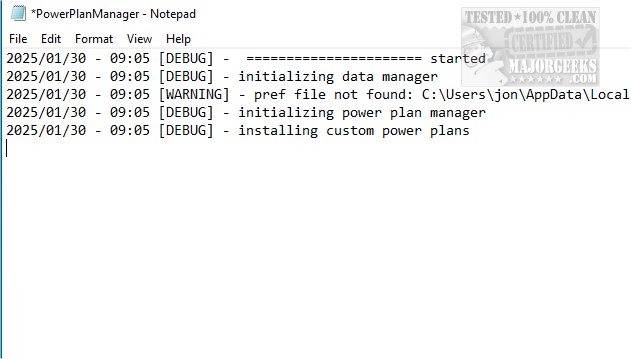
Upon launching PowerPlanManager for the first time, users are prompted to create three custom power plans essential for its operation. The program requests permission to copy itself into the %appdata% folder for functionality and to store log and preference files. A registry key is added for automatic startup. To uninstall, users simply need to exit and delete the folder in %appdata%.
Key Features
- Power Modes:
- PowerSaver limits CPU performance to conserve battery life.
- Balanced mode maintains reasonable performance while controlling temperatures.
- Performance mode maximizes CPU power for demanding tasks.
- Customizable Timeouts:
- Each mode allows for adjustments in screen, sleep, and hibernate timeout settings, enabling users to tailor their power plans according to their preferences.
Conclusion
PowerPlanManager is a valuable tool for enhancing computing performance while promoting sustainable energy practices. It effectively combines user-tailored performance with eco-friendly solutions, making it ideal for environmentally conscious users.
Future Considerations
As technology advances and the demand for energy efficiency grows, PowerPlanManager could expand its features to include more granular control options, such as user-defined thresholds for CPU temperature and power consumption. Integration with smart home systems or IoT devices could also enable automated power management in conjunction with other household energy systems. Additionally, educational resources or tips on optimizing energy use could further enhance the user experience and promote awareness about sustainable computing practices
Functionality and Modes
PowerPlanManager offers three distinct power schemes: PowerSaver, Balanced, and Performance. Each mode is tailored for specific usage scenarios and can dynamically adjust according to user interactions. Users can specify particular applications that will trigger the Balanced or Performance modes, ensuring that resource-intensive tasks, such as gaming or video editing, receive the necessary processing power.
To further enhance energy efficiency, the software automatically reverts to PowerSaver mode when there is no user activity for a customizable duration. This feature conserves energy during idle periods without manual intervention. Additionally, PowerSaver mode activates when the screensaver is engaged, promoting further energy savings.
Installation and Uninstallation
Upon launching PowerPlanManager for the first time, users are prompted to create three custom power plans essential for its operation. The program requests permission to copy itself into the %appdata% folder for functionality and to store log and preference files. A registry key is added for automatic startup. To uninstall, users simply need to exit and delete the folder in %appdata%.
Key Features
- Power Modes:
- PowerSaver limits CPU performance to conserve battery life.
- Balanced mode maintains reasonable performance while controlling temperatures.
- Performance mode maximizes CPU power for demanding tasks.
- Customizable Timeouts:
- Each mode allows for adjustments in screen, sleep, and hibernate timeout settings, enabling users to tailor their power plans according to their preferences.
Conclusion
PowerPlanManager is a valuable tool for enhancing computing performance while promoting sustainable energy practices. It effectively combines user-tailored performance with eco-friendly solutions, making it ideal for environmentally conscious users.
Future Considerations
As technology advances and the demand for energy efficiency grows, PowerPlanManager could expand its features to include more granular control options, such as user-defined thresholds for CPU temperature and power consumption. Integration with smart home systems or IoT devices could also enable automated power management in conjunction with other household energy systems. Additionally, educational resources or tips on optimizing energy use could further enhance the user experience and promote awareness about sustainable computing practices
PowerPlanManager 0.6.4 released
PowerPlanManager helps to optimize power management by automatically switching power plans based on current applications and user interactions.