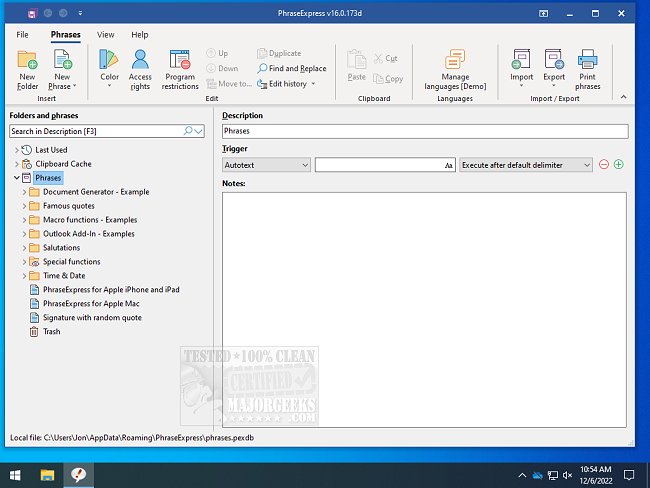
PhraseExpress has recently released version 18.0.69, a software designed to enhance productivity by managing frequently used text phrases and snippets. This tool allows users to streamline their workflow by transforming abbreviations into full text, launching applications via text shortcuts, and providing several other efficient features.
For instance, a user can save time by typing an abbreviation like "sig," which would automatically expand to their signature across any program. Similarly, typing "DCT" can instantly generate a pre-written response such as "Dear Customer, Thank you for contacting us." These functionalities significantly reduce the time spent on repetitive tasks.
In addition to these features, PhraseExpress also offers organizational tools for frequently used snippets, auto-completion for repetitive phrases, quick access to Windows Clipboard History, and spelling correction across all applications. This makes it an invaluable tool for anyone looking to optimize their text input processes.
Furthermore, the software includes useful capabilities such as managing clipboard history, clearing it with shortcuts, and disabling clipboard history in Windows 10 and 11. With its continuous updates, PhraseExpress ensures that users have the latest tools at their disposal to enhance their productivity and efficiency in text management.
In summary, PhraseExpress 18.0.69 is a robust tool for individuals and businesses seeking to improve their text handling and streamline communication processes. Its ability to automate repetitive typing tasks not only saves time but also minimizes errors, making it a crucial addition to any digital workspace
For instance, a user can save time by typing an abbreviation like "sig," which would automatically expand to their signature across any program. Similarly, typing "DCT" can instantly generate a pre-written response such as "Dear Customer, Thank you for contacting us." These functionalities significantly reduce the time spent on repetitive tasks.
In addition to these features, PhraseExpress also offers organizational tools for frequently used snippets, auto-completion for repetitive phrases, quick access to Windows Clipboard History, and spelling correction across all applications. This makes it an invaluable tool for anyone looking to optimize their text input processes.
Furthermore, the software includes useful capabilities such as managing clipboard history, clearing it with shortcuts, and disabling clipboard history in Windows 10 and 11. With its continuous updates, PhraseExpress ensures that users have the latest tools at their disposal to enhance their productivity and efficiency in text management.
In summary, PhraseExpress 18.0.69 is a robust tool for individuals and businesses seeking to improve their text handling and streamline communication processes. Its ability to automate repetitive typing tasks not only saves time but also minimizes errors, making it a crucial addition to any digital workspace
PhraseExpress 18.0.69 released
PhraseExpress is for the organization of frequently used text phrases or snippets, expanding abbreviations, launching programs with text shortcuts, and more.