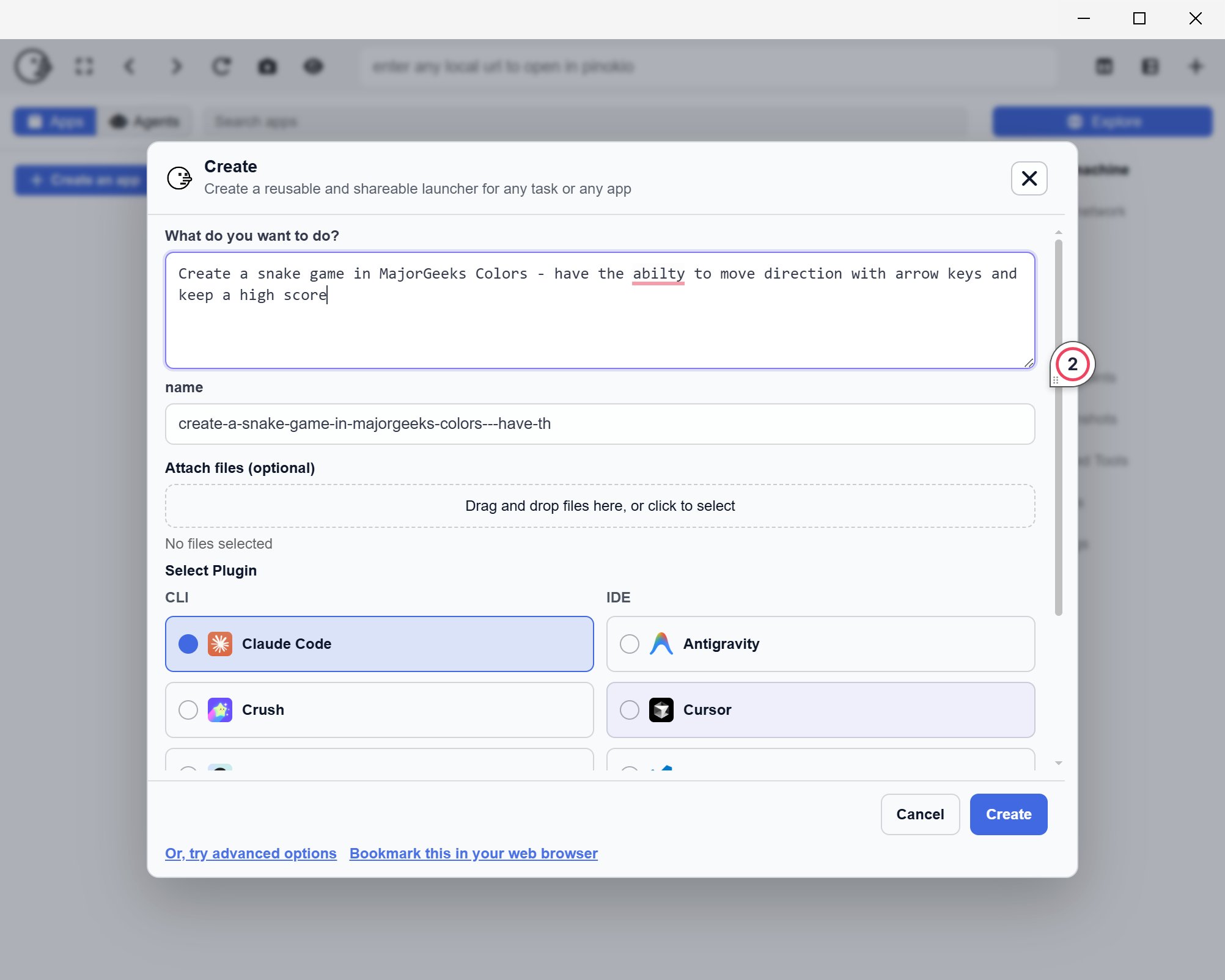
Pinokio is a free, cross-platform desktop application designed to simplify the process of turning your PC into a personal cloud for running and managing AI applications and server-style software. The latest version, Pinokio 8.2.0, enhances its functionality and ease of use, making it an attractive option for developers and tech enthusiasts.
What Pinokio Does
Pinokio streamlines the installation and operation of AI tools, web applications, and other localhost projects, eliminating the need for tedious manual setup processes. The app is aimed at users who wish to operate applications locally without the hassle of configuring dependencies like Python, Git, or Node, which can often lead to frustrating troubleshooting sessions. By providing a user-friendly interface, Pinokio allows users to browse, install, and launch software from a centralized location, reducing the complexity typically associated with terminal commands and outdated installation instructions.
Benefits of Using Pinokio
The tool significantly reduces the usual complexities involved in software installation, allowing users to test applications on their machines while maintaining privacy and control. Unlike cloud-based services that require payment for API usage, Pinokio enables users to run AI tools directly on their local machines, empowering them to experiment freely without incurring additional costs.
Key Features
- Centralized Management: Users can install and launch supported local applications from one place.
- Automated Setup: The app handles much of the installation work behind the scenes.
- Ease of Testing: It simplifies the process of testing localhost tools, bypassing reliance on terminal commands.
- Verified Scripts: Pinokio labels certain scripts as verified, which provides an added layer of security, though users are still advised to exercise caution with any automated scripts.
Using Pinokio for App Development
While Pinokio is not a coding platform, it excels in managing the backend services required for app development. For instance, if a developer wants to create an AI-driven note-taking app, they can use Pinokio to install the necessary local models or backend services, build the application in a preferred code editor like VS Code, and connect their project to the services initiated by Pinokio. This streamlined approach allows for efficient local testing without relying on external APIs.
Limitations and Considerations
Despite its advantages, Pinokio introduces an additional layer between the user and the software, which can complicate troubleshooting when issues arise. Users should remain vigilant when using automated scripts, as there are inherent risks involved. Stick to verified scripts whenever possible and be cautious about installing applications based solely on appealing visuals or descriptions.
Conclusion
Pinokio stands out as a valuable tool for those looking to run local AI applications and manage localhost projects with minimal effort. While it lowers the barrier for entry, users should remain aware of its limitations and the importance of cautious usage. In essence, Pinokio mitigates some of the challenges associated with local software management, making it a useful ally for developers and tech enthusiasts alike, but it is not without its drawbacks. As the tech landscape continues to evolve, tools like Pinokio will likely play a critical role in simplifying local development and experimentation
What Pinokio Does
Pinokio streamlines the installation and operation of AI tools, web applications, and other localhost projects, eliminating the need for tedious manual setup processes. The app is aimed at users who wish to operate applications locally without the hassle of configuring dependencies like Python, Git, or Node, which can often lead to frustrating troubleshooting sessions. By providing a user-friendly interface, Pinokio allows users to browse, install, and launch software from a centralized location, reducing the complexity typically associated with terminal commands and outdated installation instructions.
Benefits of Using Pinokio
The tool significantly reduces the usual complexities involved in software installation, allowing users to test applications on their machines while maintaining privacy and control. Unlike cloud-based services that require payment for API usage, Pinokio enables users to run AI tools directly on their local machines, empowering them to experiment freely without incurring additional costs.
Key Features
- Centralized Management: Users can install and launch supported local applications from one place.
- Automated Setup: The app handles much of the installation work behind the scenes.
- Ease of Testing: It simplifies the process of testing localhost tools, bypassing reliance on terminal commands.
- Verified Scripts: Pinokio labels certain scripts as verified, which provides an added layer of security, though users are still advised to exercise caution with any automated scripts.
Using Pinokio for App Development
While Pinokio is not a coding platform, it excels in managing the backend services required for app development. For instance, if a developer wants to create an AI-driven note-taking app, they can use Pinokio to install the necessary local models or backend services, build the application in a preferred code editor like VS Code, and connect their project to the services initiated by Pinokio. This streamlined approach allows for efficient local testing without relying on external APIs.
Limitations and Considerations
Despite its advantages, Pinokio introduces an additional layer between the user and the software, which can complicate troubleshooting when issues arise. Users should remain vigilant when using automated scripts, as there are inherent risks involved. Stick to verified scripts whenever possible and be cautious about installing applications based solely on appealing visuals or descriptions.
Conclusion
Pinokio stands out as a valuable tool for those looking to run local AI applications and manage localhost projects with minimal effort. While it lowers the barrier for entry, users should remain aware of its limitations and the importance of cautious usage. In essence, Pinokio mitigates some of the challenges associated with local software management, making it a useful ally for developers and tech enthusiasts alike, but it is not without its drawbacks. As the tech landscape continues to evolve, tools like Pinokio will likely play a critical role in simplifying local development and experimentation
Pinokio 8.2.0 released
Pinokio is a free, cross-platform desktop tool that turns your PC into a “personal cloud,” letting you install, run, and manage AI apps and server-style software locally with one click.