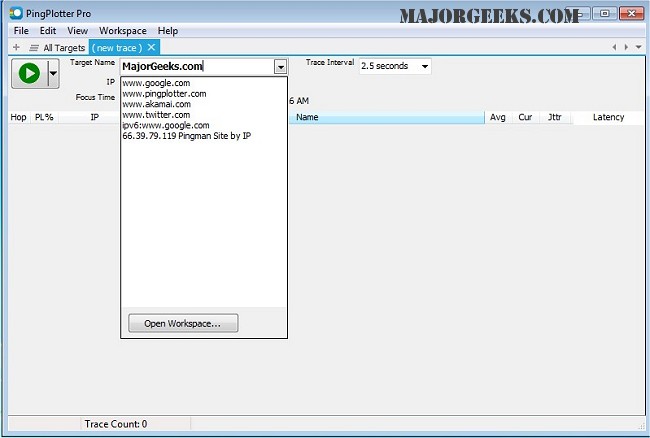
PingPlotter 5.27.5 has been released, providing users with an advanced tool for diagnosing network issues. The software maps the route from a user's computer to a specified target, calculating various performance metrics to help identify the source of network problems. It offers an intuitive graphical interface that is accessible for casual users while retaining the complexity necessary for networking professionals.
One of PingPlotter's key features is its ability to monitor connections over an extended period, allowing users to track and pinpoint issues as they arise. The software includes several functionalities, such as real-time and historical graphs, customizable alerts, and the capability to graph multiple hops simultaneously. Additionally, users can create images of their results to share via email, making it easier to communicate findings.
For those looking to improve their network performance, PingPlotter serves as a valuable resource. It is particularly useful for troubleshooting slow internet connections and optimizing network settings. Users can also find related guidance on using the Ping command in Windows, understanding Windows Auto-Tuning, enhancing wireless network performance, and resetting network settings in Windows 10 and 11.
In summary, PingPlotter 5.27.5 is a comprehensive network diagnostic tool that not only assists in identifying problems but also helps users maintain optimal network performance over time. Its combination of user-friendly design and powerful features makes it suitable for a wide range of users, from everyday internet surfers to seasoned networking professionals
One of PingPlotter's key features is its ability to monitor connections over an extended period, allowing users to track and pinpoint issues as they arise. The software includes several functionalities, such as real-time and historical graphs, customizable alerts, and the capability to graph multiple hops simultaneously. Additionally, users can create images of their results to share via email, making it easier to communicate findings.
For those looking to improve their network performance, PingPlotter serves as a valuable resource. It is particularly useful for troubleshooting slow internet connections and optimizing network settings. Users can also find related guidance on using the Ping command in Windows, understanding Windows Auto-Tuning, enhancing wireless network performance, and resetting network settings in Windows 10 and 11.
In summary, PingPlotter 5.27.5 is a comprehensive network diagnostic tool that not only assists in identifying problems but also helps users maintain optimal network performance over time. Its combination of user-friendly design and powerful features makes it suitable for a wide range of users, from everyday internet surfers to seasoned networking professionals
PingPlotter 5.27.5 released
PingPlotter will map the route from your computer to a target and calculate performance metrics that help determine determine the origin of any network issues.