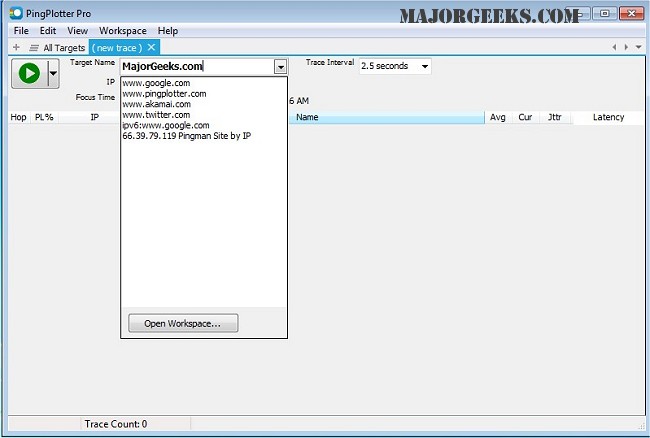
PingPlotter 5.27.11 has been released, enhancing its capabilities to track network performance and diagnose issues effectively. This tool maps the route from your computer to a specified target, calculating various performance metrics to identify the source of network problems. With its intuitive graphical interface, PingPlotter allows users to easily visualize network paths, making it accessible for casual users while also providing advanced features suitable for networking professionals.
One of the key functionalities of PingPlotter is its ability to monitor connections over extended periods, allowing users to pinpoint persistent issues. The software offers several features, including real-time and historical graphs, the ability to zoom in on specific problems, customizable alerts, and the option to graph multiple hops simultaneously. Additionally, users can create images of their network data that can be shared via email.
In the context of network troubleshooting, PingPlotter serves as an invaluable resource, complementing other tools and methods such as the Ping command in Windows, Windows Auto-Tuning, and various strategies for improving wireless network performance. It can also assist users in resolving slow internet issues on Windows 10 and 11, as well as resetting network settings when necessary.
Moving forward, users can expect further enhancements in future versions of PingPlotter, potentially including more advanced analytics features, improved user interface options, and expanded compatibility with different operating systems. As network demands continue to grow, tools like PingPlotter will remain crucial in helping users maintain optimal network performance
One of the key functionalities of PingPlotter is its ability to monitor connections over extended periods, allowing users to pinpoint persistent issues. The software offers several features, including real-time and historical graphs, the ability to zoom in on specific problems, customizable alerts, and the option to graph multiple hops simultaneously. Additionally, users can create images of their network data that can be shared via email.
In the context of network troubleshooting, PingPlotter serves as an invaluable resource, complementing other tools and methods such as the Ping command in Windows, Windows Auto-Tuning, and various strategies for improving wireless network performance. It can also assist users in resolving slow internet issues on Windows 10 and 11, as well as resetting network settings when necessary.
Moving forward, users can expect further enhancements in future versions of PingPlotter, potentially including more advanced analytics features, improved user interface options, and expanded compatibility with different operating systems. As network demands continue to grow, tools like PingPlotter will remain crucial in helping users maintain optimal network performance
PingPlotter 5.27.11 released
PingPlotter will map the route from your computer to a target and calculate performance metrics that help determine determine the origin of any network issues.