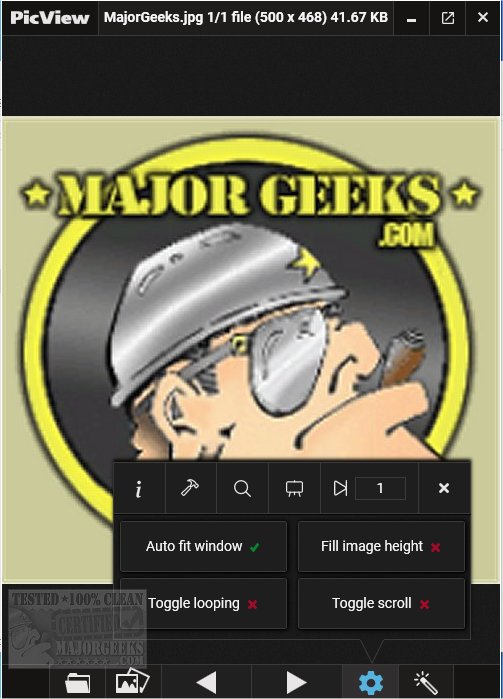
PicView 5.0.0 has been released, enhancing its reputation as a fast and efficient Open Source image viewer. This updated version comes packed with a host of features aimed at improving user experience, including various image effects, galleries, and detailed image information. One of its standout functionalities is the automatic screen adjustment, ensuring optimal viewing conditions.
The user interface of PicView is designed for simplicity and ease of navigation. Users can toggle to a full-image view by pressing Alt + Z, and customizable settings allow for the control of hover buttons and window borders. For images with transparent backgrounds, users can switch the background to a checkerboard, dark, or white option with a simple keystroke (T).
PicView boasts an impressive selection of 26 shader effects—ranging from negative colors to old movie aesthetics and pencil sketches—that can be previewed on the currently viewed image before applying. Users can also easily copy these effects to the clipboard or save them directly to their device. Additionally, any effects applied will carry over when setting an image as wallpaper or lock screen.
The software supports a wide array of file formats, including but not limited to .jpg, .png, .gif, .bmp, .tiff, and various raw formats like .cr2 and .nef, although users should note that uncommon formats may experience slower loading times.
Key features of PicView include:
- The ability to set images as wallpapers or lock screens with applied effects.
- Basic editing tools such as rotate, flip, crop, and file type conversion.
- Support for drag and drop/paste for files, folders, URLs, and archives.
- A scroll function and options to open files in external applications, explore folders, or view file properties.
- A built-in color picker for easy color selection.
In addition to its capabilities, users may find interest in related tutorials, such as restoring the Windows Photo Viewer or managing folders in the Windows Photos app.
Overall, PicView 5.0.0 stands out as a versatile tool for anyone needing a powerful yet user-friendly image viewing solution, suitable for both casual users and professionals alike. Future updates could focus on further enhancing performance, expanding file format support, or introducing more advanced editing capabilities to compete with other image editing software
The user interface of PicView is designed for simplicity and ease of navigation. Users can toggle to a full-image view by pressing Alt + Z, and customizable settings allow for the control of hover buttons and window borders. For images with transparent backgrounds, users can switch the background to a checkerboard, dark, or white option with a simple keystroke (T).
PicView boasts an impressive selection of 26 shader effects—ranging from negative colors to old movie aesthetics and pencil sketches—that can be previewed on the currently viewed image before applying. Users can also easily copy these effects to the clipboard or save them directly to their device. Additionally, any effects applied will carry over when setting an image as wallpaper or lock screen.
The software supports a wide array of file formats, including but not limited to .jpg, .png, .gif, .bmp, .tiff, and various raw formats like .cr2 and .nef, although users should note that uncommon formats may experience slower loading times.
Key features of PicView include:
- The ability to set images as wallpapers or lock screens with applied effects.
- Basic editing tools such as rotate, flip, crop, and file type conversion.
- Support for drag and drop/paste for files, folders, URLs, and archives.
- A scroll function and options to open files in external applications, explore folders, or view file properties.
- A built-in color picker for easy color selection.
In addition to its capabilities, users may find interest in related tutorials, such as restoring the Windows Photo Viewer or managing folders in the Windows Photos app.
Overall, PicView 5.0.0 stands out as a versatile tool for anyone needing a powerful yet user-friendly image viewing solution, suitable for both casual users and professionals alike. Future updates could focus on further enhancing performance, expanding file format support, or introducing more advanced editing capabilities to compete with other image editing software
PicView 5.0.0 released
PicView is an Open Source image viewer designed to be fast.