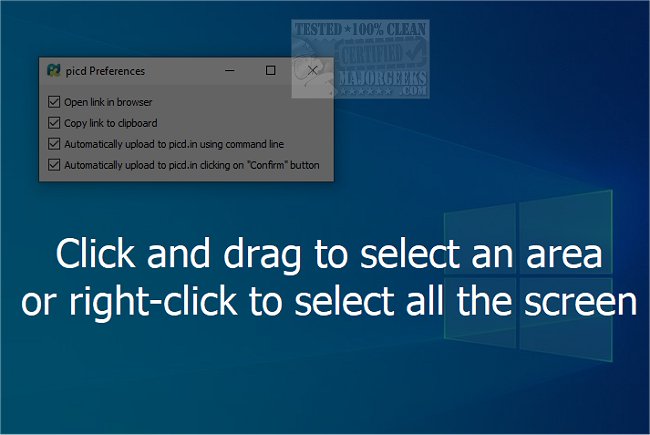
The newly released picd 22.05.17.0001 is a user-friendly application designed for capturing and sharing desktop screenshots quickly and efficiently. Ideal for anyone looking to share images online, picd allows users to capture full desktops, specific areas, individual windows, or even error messages with ease. The service is integrated with picd.in, enabling users to generate a unique link for their screenshots in just seconds, making sharing seamless.
With its intuitive interface, picd ensures that users can navigate the process without any delays. After capturing a screenshot, the application guides users through the necessary steps to create a shareable link. Its versatility and responsiveness make it suitable for various situations, from professional presentations to casual sharing.
Picd comes equipped with a range of useful tools to enhance screenshots, including:
- Rectangle Contour: Draw a non-filled rectangle outline.
- Filled Rectangle: Create a solid-colored rectangle.
- Circle Contour: Outline a circle.
- Filled Circle: Draw a solid circle.
- Highlighter: Highlight important text.
- Blur Area: Obfuscate parts of the image by blurring them.
- Freehand Draw: Allow for freeform drawing on images.
- Line Tool: Draw straight lines for emphasis.
- Arrow Tool: Insert arrows to direct attention.
In summary, picd is an efficient and versatile tool for anyone needing to capture and share screenshots quickly. Its array of features caters to both casual users and professionals, streamlining the process of sharing visual information. Future updates could potentially include enhanced editing features, additional sharing options, and improved integration with other platforms, further solidifying picd as a go-to solution for screenshot sharing
With its intuitive interface, picd ensures that users can navigate the process without any delays. After capturing a screenshot, the application guides users through the necessary steps to create a shareable link. Its versatility and responsiveness make it suitable for various situations, from professional presentations to casual sharing.
Picd comes equipped with a range of useful tools to enhance screenshots, including:
- Rectangle Contour: Draw a non-filled rectangle outline.
- Filled Rectangle: Create a solid-colored rectangle.
- Circle Contour: Outline a circle.
- Filled Circle: Draw a solid circle.
- Highlighter: Highlight important text.
- Blur Area: Obfuscate parts of the image by blurring them.
- Freehand Draw: Allow for freeform drawing on images.
- Line Tool: Draw straight lines for emphasis.
- Arrow Tool: Insert arrows to direct attention.
In summary, picd is an efficient and versatile tool for anyone needing to capture and share screenshots quickly. Its array of features caters to both casual users and professionals, streamlining the process of sharing visual information. Future updates could potentially include enhanced editing features, additional sharing options, and improved integration with other platforms, further solidifying picd as a go-to solution for screenshot sharing
picd 22.05.17.0001 released
picd is an easy-to-use option for capturing and sharing desktop screenshots.