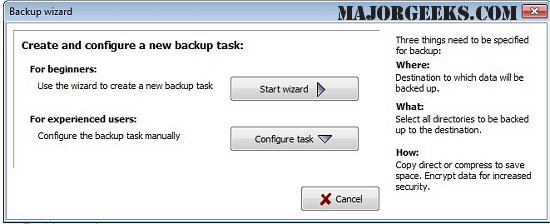
Personal Backup version 6.4.11.0 has been released, enhancing the utility's capabilities for safeguarding personal data. This software allows users to save their data to various destinations, including local fixed or removable drives, Windows network servers, and FTP servers. Users can configure an unlimited number of backup tasks, selecting files to be backed up on a folder-by-folder basis while automatically including all subfolders. Furthermore, users can refine their selections by including or excluding specific subdirectories, or by applying filters based on file type, age, and name.
The software presents original drives (e.g., C, D) as subdirectories labeled LwC, LwD, etc., maintaining the original directory structure for ease of navigation. Data can be compressed using gzip, either as a whole or separated by subfolders into zip files. Additionally, users can opt for AES algorithm encryption for enhanced security.
Key features of Personal Backup include:
- A user-friendly wizard for creating new backup tasks
- An unlimited number of customizable backup tasks
- The ability to back up entire directory structures
- Options for on-demand backups or automated scheduled backups
- FTP backup capabilities, including support for proxy connections and FTPS (FTP over SSL)
- Various backup configurations, such as copying files with or without compression, and creating zip files with flexible options.
This release is particularly beneficial for users looking to streamline their backup processes while ensuring data security and accessibility.
In addition to these features, users might find it advantageous to explore related topics such as resetting or reinstalling Windows 10 using cloud services, reinstalling Windows without losing files, managing system restore points, and adjusting system protection storage sizes in Windows 10 and 11. These resources can further optimize user experience and data management strategies
The software presents original drives (e.g., C, D) as subdirectories labeled LwC, LwD, etc., maintaining the original directory structure for ease of navigation. Data can be compressed using gzip, either as a whole or separated by subfolders into zip files. Additionally, users can opt for AES algorithm encryption for enhanced security.
Key features of Personal Backup include:
- A user-friendly wizard for creating new backup tasks
- An unlimited number of customizable backup tasks
- The ability to back up entire directory structures
- Options for on-demand backups or automated scheduled backups
- FTP backup capabilities, including support for proxy connections and FTPS (FTP over SSL)
- Various backup configurations, such as copying files with or without compression, and creating zip files with flexible options.
This release is particularly beneficial for users looking to streamline their backup processes while ensuring data security and accessibility.
In addition to these features, users might find it advantageous to explore related topics such as resetting or reinstalling Windows 10 using cloud services, reinstalling Windows without losing files, managing system restore points, and adjusting system protection storage sizes in Windows 10 and 11. These resources can further optimize user experience and data management strategies
Personal Backup 6.4.11.0 released
Personal Backup saves personal data to any destination folder located on a local fixed or removable drive, Windows network server, or an FTP server.