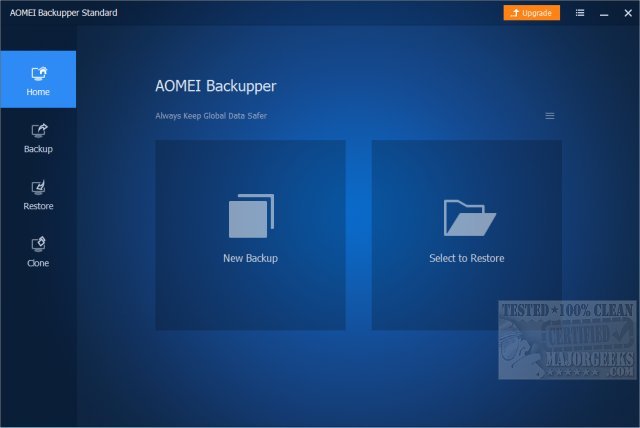
AOMEI Backupper Standard 8.4 has recently been released, providing users with a user-friendly backup software solution that combines both basic and advanced features aimed at ensuring the safety of your system and data. This free utility is particularly beneficial for anyone who has experienced data loss, system crashes, or the arduous task of reinstalling Windows.
The software caters to a wide range of users, from casual individuals needing basic protection to power users who require scheduled and incremental backup options. Unlike the built-in backup options in Windows that can be cumbersome and unreliable, AOMEI Backupper offers a streamlined experience with features like one-click system image backup, automatic file backups, and disk cloning, all accessible without navigating through complex menus.
Key use cases for AOMEI Backupper include creating full system backups before significant updates, scheduling backups to avert data loss, cloning hard drives during upgrades, and recovering from ransomware or malware attacks. With the increasing importance of a solid backup strategy, AOMEI Backupper stands out as an excellent choice for everyday users, tech enthusiasts, and small business owners alike.
The software is available in two versions: Standard (free) and Pro (paid). The Standard version covers essential backup features, including system, disk, and file backups, as well as incremental and differential backups, although it does come with an upgrade notification. The Pro version, starting at $39.95, enhances the backup experience with advanced functionalities such as faster backup speeds, system cloning, universal restore, real-time sync, encrypted backups, and event-triggered backups. This version also provides additional tools for IT professionals, including command-line utilities and PXE Boot Tool, making backup management more efficient.
In conclusion, AOMEI Backupper Standard is an excellent, hassle-free solution for anyone seeking reliable backup software. Its intuitive interface and powerful capabilities make it suitable for most users, while the Pro version offers invaluable additional features for those needing advanced control and security. Ultimately, having a robust backup plan is crucial, and investing in AOMEI Backupper can save users from the stress and consequences of data loss.
For further assistance, users may want to explore related topics such as how to reset or reinstall Windows 10 & 11 using the cloud or how to reinstall Windows without losing files
The software caters to a wide range of users, from casual individuals needing basic protection to power users who require scheduled and incremental backup options. Unlike the built-in backup options in Windows that can be cumbersome and unreliable, AOMEI Backupper offers a streamlined experience with features like one-click system image backup, automatic file backups, and disk cloning, all accessible without navigating through complex menus.
Key use cases for AOMEI Backupper include creating full system backups before significant updates, scheduling backups to avert data loss, cloning hard drives during upgrades, and recovering from ransomware or malware attacks. With the increasing importance of a solid backup strategy, AOMEI Backupper stands out as an excellent choice for everyday users, tech enthusiasts, and small business owners alike.
The software is available in two versions: Standard (free) and Pro (paid). The Standard version covers essential backup features, including system, disk, and file backups, as well as incremental and differential backups, although it does come with an upgrade notification. The Pro version, starting at $39.95, enhances the backup experience with advanced functionalities such as faster backup speeds, system cloning, universal restore, real-time sync, encrypted backups, and event-triggered backups. This version also provides additional tools for IT professionals, including command-line utilities and PXE Boot Tool, making backup management more efficient.
In conclusion, AOMEI Backupper Standard is an excellent, hassle-free solution for anyone seeking reliable backup software. Its intuitive interface and powerful capabilities make it suitable for most users, while the Pro version offers invaluable additional features for those needing advanced control and security. Ultimately, having a robust backup plan is crucial, and investing in AOMEI Backupper can save users from the stress and consequences of data loss.
For further assistance, users may want to explore related topics such as how to reset or reinstall Windows 10 & 11 using the cloud or how to reinstall Windows without losing files
AOMEI Backupper Standard 8.4 released
AOMEI Backupper Standard is a straightforward backup software that includes basic and advanced features to ensure your system and data safety.