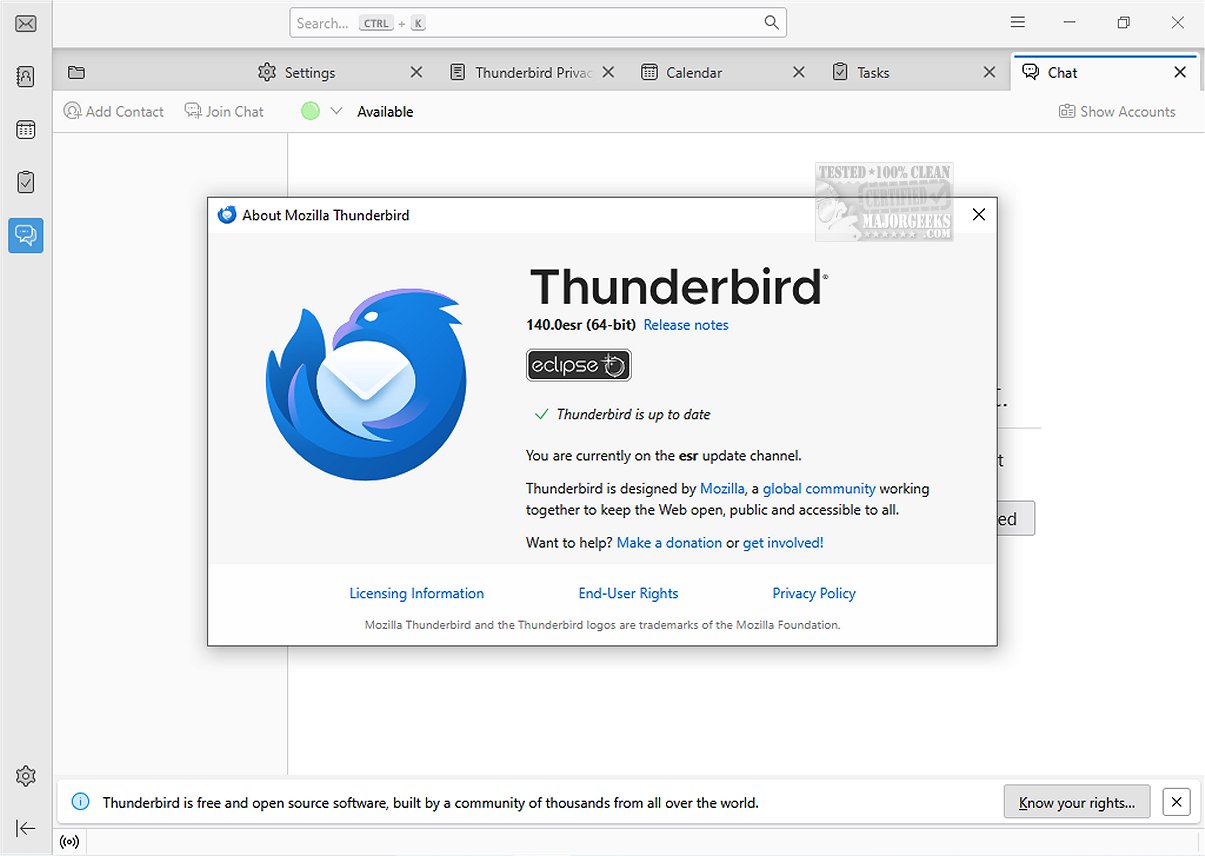
Mozilla Thunderbird Eclipse ESR 140.12.0 has been released, marking a significant advancement in the popular free email application. Known for its customization capabilities and extensive feature set, this version is designed to enhance user experience and streamline email management. A portable version is also available for users who prefer flexibility.
Overview of Mozilla Thunderbird Eclipse ESR
Mozilla Thunderbird Eclipse ESR is part of the ongoing evolution of Thunderbird's Extended Support Release (ESR) series. The ESR 140 series commenced in June 2025, with support expected to last approximately one year. This latest release incorporates all features and improvements from previous Thunderbird versions, making it robust for both individual users and organizations.
Comparative Insight: Eclipse ESR vs. Nebula ESR
The Eclipse ESR 140.12.0 is distinct from the Nebula ESR128+, part of the ESR 128 cycle that began in July 2024 and is scheduled to conclude around September 2025. This differentiation indicates the ongoing development and refinement of Thunderbird's email solutions.
Key Features of the Latest Release
The latest release includes several notable enhancements:
- A vertical tabs layout option for better organization.
- The ability to unload tabs from memory without closing them, improving performance.
- Simplified process for adding custom search engines.
- New tab grouping features to keep related tabs together.
- An improved Reader View with more text and layout options.
- Introduction of HTTPS-First mode for enhanced security.
- Bounce Tracking Protection in Strict Enhanced Tracking Protection mode.
- HTTPS now being the default protocol displayed in the address bar.
User Experience and Interface
Mozilla Thunderbird Eclipse ESR prioritizes safety, speed, and user-friendliness. The email client features a dynamic toolbar that adapts to user needs based on the active tab or workspace, allowing for a tailored experience. The graphical user interface has also been completely redesigned to enhance navigation and visual appeal. Moreover, the application remains compatible with a wide range of Mozilla Add-Ons, enabling further customization and functionality enhancement.
Security and Reliability
The email client is recognized for its reliability and strong security measures. Key safety features include an efficient junk mail filter that detects potential spam and allows users to manually filter messages. Thunderbird also supports advanced security measures such as digital signing, message encryption, S/MIME support, certificate integration, and compatibility with security devices favored by enterprises and government organizations.
Conclusion
Mozilla Thunderbird Eclipse ESR 140.12.0 stands out as a powerful and secure email application, suitable for both personal and organizational use. With its customizable features, enhanced user experience, and robust security protocols, it remains a top choice for email management. Whether you prefer the standard or portable version, Thunderbird continues to evolve, meeting the diverse needs of its user base.
Looking for the portable version? It’s available for download
Overview of Mozilla Thunderbird Eclipse ESR
Mozilla Thunderbird Eclipse ESR is part of the ongoing evolution of Thunderbird's Extended Support Release (ESR) series. The ESR 140 series commenced in June 2025, with support expected to last approximately one year. This latest release incorporates all features and improvements from previous Thunderbird versions, making it robust for both individual users and organizations.
Comparative Insight: Eclipse ESR vs. Nebula ESR
The Eclipse ESR 140.12.0 is distinct from the Nebula ESR128+, part of the ESR 128 cycle that began in July 2024 and is scheduled to conclude around September 2025. This differentiation indicates the ongoing development and refinement of Thunderbird's email solutions.
Key Features of the Latest Release
The latest release includes several notable enhancements:
- A vertical tabs layout option for better organization.
- The ability to unload tabs from memory without closing them, improving performance.
- Simplified process for adding custom search engines.
- New tab grouping features to keep related tabs together.
- An improved Reader View with more text and layout options.
- Introduction of HTTPS-First mode for enhanced security.
- Bounce Tracking Protection in Strict Enhanced Tracking Protection mode.
- HTTPS now being the default protocol displayed in the address bar.
User Experience and Interface
Mozilla Thunderbird Eclipse ESR prioritizes safety, speed, and user-friendliness. The email client features a dynamic toolbar that adapts to user needs based on the active tab or workspace, allowing for a tailored experience. The graphical user interface has also been completely redesigned to enhance navigation and visual appeal. Moreover, the application remains compatible with a wide range of Mozilla Add-Ons, enabling further customization and functionality enhancement.
Security and Reliability
The email client is recognized for its reliability and strong security measures. Key safety features include an efficient junk mail filter that detects potential spam and allows users to manually filter messages. Thunderbird also supports advanced security measures such as digital signing, message encryption, S/MIME support, certificate integration, and compatibility with security devices favored by enterprises and government organizations.
Conclusion
Mozilla Thunderbird Eclipse ESR 140.12.0 stands out as a powerful and secure email application, suitable for both personal and organizational use. With its customizable features, enhanced user experience, and robust security protocols, it remains a top choice for email management. Whether you prefer the standard or portable version, Thunderbird continues to evolve, meeting the diverse needs of its user base.
Looking for the portable version? It’s available for download
Mozilla Thunderbird Eclipse ESR 140.12.0 released
Mozilla Thunderbird Eclipse ESR is a versatile and free email application that stands out due to its ease of customization and a rich set of features that enhance user experience.Portable version also available.
Mozilla Thunderbird Eclipse ESR 140.12.0 released @ MajorGeeks