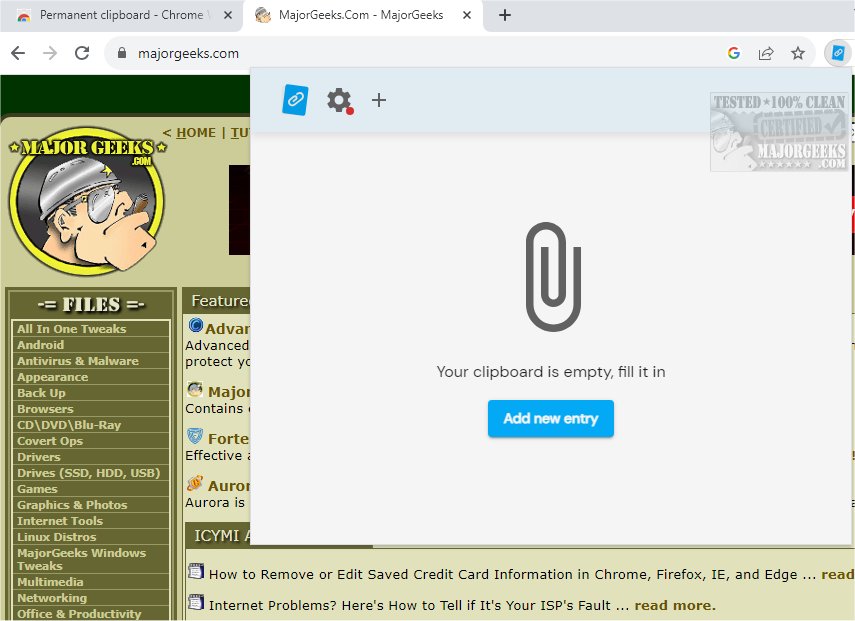
The latest version of Permanent Clipboard, 4.1.3, is now available, offering users an efficient way to save and organize clipboard snippets. This lightweight Chrome extension simplifies the process of capturing text and images, providing a user-friendly interface that enhances productivity for students, professionals, and anyone who frequently relies on clipboard functionality.
Key Features of Permanent Clipboard:
- Efficient Organization: Users can categorize their snippets, making it easier to retrieve important information quickly. Each saved item can be assigned a descriptive name, allowing for easy identification and access.
- User-Friendly Access: With a simple right-click, users can access their saved clips and paste them into any text field without the hassle of searching through various documents or applications.
- Cross-Device Syncing: Permanent Clipboard ensures seamless operation across multiple devices, enabling users to work from anywhere without losing their progress.
- Backup and Restore Options: The extension provides tools to back up saved data, ensuring that users can easily restore their snippets when necessary.
Streamline Your Workflow:
By integrating Permanent Clipboard into your daily routine, you can elevate your productivity and maintain a well-organized system for your most frequently used text snippets. Whether you're saving important contact information, email templates, or research notes, this tool keeps everything at your fingertips, allowing you to focus on your tasks without unnecessary interruptions.
Get Started Today:
Transform your workflow into a smoother and more efficient experience by downloading Permanent Clipboard today. With its powerful features and intuitive design, managing your clipboard snippets has never been easier.
Extended Possibilities:
In addition to its core functionalities, Permanent Clipboard could benefit from future enhancements, such as AI-driven suggestions for commonly used snippets, integration with task management tools, or collaboration features that allow users to share snippets with team members. These additions could further streamline workflows and enhance productivity for a diverse range of users
Key Features of Permanent Clipboard:
- Efficient Organization: Users can categorize their snippets, making it easier to retrieve important information quickly. Each saved item can be assigned a descriptive name, allowing for easy identification and access.
- User-Friendly Access: With a simple right-click, users can access their saved clips and paste them into any text field without the hassle of searching through various documents or applications.
- Cross-Device Syncing: Permanent Clipboard ensures seamless operation across multiple devices, enabling users to work from anywhere without losing their progress.
- Backup and Restore Options: The extension provides tools to back up saved data, ensuring that users can easily restore their snippets when necessary.
Streamline Your Workflow:
By integrating Permanent Clipboard into your daily routine, you can elevate your productivity and maintain a well-organized system for your most frequently used text snippets. Whether you're saving important contact information, email templates, or research notes, this tool keeps everything at your fingertips, allowing you to focus on your tasks without unnecessary interruptions.
Get Started Today:
Transform your workflow into a smoother and more efficient experience by downloading Permanent Clipboard today. With its powerful features and intuitive design, managing your clipboard snippets has never been easier.
Extended Possibilities:
In addition to its core functionalities, Permanent Clipboard could benefit from future enhancements, such as AI-driven suggestions for commonly used snippets, integration with task management tools, or collaboration features that allow users to share snippets with team members. These additions could further streamline workflows and enhance productivity for a diverse range of users
Permanent Clipboard 4.1.3 released
Permanent Clipboard will help you save and organize your clipboard snippets seamlessly.