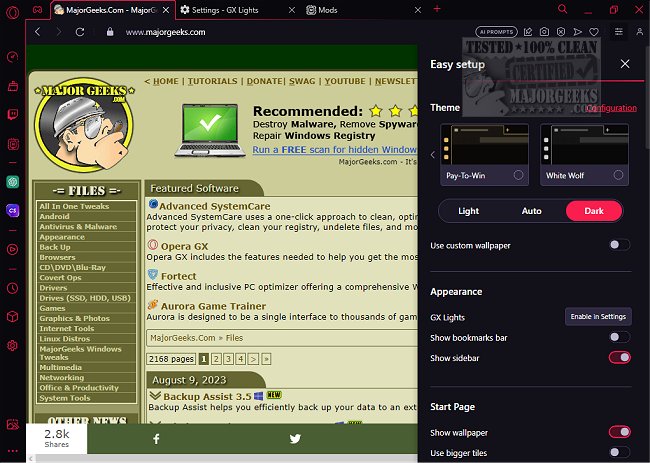
Opera GX is a unique browser tailored specifically for gamers and multitaskers, offering an array of features designed to enhance both gaming and browsing experiences. This free browser is available for Windows, macOS, and Chromebooks, with Linux support expected in the future. Its standout features include CPU, RAM, and bandwidth control, making it a preferred choice for streamers and gamers seeking to optimize their system performance without the need to close applications.
What is Opera GX?
Built on the Chromium engine, Opera GX distinguishes itself with performance management tools and integrations with popular gaming platforms like Twitch and Discord. Key features include:
- CPU and RAM usage limiters
- Network bandwidth capping
- A built-in ad blocker and VPN
- GX Cleaner for removing browser clutter
- GX Corner for accessing game deals and news
The browser's customizable interface aligns with gaming aesthetics, enhancing the user experience.
Safety and Privacy
Privacy is a significant concern for many users, and Opera GX addresses this with robust security features. Developed by Opera Software, a reputable company with extensive experience, Opera GX includes:
- A free built-in VPN without the need for an account
- Tracker blocking capabilities
- No Google telemetry, unlike Chrome
Users can easily manage privacy settings and utilize a feature that modifies or deletes browsing history after a period of inactivity.
Distinctive Features
What sets Opera GX apart from browsers like Chrome or Edge is its multitasking capabilities. Notable features include:
- GX Control Panel for resource management
- Integrated Twitch, Discord, and Messenger in the sidebar
- GX Cleaner for optimizing browser performance
- GX Mods for user interface customization
- Hot Tabs Killer for quickly closing resource-intensive tabs
- Built-in ad blocker and VPN requiring no additional extensions
- Occasional free Discord Nitro promotions for users
Extension Support
Opera GX supports Chrome extensions, allowing users to maintain their favorite tools with ease. Users simply need to install the "Install Chrome Extensions" add-on from the Opera Add-ons site.
Pros and Cons
Pros:
- Integrated CPU/RAM/network limiters
- Free VPN and ad blocker
- Ideal for multitasking and streaming setups
- Compatibility with various operating systems, including Android
- Supports Chrome extensions
Cons:
- More resource-intensive than minimal browsers
- Lacks a native Linux build (only via Chromebook)
- Aesthetic-focused GX Mods may not appeal to all
- May feel excessive for users seeking a basic browser
Conclusion
Opera GX is not merely a visually appealing browser; it provides genuine utility for gamers and heavy multitaskers. Its performance tools are practical, helping users manage system resources effectively. If you are frustrated with browsers like Chrome that slow down your system or seek enhanced control without sacrificing speed, Opera GX is highly recommended. It’s powerful, enjoyable to use, and integrates well with other tools.
Exploring New Horizons
For those interested in expanding their browser experience, consider exploring other offerings like Opera Air, which may provide additional features tailored to different needs.
Related Topics:
- Discovering the "Redeem My Soul" feature in Opera GX
- A guide to finding indie games
- Utilizing Windows 10 & 11's Gaming Task Manager
- Instructions for uninstalling the Xbox Game Bar and Console Companion in Windows
- Managing Game Mode settings in Windows 10 & 11
Opera GX 140.0.6074.73 released
Opera GX includes the features needed to help you get the most out of gaming and browsing.