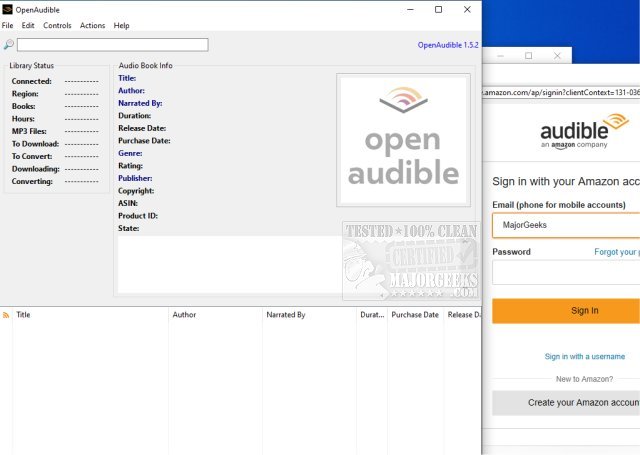
OpenAudible has released version 4.8.3, enhancing its functionality as an Open Source cross-platform manager for Audible audiobooks. This application allows users to efficiently download, view, convert their Audible content to MP3 format, and manage their entire library from a single interface.
With OpenAudible, users can easily access their purchased Audible books by logging into their account through the app's Browser window (Ctrl-B). To optimize performance, it is advisable to set the working or output directory to a location with ample storage space, such as a hard drive or network storage. Once connected to Audible, the app imports all library details without downloading any files initially. Users can then explore their collection and download audiobooks as needed.
Key features of OpenAudible include:
- Importing books directly from an Audible account
- Converting audiobooks to MP3 format while preserving metadata
- Supporting direct import of AAX files via drag-and-drop
- Offering a searchable user interface to navigate through the entire library
- Allowing users to export their collections as web pages or JavaScript files
In addition to these features, future updates may include enhanced user support, additional file format compatibility, and improved organization tools to further streamline the audiobook management experience. OpenAudible continues to evolve, aiming to provide users with a comprehensive and user-friendly solution for managing their Audible library efficiently
With OpenAudible, users can easily access their purchased Audible books by logging into their account through the app's Browser window (Ctrl-B). To optimize performance, it is advisable to set the working or output directory to a location with ample storage space, such as a hard drive or network storage. Once connected to Audible, the app imports all library details without downloading any files initially. Users can then explore their collection and download audiobooks as needed.
Key features of OpenAudible include:
- Importing books directly from an Audible account
- Converting audiobooks to MP3 format while preserving metadata
- Supporting direct import of AAX files via drag-and-drop
- Offering a searchable user interface to navigate through the entire library
- Allowing users to export their collections as web pages or JavaScript files
In addition to these features, future updates may include enhanced user support, additional file format compatibility, and improved organization tools to further streamline the audiobook management experience. OpenAudible continues to evolve, aiming to provide users with a comprehensive and user-friendly solution for managing their Audible library efficiently
OpenAudible 4.8.3 released
OpenAudible is an Open Source cross-platform Audible audiobook manager.