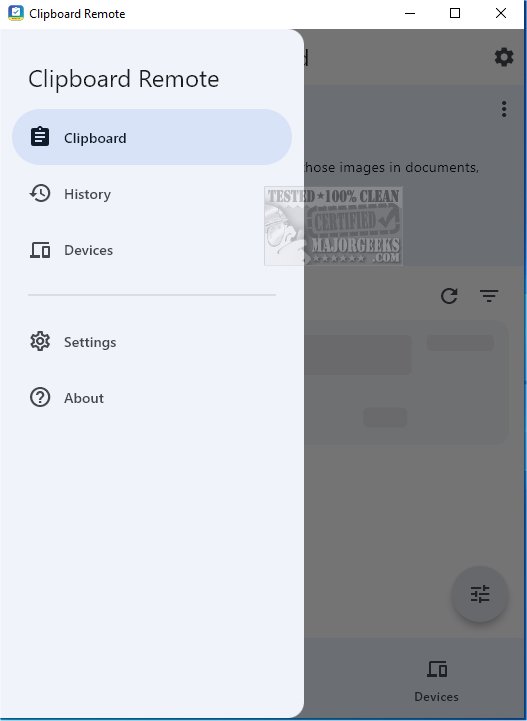
Clipboard Remote 1.0.8 has been released, enhancing the way users share URLs and transfer photos between devices. This app serves as a robust alternative to Quick Share, offering immediate access to images for use in documents, presentations, or social media.
To utilize Clipboard Remote, users must install the app on at least two devices, which can range from mobile phones to desktop computers. The app features an intuitive interface that automatically detects nearby devices for easy pairing. The pairing process is straightforward, requiring minimal clicks for a user-friendly experience.
Once devices are paired, Clipboard Remote's functionality allows users to copy text (using CTRL-C), which is quickly uploaded to the app, enabling access on the paired device. A highlight of the app is its ability to preserve the formatting of shared text, ensuring a consistent appearance across devices.
Key features of Clipboard Remote include:
- Cross-Platform Compatibility: It connects various devices and manages clipboard format differences across Windows, macOS, iOS, and Android.
- Easy Copy & Paste: Users can easily copy text from one device's clipboard to another.
- Clickable URLs: URLs and email addresses in the clipboard can be opened directly in a browser or email app.
- Image Editing: Users can edit, crop, or rotate images before or after transferring.
- Clipboard History: Recent copy and paste operations are stored for quick reuse.
- Secure Data Transfer: The app operates over LAN or Wi-Fi, ensuring data privacy and encryption.
While Clipboard Remote excels in sharing text between devices, its image sharing capabilities are limited; images can only be sent from mobile devices to desktops, not the other way around. This is an important consideration for users aiming to share media.
In summary, Clipboard Remote is a valuable tool for anyone looking to streamline their digital workflow, allowing for seamless sharing of text snippets, URLs, and photos across multiple devices. By enabling connections between three or more devices, users can utilize one as a bridge for transferring data between others. Overall, it is a smart choice for enhancing connectivity and organization in your digital life.
Looking ahead, future updates could expand its functionalities, particularly in the realm of image sharing, further solidifying Clipboard Remote as a go-to solution for cross-device interactions
To utilize Clipboard Remote, users must install the app on at least two devices, which can range from mobile phones to desktop computers. The app features an intuitive interface that automatically detects nearby devices for easy pairing. The pairing process is straightforward, requiring minimal clicks for a user-friendly experience.
Once devices are paired, Clipboard Remote's functionality allows users to copy text (using CTRL-C), which is quickly uploaded to the app, enabling access on the paired device. A highlight of the app is its ability to preserve the formatting of shared text, ensuring a consistent appearance across devices.
Key features of Clipboard Remote include:
- Cross-Platform Compatibility: It connects various devices and manages clipboard format differences across Windows, macOS, iOS, and Android.
- Easy Copy & Paste: Users can easily copy text from one device's clipboard to another.
- Clickable URLs: URLs and email addresses in the clipboard can be opened directly in a browser or email app.
- Image Editing: Users can edit, crop, or rotate images before or after transferring.
- Clipboard History: Recent copy and paste operations are stored for quick reuse.
- Secure Data Transfer: The app operates over LAN or Wi-Fi, ensuring data privacy and encryption.
While Clipboard Remote excels in sharing text between devices, its image sharing capabilities are limited; images can only be sent from mobile devices to desktops, not the other way around. This is an important consideration for users aiming to share media.
In summary, Clipboard Remote is a valuable tool for anyone looking to streamline their digital workflow, allowing for seamless sharing of text snippets, URLs, and photos across multiple devices. By enabling connections between three or more devices, users can utilize one as a bridge for transferring data between others. Overall, it is a smart choice for enhancing connectivity and organization in your digital life.
Looking ahead, future updates could expand its functionalities, particularly in the realm of image sharing, further solidifying Clipboard Remote as a go-to solution for cross-device interactions
Clipboard Remote 1.0.8 released
With Clipboard Remote, sharing URLs and transferring photos between your devices has never been easier. It is a solid alternative to Quick Share for facilitating immediate use of those images in documents, presentations, or social media posts.