Ollama has recently released version 0.30.11 of its local-first platform, which allows users to run large language models (LLMs) directly on their desktops without relying on cloud services or accounts. This feature is particularly appealing to developers, privacy advocates, and tech enthusiasts who want to harness the power of top-tier models such as LLaMA 3.3, Phi-4, Mistral, and DeepSeek in an offline environment.
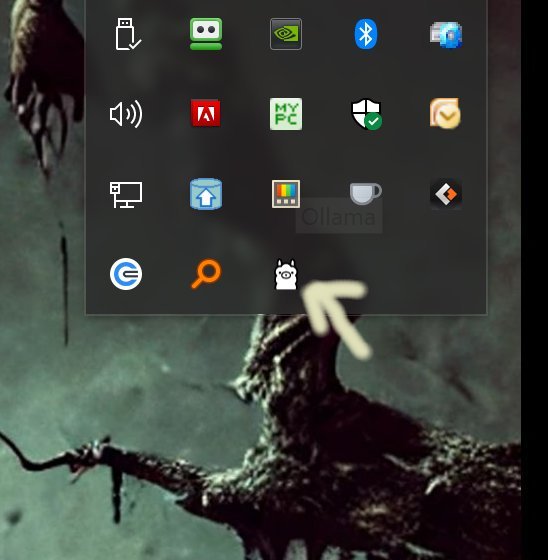
The installation process is straightforward; users simply download the software and install it. Once running, Ollama can be accessed through the Command Prompt or PowerShell, and it appears in the system tray with a recognizable LLama icon. The platform is designed to facilitate a seamless experience for command-line interface (CLI) fans, supporting multiple operating systems, including Windows, macOS, and Linux, all while being cloud-free and easy to set up.
Ollama offers a variety of features that enhance its usability for developers and casual users alike. The platform allows for model swapping, chatting, and the creation of custom models through simple commands or Modelfiles. It includes built-in support for Python, JavaScript, and REST APIs, ensuring that developers can integrate Ollama into their applications without complication. The ability to execute everything locally enhances privacy and control over data while providing faster response times.
Although Ollama is optimized for CLI use, alternative interfaces and web UIs are available for those who prefer a graphical environment. However, these may come at the cost of certain command functionalities. The CLI also provides extensive customization capabilities, allowing users to define system instructions, set up default prompts, and import models in various formats, enabling the development of tailored AI assistants.
Documentation for Ollama is comprehensive, featuring guides on available models, command usage, and Modelfile customization. Users can access resources to learn how to download models, run interactive sessions, and automate tasks through scripting.
In summary, Ollama 0.30.11 is a powerful and efficient tool for users comfortable with the command line who seek a local AI solution without the complexities and limitations of cloud-based services. While its CLI-centric design may be a barrier for some, those who embrace it will find a fast, flexible, and private platform for leveraging advanced language models right at their fingertips. For users who desire both a command-line interface and the benefits of a graphical user interface, community-developed web solutions can provide some assistance while retaining Ollama's core functionalities
The installation process is straightforward; users simply download the software and install it. Once running, Ollama can be accessed through the Command Prompt or PowerShell, and it appears in the system tray with a recognizable LLama icon. The platform is designed to facilitate a seamless experience for command-line interface (CLI) fans, supporting multiple operating systems, including Windows, macOS, and Linux, all while being cloud-free and easy to set up.
Ollama offers a variety of features that enhance its usability for developers and casual users alike. The platform allows for model swapping, chatting, and the creation of custom models through simple commands or Modelfiles. It includes built-in support for Python, JavaScript, and REST APIs, ensuring that developers can integrate Ollama into their applications without complication. The ability to execute everything locally enhances privacy and control over data while providing faster response times.
Although Ollama is optimized for CLI use, alternative interfaces and web UIs are available for those who prefer a graphical environment. However, these may come at the cost of certain command functionalities. The CLI also provides extensive customization capabilities, allowing users to define system instructions, set up default prompts, and import models in various formats, enabling the development of tailored AI assistants.
Documentation for Ollama is comprehensive, featuring guides on available models, command usage, and Modelfile customization. Users can access resources to learn how to download models, run interactive sessions, and automate tasks through scripting.
In summary, Ollama 0.30.11 is a powerful and efficient tool for users comfortable with the command line who seek a local AI solution without the complexities and limitations of cloud-based services. While its CLI-centric design may be a barrier for some, those who embrace it will find a fast, flexible, and private platform for leveraging advanced language models right at their fingertips. For users who desire both a command-line interface and the benefits of a graphical user interface, community-developed web solutions can provide some assistance while retaining Ollama's core functionalities
Ollama 0.30.11 released
Ollama is the local-first platform that brings large language models (LLMs) right to your desktop.