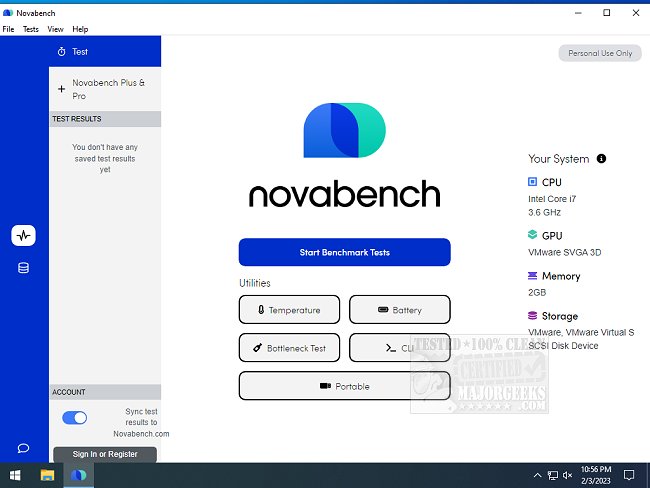
NovaBench has recently released version 6.2.0, a widely-used benchmarking tool designed to evaluate and compare the hardware and graphics performance of computer systems. With NovaBench, users can efficiently test key components of their computers, with tests taking only 1-2 minutes to complete. The application generates detailed results along with an overall system score, enabling users to compare their performance against others. This comparative analysis is essential for making informed decisions regarding hardware upgrades and identifying potential performance bottlenecks.
All results submitted to the NovaBench website are verified for authenticity, adding credibility to the scores. Users can create a profile based on their NovaBench results, easily share their scores on social media, and generate images for forum signatures, blogs, or websites.
NovaBench includes several specific tests to assess different aspects of system performance:
- Floating Point Test: Evaluates the CPU's floating point arithmetic speed.
- Integer Test: Measures the CPU's integer arithmetic speed.
- MD5 Hashing Speed: A general performance test for the CPU.
- 3D Graphics Test: Assesses the GPU through a complex 3D scene reliant on shaders.
- RAM Speed: Tests the read and write speeds of RAM.
- Disk Write Speed: Measures the write speed of the primary or selected storage device.
In addition to its benchmarking capabilities, NovaBench is accompanied by various resources that help users understand and optimize their system performance, including guides on how to find the Windows Experience Index score, identify hardware components, check CPU core counts, and evaluate memory speed.
As technology continues to evolve, tools like NovaBench are crucial for users looking to keep their systems running efficiently and competitively, especially for gamers, designers, and professionals who rely on robust hardware performance. The continued development of benchmarking software will likely lead to more comprehensive testing metrics and improved user interfaces, enhancing the overall experience for those seeking to optimize their computing environments
All results submitted to the NovaBench website are verified for authenticity, adding credibility to the scores. Users can create a profile based on their NovaBench results, easily share their scores on social media, and generate images for forum signatures, blogs, or websites.
NovaBench includes several specific tests to assess different aspects of system performance:
- Floating Point Test: Evaluates the CPU's floating point arithmetic speed.
- Integer Test: Measures the CPU's integer arithmetic speed.
- MD5 Hashing Speed: A general performance test for the CPU.
- 3D Graphics Test: Assesses the GPU through a complex 3D scene reliant on shaders.
- RAM Speed: Tests the read and write speeds of RAM.
- Disk Write Speed: Measures the write speed of the primary or selected storage device.
In addition to its benchmarking capabilities, NovaBench is accompanied by various resources that help users understand and optimize their system performance, including guides on how to find the Windows Experience Index score, identify hardware components, check CPU core counts, and evaluate memory speed.
As technology continues to evolve, tools like NovaBench are crucial for users looking to keep their systems running efficiently and competitively, especially for gamers, designers, and professionals who rely on robust hardware performance. The continued development of benchmarking software will likely lead to more comprehensive testing metrics and improved user interfaces, enhancing the overall experience for those seeking to optimize their computing environments
NovaBench 6.2.0 released
NovaBench is a popular component benchmark application that provides the most convenient way to test and compare your system's hardware and graphics capabilities.