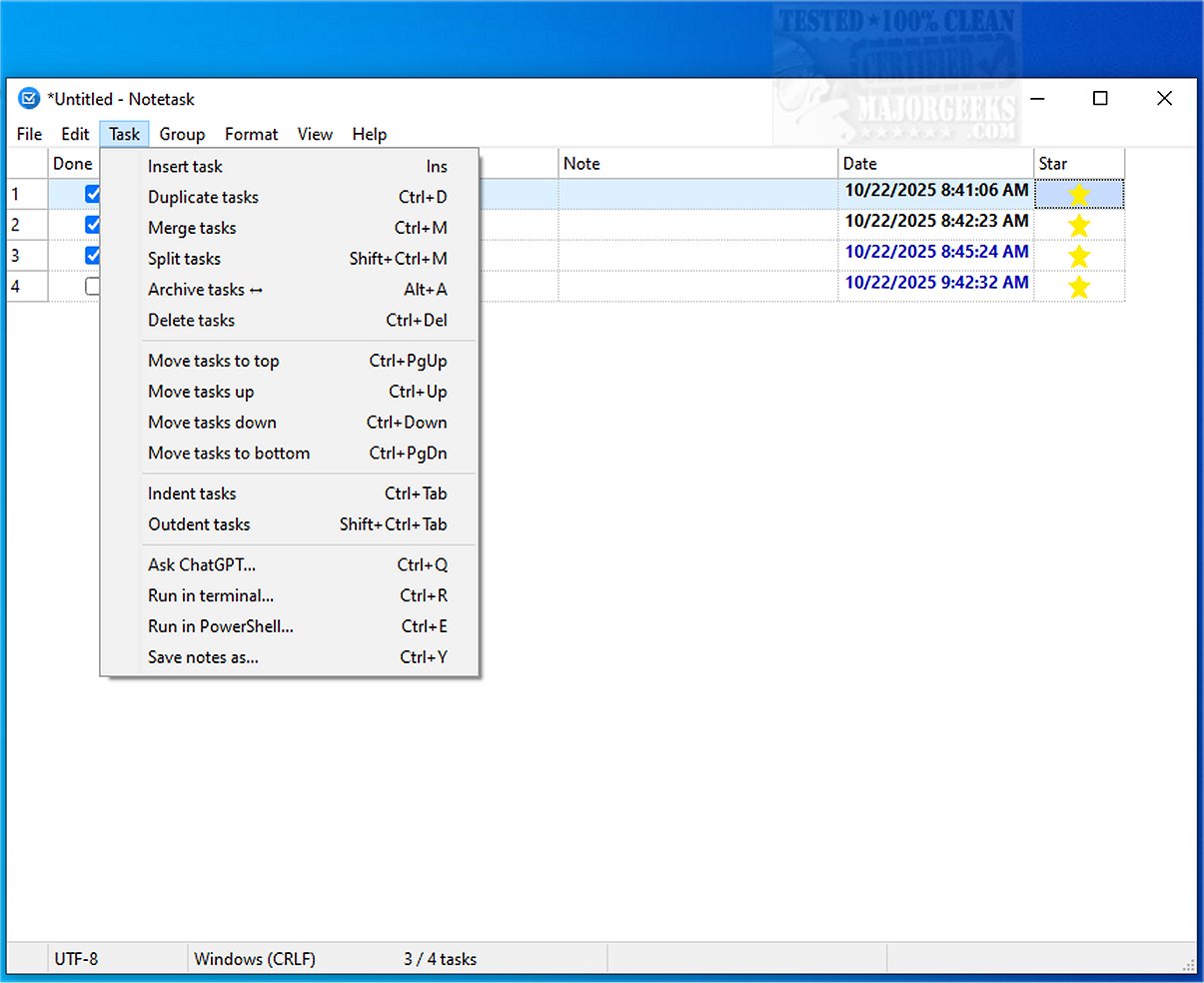
Notetask is a newly released cross-platform application designed for efficient task management and note-taking, available for both Windows and Linux users. Built with Lazarus (Free Pascal), Notetask offers a simple yet powerful interface that allows users to create and organize task lists, much like Notepad but enhanced with additional functionalities.
Key Features and Security Measures
Notetask utilizes plain text files for storing tasks, where each line represents a unique task or note. Users have the option to secure their data with AES-256 encryption in CBC mode, employing a robust key derived from PBKDF2-HMAC-SHA256. This encryption not only protects sensitive information but also compresses files using zlib, making storage more efficient. Users can choose to save files as encrypted binaries, with password protection available for added security. If no password is set, the data remains encrypted but without the additional password protection layer.
Customization and Task Management Versatility
The application is highly customizable, offering features that enhance the user experience and improve task management efficiency. Notetask includes automatic task numbering, support for archiving, merging, and splitting tasks, as well as tracking duration and quantities for each task. Users can create subtasks with indentation, highlight overdue tasks, and utilize copy/paste functionality in Markdown format. Notetask supports 14 languages, ensuring accessibility for a diverse user base.
Feature Highlights:
- Automatic task numbering and management
- Move, merge, and split tasks with ease
- Archive completed tasks and manage task groups on separate pages
- Track task duration and quantities
- Indentation for creating subtasks
- Highlight overdue and upcoming tasks
- Copy/paste functionality in Markdown
- Password-based file encryption
- Customizable interface with the ability to toggle columns and elements
- Status bar summary for tracking completed and incomplete tasks
Conclusion: The Ultimate Tool for Productivity
Notetask serves as an ideal solution for organizing various routine tasks, whether users are entering tasks manually or pasting them from external sources. This application is particularly beneficial for managing project to-dos, bug tracking, and feature requests, enabling users to remain focused and productive in their daily activities. With its user-friendly interface and robust functionality, Notetask is poised to become an essential tool for anyone looking to enhance their task management capabilities.
Future Developments
As Notetask continues to evolve, users can expect further enhancements and features aimed at improving user experience and expanding functionality. Continuous updates will ensure that Notetask remains relevant in the ever-changing landscape of task management solutions
Key Features and Security Measures
Notetask utilizes plain text files for storing tasks, where each line represents a unique task or note. Users have the option to secure their data with AES-256 encryption in CBC mode, employing a robust key derived from PBKDF2-HMAC-SHA256. This encryption not only protects sensitive information but also compresses files using zlib, making storage more efficient. Users can choose to save files as encrypted binaries, with password protection available for added security. If no password is set, the data remains encrypted but without the additional password protection layer.
Customization and Task Management Versatility
The application is highly customizable, offering features that enhance the user experience and improve task management efficiency. Notetask includes automatic task numbering, support for archiving, merging, and splitting tasks, as well as tracking duration and quantities for each task. Users can create subtasks with indentation, highlight overdue tasks, and utilize copy/paste functionality in Markdown format. Notetask supports 14 languages, ensuring accessibility for a diverse user base.
Feature Highlights:
- Automatic task numbering and management
- Move, merge, and split tasks with ease
- Archive completed tasks and manage task groups on separate pages
- Track task duration and quantities
- Indentation for creating subtasks
- Highlight overdue and upcoming tasks
- Copy/paste functionality in Markdown
- Password-based file encryption
- Customizable interface with the ability to toggle columns and elements
- Status bar summary for tracking completed and incomplete tasks
Conclusion: The Ultimate Tool for Productivity
Notetask serves as an ideal solution for organizing various routine tasks, whether users are entering tasks manually or pasting them from external sources. This application is particularly beneficial for managing project to-dos, bug tracking, and feature requests, enabling users to remain focused and productive in their daily activities. With its user-friendly interface and robust functionality, Notetask is poised to become an essential tool for anyone looking to enhance their task management capabilities.
Future Developments
As Notetask continues to evolve, users can expect further enhancements and features aimed at improving user experience and expanding functionality. Continuous updates will ensure that Notetask remains relevant in the ever-changing landscape of task management solutions
Notetask 1.1.4 released
Notetask provides a straightforward and efficient cross-platform solution for creating and organizing task lists. It includes essential features that facilitate efficient task management, much like Notepad, but with an emphasis on functionality and ease of use.