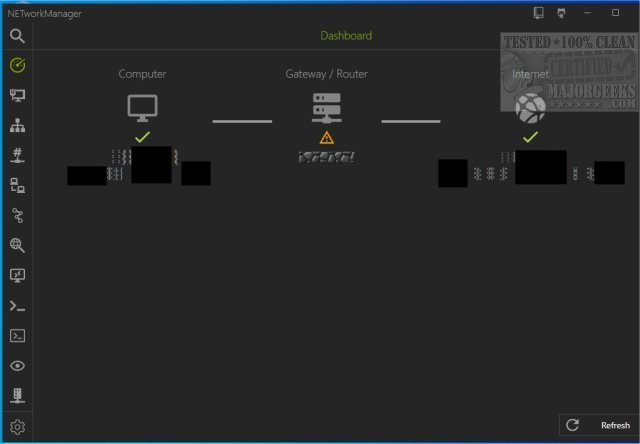
NETworkManager 2026.6.15.0 Pre-Release and 2026.2.22.0 have been released, enhancing the functionalities of this Open Source tool designed for comprehensive network management and troubleshooting. With NETworkManager, users can efficiently oversee their network connections through a centralized interface that offers a plethora of tools aimed at simplifying network management tasks.
The tool provides access to crucial information such as network interface details, IP addresses, and DNS servers, all conveniently displayed in its primary window. Users can configure connected network cards using profiles and execute various network operations, including PING tests, quick lookups, port and host scans, server connections via protocols like PuTTy and VNC, and Wake on LAN functionality. The intuitive design of NETworkManager ensures that managing and optimizing network performance is straightforward and efficient.
To further enhance user experience, NETworkManager includes features that allow for troubleshooting common network issues. Users can explore additional resources, such as guides on improving wireless network performance, resetting network settings in Windows 10 and 11, flushing the Windows DNS cache, and resetting TCP/IP protocols.
As technology continues to evolve, future updates to NETworkManager may introduce enhanced capabilities, integration with emerging networking technologies, or improved user interfaces that cater to the needs of both novice and experienced network administrators. The ongoing development of this tool underscores the importance of community-driven projects in providing accessible solutions for effective network management
The tool provides access to crucial information such as network interface details, IP addresses, and DNS servers, all conveniently displayed in its primary window. Users can configure connected network cards using profiles and execute various network operations, including PING tests, quick lookups, port and host scans, server connections via protocols like PuTTy and VNC, and Wake on LAN functionality. The intuitive design of NETworkManager ensures that managing and optimizing network performance is straightforward and efficient.
To further enhance user experience, NETworkManager includes features that allow for troubleshooting common network issues. Users can explore additional resources, such as guides on improving wireless network performance, resetting network settings in Windows 10 and 11, flushing the Windows DNS cache, and resetting TCP/IP protocols.
As technology continues to evolve, future updates to NETworkManager may introduce enhanced capabilities, integration with emerging networking technologies, or improved user interfaces that cater to the needs of both novice and experienced network administrators. The ongoing development of this tool underscores the importance of community-driven projects in providing accessible solutions for effective network management
NETworkManager 2026.6.15.0 Pre-Release / 2026.2.22.0 released
NETworkManager is an Open Source tool that allows you to manage networks and troubleshoot network problems.
NETworkManager 2026.6.15.0 Pre-Release / 2026.2.22.0 released @ MajorGeeks