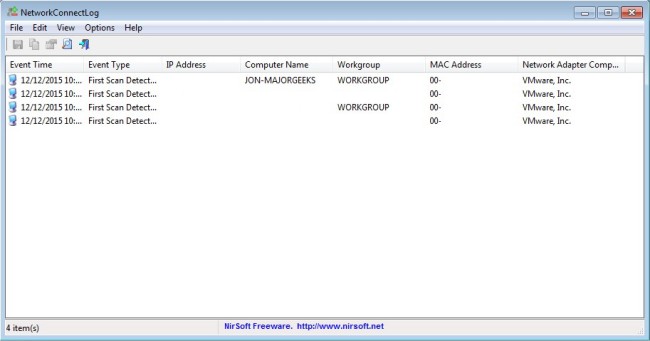
NetworkConnectLog 1.18 has been released, introducing an efficient tool designed to monitor your local area network (LAN) by utilizing ARP and Netbios protocols. This utility continuously scans your network, generating a log entry every time a new computer or device connects or disconnects. The accumulated logs can be easily exported in various formats, including comma-delimited, tab-delimited, HTML, or XML.
In addition to these features, NetworkConnectLog offers users enhanced visibility into their network activity, allowing for better management and security. Users can quickly identify unauthorized devices or monitor network performance over time.
Future versions of NetworkConnectLog could potentially incorporate features such as real-time alerts for connections and disconnections, advanced filtering options for log entries, or integration with other network management tools to provide even more comprehensive oversight. This utility is especially useful for home network administrators and small business owners looking to maintain control over their network environment.
Additionally, users may find it beneficial to explore related topics such as creating WLAN reports in Windows, renaming network profile names in Windows 10 and 11, and utilizing the Windows 10 network packet sniffer for deeper network analysis
In addition to these features, NetworkConnectLog offers users enhanced visibility into their network activity, allowing for better management and security. Users can quickly identify unauthorized devices or monitor network performance over time.
Future versions of NetworkConnectLog could potentially incorporate features such as real-time alerts for connections and disconnections, advanced filtering options for log entries, or integration with other network management tools to provide even more comprehensive oversight. This utility is especially useful for home network administrators and small business owners looking to maintain control over their network environment.
Additionally, users may find it beneficial to explore related topics such as creating WLAN reports in Windows, renaming network profile names in Windows 10 and 11, and utilizing the Windows 10 network packet sniffer for deeper network analysis
NetworkConnectLog 1.18 released
NetworkConnectLog is a simple utility that repeatedly scans your local area network (using ARP and Netbios protocols) and adds a new log line every time that a new computer or device connects to your network.