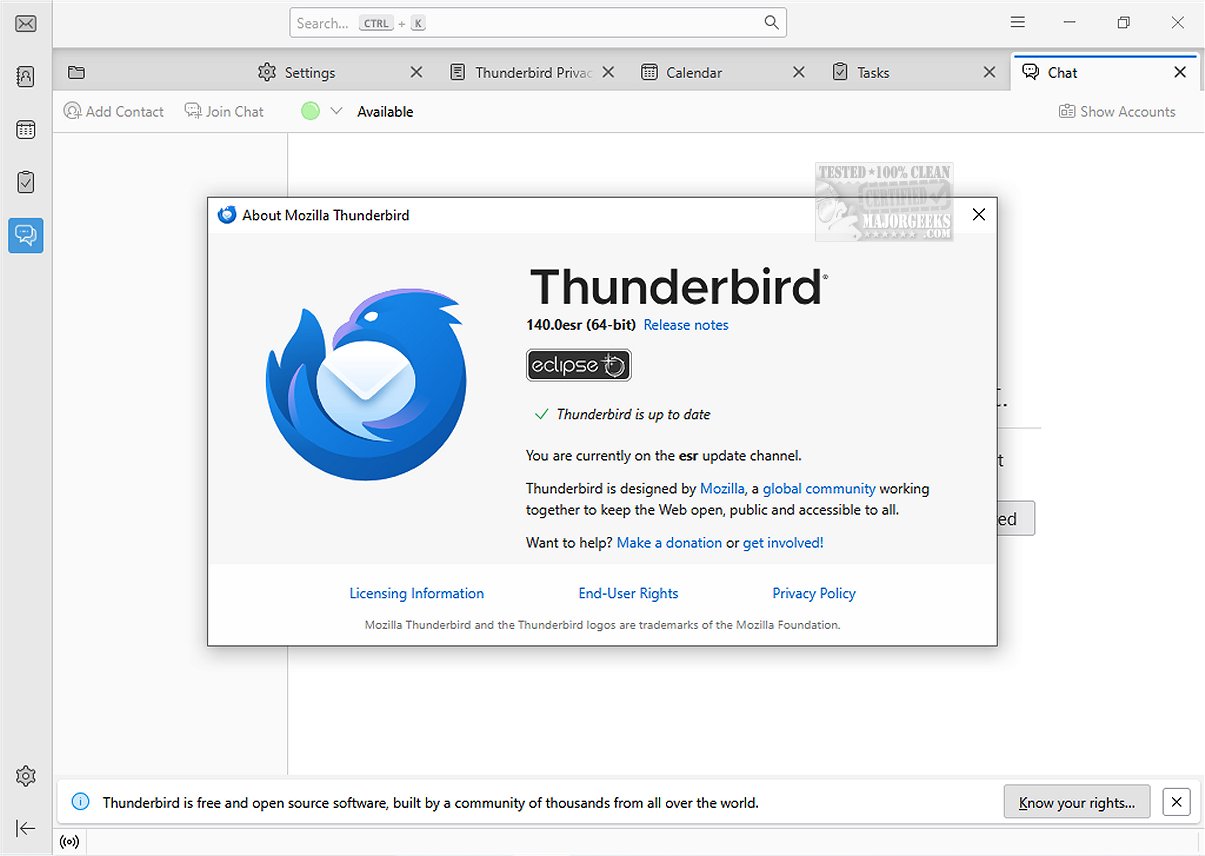
Mozilla Thunderbird Eclipse ESR, version 140.10.2, has been released as a versatile and free email application known for its customization options and feature-rich experience. A portable version is also available for users who prefer flexibility.
Overview of Mozilla Thunderbird Eclipse ESR:
The Eclipse ESR version is a part of the Extended Support Release (ESR) cycle, which began in July 2024 and is expected to conclude around September 2025. The 140+ Eclipse ESR release started in June 2025 and will receive support for approximately a year. This channel integrates all features and enhancements from previous Thunderbird releases up to version 140.
New Features in the Latest Release:
Key highlights of this ESR series include:
- A vertical tabs layout option for better organization.
- The ability to unload tabs from memory without closing them, enhancing performance.
- Easier addition of custom search engines.
- Tab grouping functionality.
- An improved Reader View with more text and layout options.
- Introduction of HTTPS-First mode for enhanced security.
- Bounce Tracking Protection in Strict Enhanced Tracking Protection mode.
- HTTPS is now the default protocol displayed in the address bar.
Focus on Speed and Safety:
Mozilla Thunderbird Eclipse ESR emphasizes speed, safety, and user-friendliness, making it suitable for both individual and organizational use. It includes built-in features such as straightforward message searches, customizable views, and support for IMAP, POP, and RSS feeds. The latest iteration also introduces a dynamic toolbar that adapts to frequently used options based on the active tab, alongside a complete redesign of the graphical user interface (GUI) for improved navigation and aesthetics.
Security Features:
The application prioritizes security with features like an effective junk mail filter, which can analyze and filter spam, and robust security measures including digital signing, message encryption, S/MIME support, and compatibility with certificates used by enterprises and government entities.
Additional Resources:
For those seeking a portable version, it is available, and users can further enhance their Thunderbird experience by utilizing a wide range of Mozilla Add-Ons.
In conclusion, Mozilla Thunderbird Eclipse ESR 140.10.2 not only provides a reliable and efficient email management solution but also enhances user experience with its focus on customization, speed, and security, making it an ideal choice for a variety of users. Whether for personal use or within an organization, Thunderbird continues to evolve, meeting the demands of modern communication needs
Overview of Mozilla Thunderbird Eclipse ESR:
The Eclipse ESR version is a part of the Extended Support Release (ESR) cycle, which began in July 2024 and is expected to conclude around September 2025. The 140+ Eclipse ESR release started in June 2025 and will receive support for approximately a year. This channel integrates all features and enhancements from previous Thunderbird releases up to version 140.
New Features in the Latest Release:
Key highlights of this ESR series include:
- A vertical tabs layout option for better organization.
- The ability to unload tabs from memory without closing them, enhancing performance.
- Easier addition of custom search engines.
- Tab grouping functionality.
- An improved Reader View with more text and layout options.
- Introduction of HTTPS-First mode for enhanced security.
- Bounce Tracking Protection in Strict Enhanced Tracking Protection mode.
- HTTPS is now the default protocol displayed in the address bar.
Focus on Speed and Safety:
Mozilla Thunderbird Eclipse ESR emphasizes speed, safety, and user-friendliness, making it suitable for both individual and organizational use. It includes built-in features such as straightforward message searches, customizable views, and support for IMAP, POP, and RSS feeds. The latest iteration also introduces a dynamic toolbar that adapts to frequently used options based on the active tab, alongside a complete redesign of the graphical user interface (GUI) for improved navigation and aesthetics.
Security Features:
The application prioritizes security with features like an effective junk mail filter, which can analyze and filter spam, and robust security measures including digital signing, message encryption, S/MIME support, and compatibility with certificates used by enterprises and government entities.
Additional Resources:
For those seeking a portable version, it is available, and users can further enhance their Thunderbird experience by utilizing a wide range of Mozilla Add-Ons.
In conclusion, Mozilla Thunderbird Eclipse ESR 140.10.2 not only provides a reliable and efficient email management solution but also enhances user experience with its focus on customization, speed, and security, making it an ideal choice for a variety of users. Whether for personal use or within an organization, Thunderbird continues to evolve, meeting the demands of modern communication needs
Mozilla Thunderbird Eclipse ESR 140.10.2 released
Mozilla Thunderbird Eclipse ESR is a versatile and free email application that stands out due to its ease of customization and a rich set of features that enhance user experience.Portable version also available.
Mozilla Thunderbird Eclipse ESR 140.10.2 released @ MajorGeeks