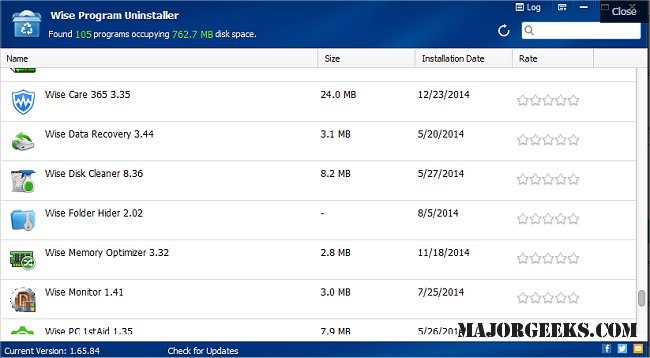
Wise Program Uninstaller has released version 3.2.9.275, which is designed to help users remove unwanted software from their computers, including programs that are difficult to uninstall using traditional Windows methods. The software features a user-friendly interface and allows users to add an "Uninstall with Wise Program Uninstaller" option to their context menu, enabling quick uninstallation by right-clicking on an application's icon.
The program boasts several key features:
- It can detect and remove leftover files after uninstallation more effectively than many other uninstallers.
- It combines both Safe Uninstall and Forced Uninstall options, catering to different uninstallation needs.
- A new program repair feature has been added, enhancing its functionality.
- The software supports multiple languages and provides online help documents for user assistance.
For users seeking guidance, a video tutorial is available, demonstrating the various features and functionalities of Wise Program Uninstaller.
In addition to its primary functions, Wise Program Uninstaller also offers tools and tips for uninstalling applications not listed in the Control Panel, as well as for managing suggested apps and ads in Windows 10 and 11 settings. This makes it a versatile tool for maintaining a clutter-free system.
Overall, Wise Program Uninstaller stands out for its thorough approach to software removal, making it a valuable utility for anyone looking to manage their installed applications effectively
The program boasts several key features:
- It can detect and remove leftover files after uninstallation more effectively than many other uninstallers.
- It combines both Safe Uninstall and Forced Uninstall options, catering to different uninstallation needs.
- A new program repair feature has been added, enhancing its functionality.
- The software supports multiple languages and provides online help documents for user assistance.
For users seeking guidance, a video tutorial is available, demonstrating the various features and functionalities of Wise Program Uninstaller.
In addition to its primary functions, Wise Program Uninstaller also offers tools and tips for uninstalling applications not listed in the Control Panel, as well as for managing suggested apps and ads in Windows 10 and 11 settings. This makes it a versatile tool for maintaining a clutter-free system.
Overall, Wise Program Uninstaller stands out for its thorough approach to software removal, making it a valuable utility for anyone looking to manage their installed applications effectively
Wise Program Uninstaller 3.2.9.275 released
Wise Program Uninstaller assists in uninstalling unwanted programs or grants a forcible uninstall for those stubborn ones that Windows cannot uninstall. Video tutorial available.