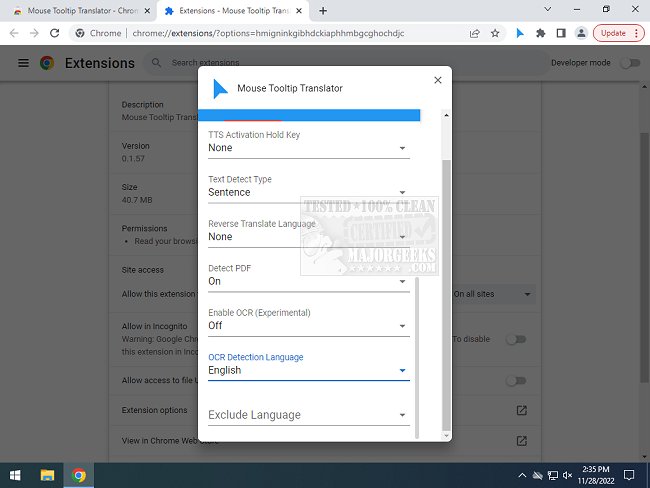
The Mouse Tooltip Translator, an extension for Chrome and Edge, has been updated to version 0.1.239. This handy tool allows users to easily translate text by hovering over it, making it particularly useful for those who encounter foreign language content online but do not wish to translate entire web pages. The extension utilizes Google Translate to provide quick and efficient translations, enhancing the browsing experience for users who may be navigating multilingual sites.
Key features of the Mouse Tooltip Translator include:
- The ability to hover or select text for translation.
- Visualization of tooltips on most web pages, although it cannot be used on the Chrome web store site.
- Compatibility with both Google Translate and Bing Translator for translation services.
- An option to listen to the translated text via Google Text-to-Speech (TTS).
- Support for displaying translated tooltips in PDF documents using PDF.js.
- A filter feature that prevents translation when the source and target languages are the same.
- Experimental features that allow for translation of YouTube captions when hovering over subtitle blocks and using Optical Character Recognition (OCR) to translate text in comic book bubbles.
This extension is particularly beneficial for frequent travelers on the internet who desire a swift translation option without the hassle of full-page translations.
In an effort to further enhance user experience, future updates could potentially include additional features such as customizable language pairs, improved OCR capabilities for a wider range of text formats, and support for more translation engines. The ongoing development of such tools reflects the growing need for seamless communication across different languages in our increasingly globalized digital landscape
Key features of the Mouse Tooltip Translator include:
- The ability to hover or select text for translation.
- Visualization of tooltips on most web pages, although it cannot be used on the Chrome web store site.
- Compatibility with both Google Translate and Bing Translator for translation services.
- An option to listen to the translated text via Google Text-to-Speech (TTS).
- Support for displaying translated tooltips in PDF documents using PDF.js.
- A filter feature that prevents translation when the source and target languages are the same.
- Experimental features that allow for translation of YouTube captions when hovering over subtitle blocks and using Optical Character Recognition (OCR) to translate text in comic book bubbles.
This extension is particularly beneficial for frequent travelers on the internet who desire a swift translation option without the hassle of full-page translations.
In an effort to further enhance user experience, future updates could potentially include additional features such as customizable language pairs, improved OCR capabilities for a wider range of text formats, and support for more translation engines. The ongoing development of such tools reflects the growing need for seamless communication across different languages in our increasingly globalized digital landscape
Mouse Tooltip Translator for Chrome and Edge 0.1.239 released
Mouse Tooltip Translator for Chrome and Edge extension that provides mouseover tooltip language translations.
Mouse Tooltip Translator for Chrome and Edge 0.1.239 released @ MajorGeeks