The HDR SDR Brightness 1.0.16 tool has been released, offering a practical solution for Windows users who want to maintain consistent brightness levels for Standard Dynamic Range (SDR) content while High Dynamic Range (HDR) is enabled. This lightweight application, which operates from the Windows system tray, is particularly beneficial for users with OLED, QD-OLED, and MiniLED displays, as well as HDR monitors, TVs, and laptops.
One of the key features of HDR SDR Brightness is its ability to manage brightness adjustments effectively, ensuring a more predictable and enjoyable viewing experience. Many users find that SDR applications can appear either too bright or too dim when HDR is activated, and this tool addresses those discrepancies.
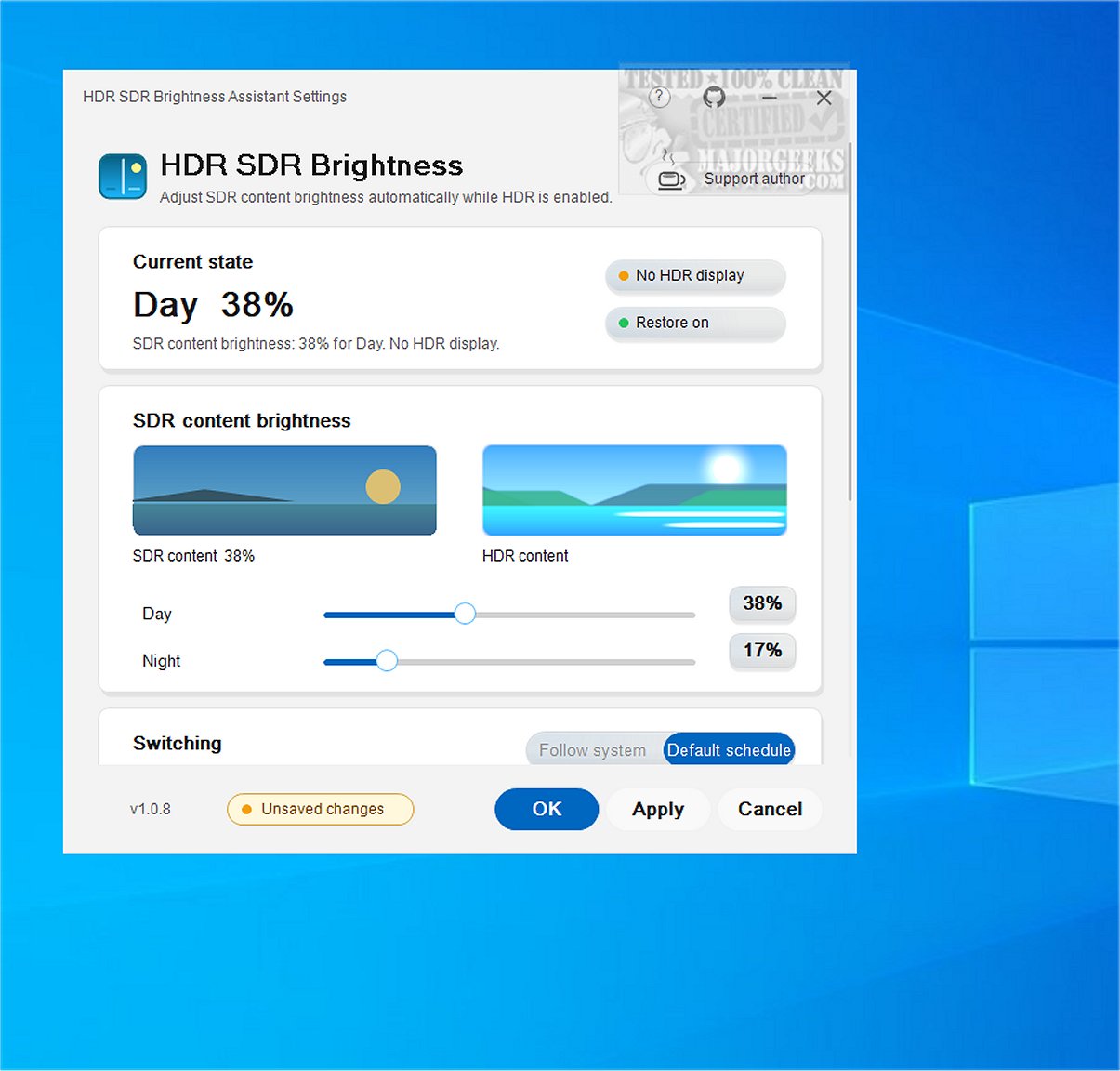
Additionally, HDR SDR Brightness allows users to set different brightness levels for SDR content depending on the time of day, thanks to its Windows Night Light synchronization feature. This means that the application can automatically adjust brightness settings based on user preferences when it detects manual changes, enhancing user convenience.
The application runs discreetly from the system tray, allowing for an unobtrusive startup. It also adapts to the user's Windows light or dark theme, providing a seamless integration with the operating system. Users have access to a live SDR/HDR preview within the settings window, making it easy to fine-tune brightness levels.
HDR SDR Brightness is available in both paid and free versions through the Microsoft Store, with the paid version offering a limited-time free trial. The application is user-friendly, with no in-app purchases, subscriptions, or additional software installations required. Settings are stored locally, eliminating the need for user accounts.
In summary, HDR SDR Brightness 1.0.16 is a valuable tool for enhancing the viewing experience on HDR-enabled devices, helping users achieve balanced brightness levels for SDR content. Its lightweight design, easy integration, and practical features make it a must-have application for those who frequently switch between SDR and HDR content.
To extend the functionality of HDR SDR Brightness, future updates could include advanced customization options, such as user-defined profiles for different types of content or automatic adjustments based on ambient light conditions. Additionally, the integration of machine learning algorithms could provide even smarter brightness adjustments tailored to individual user preferences and viewing habits
One of the key features of HDR SDR Brightness is its ability to manage brightness adjustments effectively, ensuring a more predictable and enjoyable viewing experience. Many users find that SDR applications can appear either too bright or too dim when HDR is activated, and this tool addresses those discrepancies.
Additionally, HDR SDR Brightness allows users to set different brightness levels for SDR content depending on the time of day, thanks to its Windows Night Light synchronization feature. This means that the application can automatically adjust brightness settings based on user preferences when it detects manual changes, enhancing user convenience.
The application runs discreetly from the system tray, allowing for an unobtrusive startup. It also adapts to the user's Windows light or dark theme, providing a seamless integration with the operating system. Users have access to a live SDR/HDR preview within the settings window, making it easy to fine-tune brightness levels.
HDR SDR Brightness is available in both paid and free versions through the Microsoft Store, with the paid version offering a limited-time free trial. The application is user-friendly, with no in-app purchases, subscriptions, or additional software installations required. Settings are stored locally, eliminating the need for user accounts.
In summary, HDR SDR Brightness 1.0.16 is a valuable tool for enhancing the viewing experience on HDR-enabled devices, helping users achieve balanced brightness levels for SDR content. Its lightweight design, easy integration, and practical features make it a must-have application for those who frequently switch between SDR and HDR content.
To extend the functionality of HDR SDR Brightness, future updates could include advanced customization options, such as user-defined profiles for different types of content or automatic adjustments based on ambient light conditions. Additionally, the integration of machine learning algorithms could provide even smarter brightness adjustments tailored to individual user preferences and viewing habits
HDR SDR Brightness 1.0.16 released
HDR SDR Brightness is a lightweight tool that resides in the Windows system tray. It is designed to help you maintain consistent brightness levels for SDR (Standard Dynamic Range) content when HDR (High Dynamic Range) is enabled in Windows. This tool ensures a more predictable viewing experience by effectively managing brightness adjustments.