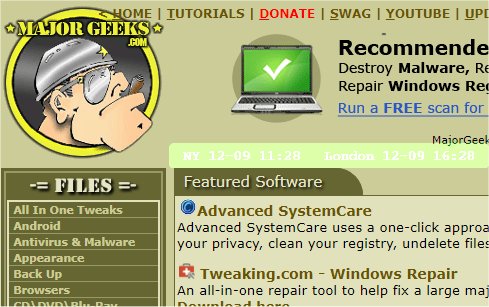
The mclocks version 0.2.52 has been released, enhancing its functionality as an Open Source application designed to display multiple clocks across different time zones. This feature proves to be particularly useful for travelers and professionals engaged in international meetings, as it allows for easy reference to various global times.
Users can customize their clock display by modifying a configuration file named config.json, which can be edited using Notepad. An example configuration includes settings for displaying clocks for New York and London, along with options to format the date and time, set the display's opacity, font color, size, and background color.
Here is a brief overview of the config.json structure:
In addition to the main features of mclocks, users can explore similar guides on managing clocks on Windows systems, including how to show multiple clocks, troubleshoot incorrect date or time settings, display time only on the taskbar, or even remove the clock from the taskbar altogether.
As we look forward, future updates to mclocks could enhance user experience by introducing more customization options, improved user interfaces, or integration with additional platforms and devices to expand its usability even further. Furthermore, community contributions could lead to a broader range of features, such as alarm settings, countdown timers, or reminders based on different time zones, making mclocks an even more indispensable tool for users worldwide
Users can customize their clock display by modifying a configuration file named config.json, which can be edited using Notepad. An example configuration includes settings for displaying clocks for New York and London, along with options to format the date and time, set the display's opacity, font color, size, and background color.
Here is a brief overview of the config.json structure:
json{
"clocks": [
{ "name": "NY", "timezone": "America/New_York" },
{ "name": "London", "timezone": "Europe/London" }
],
"formatDateTime": "MM-DD ddd HH:mm",
"localeDateTime": "en",
"opacity": 1,
"fontColor": "#fff",
"fontSize": 14,
"bgColor": "#151",
"onlyText": false,
"alwaysOnTop": false
}
In addition to the main features of mclocks, users can explore similar guides on managing clocks on Windows systems, including how to show multiple clocks, troubleshoot incorrect date or time settings, display time only on the taskbar, or even remove the clock from the taskbar altogether.
As we look forward, future updates to mclocks could enhance user experience by introducing more customization options, improved user interfaces, or integration with additional platforms and devices to expand its usability even further. Furthermore, community contributions could lead to a broader range of features, such as alarm settings, countdown timers, or reminders based on different time zones, making mclocks an even more indispensable tool for users worldwide
mclocks 0.2.52 released
mclocks is an Open Source app that allows you to display multiple time zone clocks.