Mailbird version 4.35.1 has been released, enhancing its functionality as a comprehensive utility that consolidates email, calendar, task, and messaging applications. This update continues to support multi-account configurations for both IMAP and POP3 protocols, allowing users to manage multiple email accounts seamlessly.
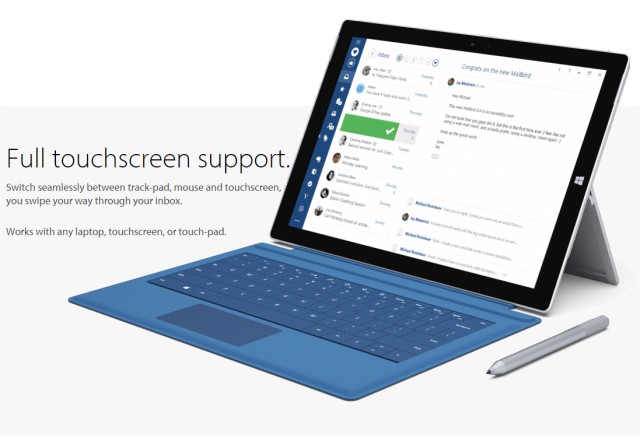
The unified inbox feature streamlines email management, while complete touch support makes it easy to navigate the platform on various devices. Mailbird integrates with several messaging and task management applications, as well as calendar apps, which enhances productivity by keeping all essential tools in one place.
Additionally, Mailbird offers support for over 15 languages, making it accessible to a global audience. Users can personalize their experience through customizable colors and layouts. The application also allows minor modifications, including adjustments to text size and font, auto-spellcheck capabilities, and the convenience of dragging and dropping attachments directly in the composition window.
In summary, Mailbird 4.35.1 is designed to improve user experience through its extensive features, including multi-account support, a contacts manager, and various app integrations, making it a versatile tool for managing communication and tasks efficiently. Future updates may continue to expand integration options and enhance user customization features, ensuring that Mailbird remains a leading choice for email and task management
The unified inbox feature streamlines email management, while complete touch support makes it easy to navigate the platform on various devices. Mailbird integrates with several messaging and task management applications, as well as calendar apps, which enhances productivity by keeping all essential tools in one place.
Additionally, Mailbird offers support for over 15 languages, making it accessible to a global audience. Users can personalize their experience through customizable colors and layouts. The application also allows minor modifications, including adjustments to text size and font, auto-spellcheck capabilities, and the convenience of dragging and dropping attachments directly in the composition window.
In summary, Mailbird 4.35.1 is designed to improve user experience through its extensive features, including multi-account support, a contacts manager, and various app integrations, making it a versatile tool for managing communication and tasks efficiently. Future updates may continue to expand integration options and enhance user customization features, ensuring that Mailbird remains a leading choice for email and task management
Mailbird 4.35.1 released
Mailbird connects all your preferred email, calendar, task, and messaging apps into one versatile utility.