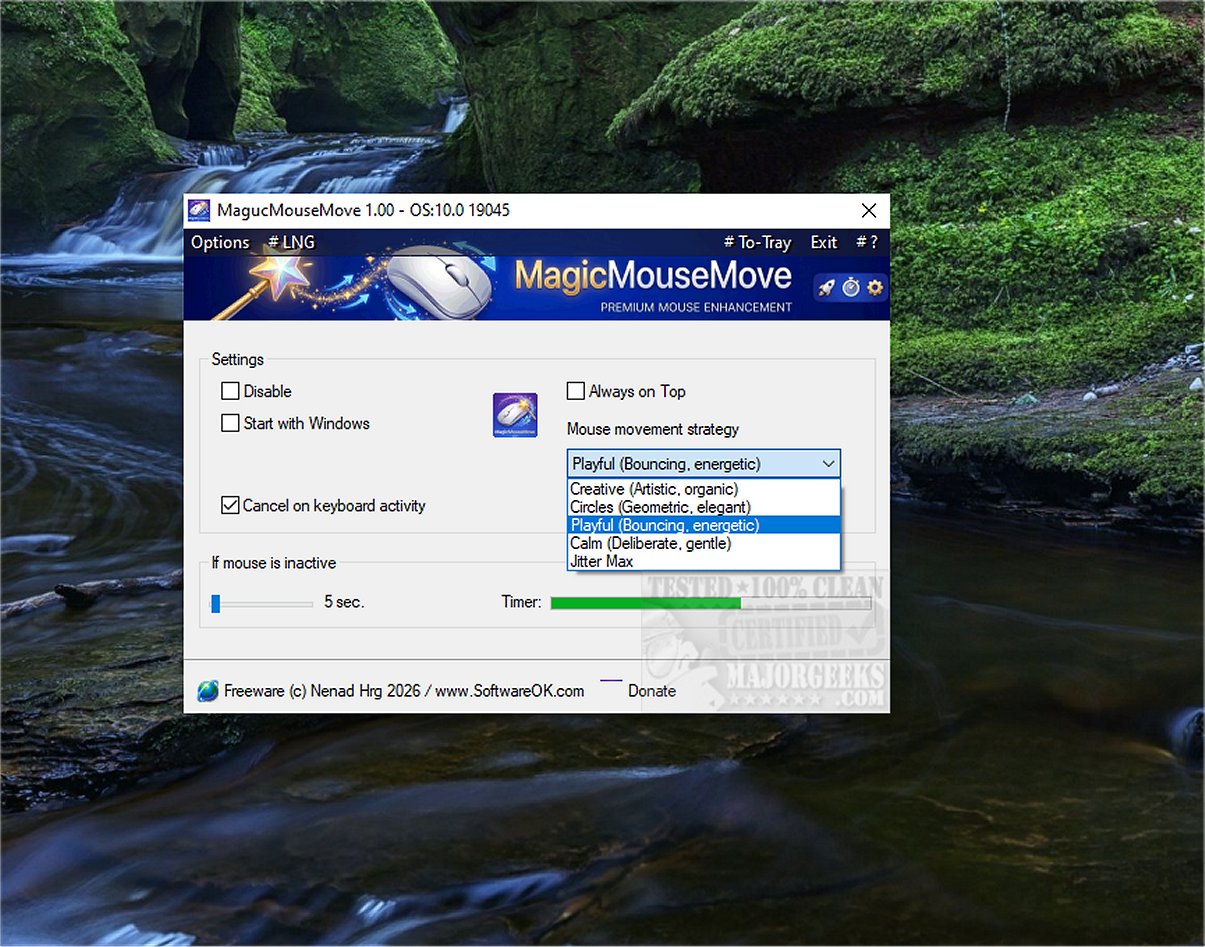
MagicMouseMove 1.05 has been released, providing a specialized tool for Windows users aimed at keeping their devices active through subtle, human-like mouse movements. This software is particularly useful for individuals who utilize game streaming services like GeForce Now, Xbox Cloud Gaming, and Steam, as well as those who rely on remote desktop connections such as RDP, TeamViewer, and AnyDesk. By preventing connection drops during moments of inactivity, MagicMouseMove ensures a seamless user experience, allowing users to step away from their computers without fear of disconnection.
The tool features adjustable automatic mouse movement settings after a specified period of inactivity, with five different movement types—micro, sweep, full screen, dance, and jittermax. These movements are designed to mimic natural, sinusoidal paths, making it difficult for systems to detect them as automated actions. Users can easily deactivate the tool via a taskbar icon, and it incorporates intelligent inactivity detection to ensure that movements only occur when the user is genuinely absent.
MagicMouseMove is especially beneficial for those conducting presentations or monitoring devices, as it helps prevent them from going into standby mode. The tool allows users to take spontaneous breaks, such as restroom visits or quick phone calls, without the worry of losing their connections or progress. By maintaining user engagement through realistic mouse movements, MagicMouseMove effectively circumvents automatic power-saving features, fostering a productive environment.
The software's "set it and forget it" approach makes it easy to use, ensuring that users can focus on their tasks without the need for constant manual input. This enhances overall productivity, especially during extended work sessions or research tasks.
In summary, MagicMouseMove 1.05 offers a straightforward and efficient solution for Windows users looking to maintain device activity and engagement. Its realistic mouse movements not only prevent disconnections but also enhance workflow and productivity during periods of absence from the keyboard.
Extended Insight: As remote work and digital engagement continue to rise, tools like MagicMouseMove become increasingly essential. They cater to the needs of users who balance multiple responsibilities or who experience interruptions during long tasks. Furthermore, as technology evolves, software developers may consider incorporating additional features such as customizable movement patterns or integration with task management tools to further enhance user experience. Such innovations could provide users with greater flexibility and control over their device interactions, ultimately leading to more efficient workflows in a variety of settings
The tool features adjustable automatic mouse movement settings after a specified period of inactivity, with five different movement types—micro, sweep, full screen, dance, and jittermax. These movements are designed to mimic natural, sinusoidal paths, making it difficult for systems to detect them as automated actions. Users can easily deactivate the tool via a taskbar icon, and it incorporates intelligent inactivity detection to ensure that movements only occur when the user is genuinely absent.
MagicMouseMove is especially beneficial for those conducting presentations or monitoring devices, as it helps prevent them from going into standby mode. The tool allows users to take spontaneous breaks, such as restroom visits or quick phone calls, without the worry of losing their connections or progress. By maintaining user engagement through realistic mouse movements, MagicMouseMove effectively circumvents automatic power-saving features, fostering a productive environment.
The software's "set it and forget it" approach makes it easy to use, ensuring that users can focus on their tasks without the need for constant manual input. This enhances overall productivity, especially during extended work sessions or research tasks.
In summary, MagicMouseMove 1.05 offers a straightforward and efficient solution for Windows users looking to maintain device activity and engagement. Its realistic mouse movements not only prevent disconnections but also enhance workflow and productivity during periods of absence from the keyboard.
Extended Insight: As remote work and digital engagement continue to rise, tools like MagicMouseMove become increasingly essential. They cater to the needs of users who balance multiple responsibilities or who experience interruptions during long tasks. Furthermore, as technology evolves, software developers may consider incorporating additional features such as customizable movement patterns or integration with task management tools to further enhance user experience. Such innovations could provide users with greater flexibility and control over their device interactions, ultimately leading to more efficient workflows in a variety of settings
MagicMouseMove 1.05 released
MagicMouseMove is a specialized Windows tool that helps maintain an active device status by simulating subtle, natural mouse movements.