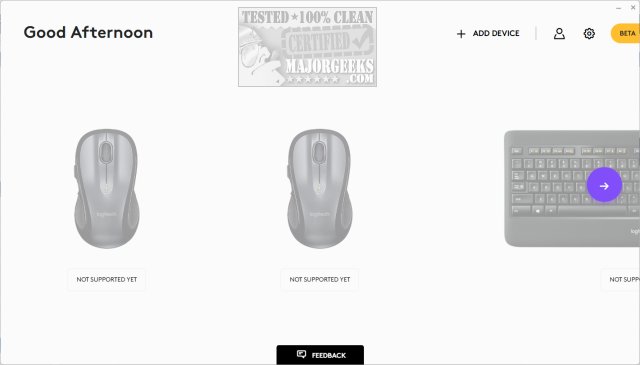
Logi Options+ 2.7.961922 has been released, enhancing the user experience for managing and customizing supported Logitech mice and keyboards. This next-gen application merges the best features of the previous Logitech Options with a simplified, user-friendly interface. Its primary goal is to streamline daily tasks, allowing users to navigate through their routines effortlessly, regardless of the application in use.
The app comes with predefined settings optimized for popular applications like Google Chrome, Microsoft Teams, and Adobe Creative Suite, among others. It also features mouse gestures for easier desktop navigation and the Options+ Flow capability, which facilitates smooth operation across multiple computers. Users can customize buttons and keys for repetitive tasks, adjust scrolling preferences, and fine-tune cursor speed to enhance productivity.
Additionally, Logi Options+ includes a Beta version that helps users monitor device status, providing crucial notifications about battery levels and Caps Lock status to prevent disruptions. The app is designed to increase efficiency and ease of use, making it a valuable tool for anyone looking to optimize their workflow.
In the future, we can expect further updates to Logi Options+, potentially introducing new features that enhance cross-device functionality and customization options, solidifying its role as an essential application for Logitech users. As technology continues to evolve, Logitech may also explore integrations with emerging software and tools to ensure that Options+ remains relevant and user-centric
The app comes with predefined settings optimized for popular applications like Google Chrome, Microsoft Teams, and Adobe Creative Suite, among others. It also features mouse gestures for easier desktop navigation and the Options+ Flow capability, which facilitates smooth operation across multiple computers. Users can customize buttons and keys for repetitive tasks, adjust scrolling preferences, and fine-tune cursor speed to enhance productivity.
Additionally, Logi Options+ includes a Beta version that helps users monitor device status, providing crucial notifications about battery levels and Caps Lock status to prevent disruptions. The app is designed to increase efficiency and ease of use, making it a valuable tool for anyone looking to optimize their workflow.
In the future, we can expect further updates to Logi Options+, potentially introducing new features that enhance cross-device functionality and customization options, solidifying its role as an essential application for Logitech users. As technology continues to evolve, Logitech may also explore integrations with emerging software and tools to ensure that Options+ remains relevant and user-centric
Logi Options+ 2.7.961922 released
Logi Options+ is a next-gen app that lets you manage and customize your supported mice and keyboards. It combines the best features of Logitech Options with a brand new easy-to-use interface. Options+ is designed to transform your daily tasks.