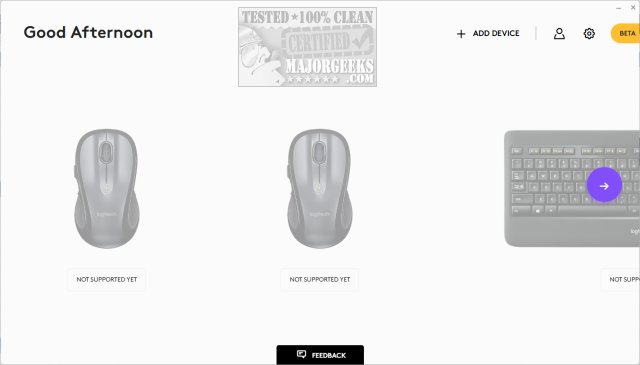
Logi Options+ version 2.2.872704 has been released, marking an evolution in the way users manage and customize their Logitech mice and keyboards. This next-generation application merges the best elements of the previous Logitech Options with a fresh, user-friendly interface, aimed at enhancing productivity in daily tasks.
With Logi Options+, users can navigate their workflows with ease, as it comes equipped with predefined settings tailored to popular applications such as Google Chrome, Microsoft Office Suite (Word, PowerPoint, Excel), video conferencing tools like Zoom and Microsoft Teams, as well as creative software such as Photoshop and Premiere Pro. The app offers mouse gestures for smooth desktop navigation and features like Options+ Flow, enabling seamless operation across multiple computers.
Customization is at the core of Options+, allowing users to configure device buttons and keys for common tasks, adjust scrolling experiences, and optimize cursor speed. Additionally, the app addresses practical concerns by providing status updates and alerts regarding battery levels and Caps Lock usage, ensuring that users remain informed about their devices.
In summary, Logi Options+ 2.2.872704 is designed to streamline user experience and improve efficiency through its intuitive interface and customizable features. As a potential next step, Logitech could further enhance this app by integrating AI-driven recommendations for button configurations based on user behavior, or by expanding compatibility to include more applications and devices, thereby ensuring that users can maximize their productivity across all tasks and workflows
With Logi Options+, users can navigate their workflows with ease, as it comes equipped with predefined settings tailored to popular applications such as Google Chrome, Microsoft Office Suite (Word, PowerPoint, Excel), video conferencing tools like Zoom and Microsoft Teams, as well as creative software such as Photoshop and Premiere Pro. The app offers mouse gestures for smooth desktop navigation and features like Options+ Flow, enabling seamless operation across multiple computers.
Customization is at the core of Options+, allowing users to configure device buttons and keys for common tasks, adjust scrolling experiences, and optimize cursor speed. Additionally, the app addresses practical concerns by providing status updates and alerts regarding battery levels and Caps Lock usage, ensuring that users remain informed about their devices.
In summary, Logi Options+ 2.2.872704 is designed to streamline user experience and improve efficiency through its intuitive interface and customizable features. As a potential next step, Logitech could further enhance this app by integrating AI-driven recommendations for button configurations based on user behavior, or by expanding compatibility to include more applications and devices, thereby ensuring that users can maximize their productivity across all tasks and workflows
Logi Options+ 2.2.872704 released
Logi Options+ is a next-gen app that lets you manage and customize your supported mice and keyboards. It combines the best features of Logitech Options with a brand new easy-to-use interface. Options+ is designed to transform your daily tasks.